
Cold Storage Barcode Problems Solved: Batteries, Condensation, Labels & More
Posted by Midwest Barcoding Solutions on Feb 22nd 2026
When your forklift operator's scanner freezes up at -20°F, it's not just frustrating—it's a complete operational shutdown. Every minute that scanner sits dark means delayed shipments, workers removing gloves in dangerous cold, and inventory that can't move.
The problem? Standard "rugged" devices marketed as cold-capable fail spectacularly in real freezer environments. Here's why conventional barcode hardware breaks down in sub-zero conditions—and what actually works.

Why Do Barcode Scanner Batteries Die in Cold Storage Even When Fully Charged?
- The Problem: Your mobile computer shows a full battery in the dock area, but dies within 10 minutes of entering the -20°F freezer.
- What's Happening: Standard lithium-ion batteries rely on chemical reactions that slow to a crawl in cold temperatures. At 32°F, you lose 20% capacity. At 0°F, you're down to 50%. At -20°F to -30°F (common in pharmaceutical freezers), standard batteries simply quit working—not because they're dead, but because the cold has made them chemically inert.
- The Fix: Freezer-grade mobile computers use specialized battery chemistry that stays reactive at extreme temperatures. These batteries maintain 70%+ capacity even at -30°F. Some include heating elements that pre-warm the battery before high-draw operations like scanning or wireless transmission.
What to Look For:
- Battery specifications rated for your actual minimum temperature (not just "cold storage")
- Purpose-built cold storage battery chemistry, not standard lithium-ion
- Devices with battery heating systems for extreme environments
Why Do Mobile Computers Fog Up and Fail When Moving Between the Dock and Freezer?
- The Problem: Scanners work fine in the warehouse but fog over and eventually die after repeated trips into the freezer.
- What's Happening: Moving from 70°F to -10°F causes instant condensation on internal optics and circuit boards—just like your glasses fogging up. That moisture doesn't just obscure the scanner lens. It migrates into the device through gaps around buttons and ports, pools on electronics, corrodes connections, and eventually causes catastrophic failure. The device might work after warming up the first few times, but cumulative moisture damage kills it within weeks.
- The Fix: True cold storage devices feature hermetically sealed scan engines with multi-layer optical windows that resist fogging. Industrial gasket systems maintain integrity across extreme temperature swings. Some include internal humidity barriers that prevent moisture migration even when condensation forms on external surfaces.
What to Look For:
- IP65 or higher rating (but verify it's tested at temperature extremes)
- Hermetically sealed scan engine assemblies
- Multi-layer optical windows with anti-fog coatings
- Devices specifically tested for thermal shock cycling
Why Won't My Touchscreen Scanner Work When Wearing Freezer Gloves?
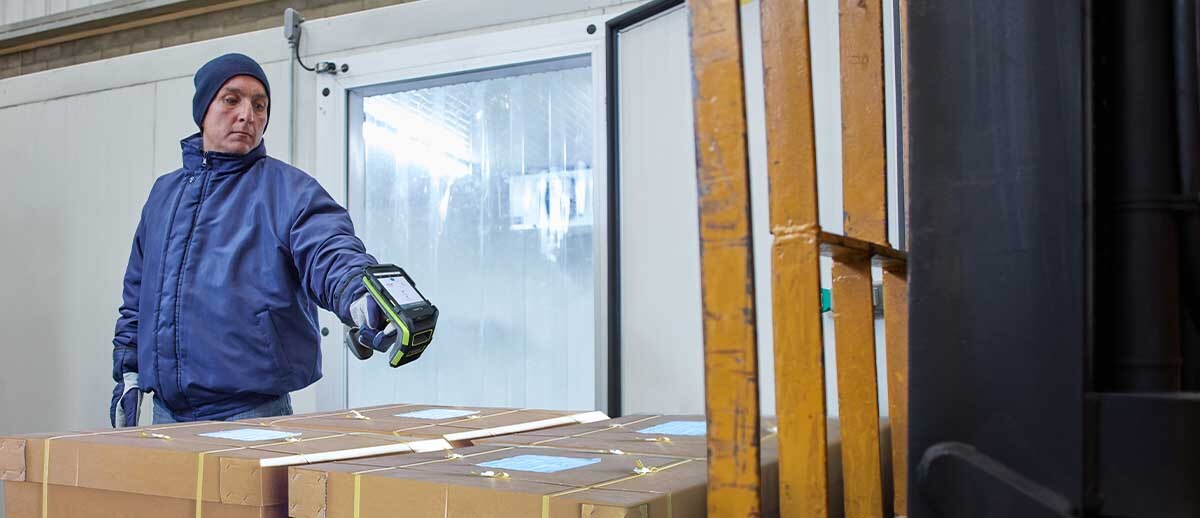
- The Problem: Workers must choose between frostbite-inducing bare hands or a touchscreen that won't register inputs through protective gloves.
- What's Happening: Capacitive touchscreens (like smartphones) detect the electrical properties of your fingertip. Thick freezer gloves block this electrical contact. Meanwhile, cold temperatures make LCD screens sluggish and unresponsive. Screen refresh rates slow dramatically, and some displays stop updating entirely below certain temperatures.
- The Fix: Freezer-optimized mobile computers use resistive touchscreens that respond to pressure, not electrical conductivity. These work flawlessly with heavy gloves, wet hands, or styluses. Advanced cold storage devices add heated displays that maintain optimal temperature regardless of ambient conditions.
What to Look For:
- Resistive touchscreen technology (not capacitive)
- Heated display option for extreme environments
- Large, well-spaced interface buttons for gloved operation
- Physical keypad options for critical inputs
Why Do Barcode Labels Fall Off Frozen Boxes and Pallets?
- The Problem: Labels that stick fine in the warehouse curl, detach, or fall off completely once products enter cold storage.
- What's Happening: Standard pressure-sensitive adhesives turn rock-hard in freezers and refuse to bond with cold surfaces. Paper label stock becomes brittle, cracks, or delaminates. The adhesive may initially stick but loses bond strength as temperatures drop, causing labels to curl back and detach. Labels applied to frozen surfaces at -20°F or colder with standard adhesives simply never bond.
- The Fix: Freezer-grade labels use specialized adhesive formulations that maintain tackiness at extreme temperatures. The label facestock (polyester or polypropylene, not paper) stays flexible and won't crack. These adhesives create immediate, permanent bonds with surfaces at -40°F or colder, and maintain that bond through freeze-thaw cycling.
What to Look For:
- Labels specifically rated for your minimum storage temperature
- Polyester or polypropylene facestock (not paper)
- Freezer-grade acrylic adhesives
- Labels tested for application on frozen surfaces
- Resistance to moisture and condensation cycling
Why Do Thermal Printers Jam and Produce Poor Quality Prints in Cold Warehouses?
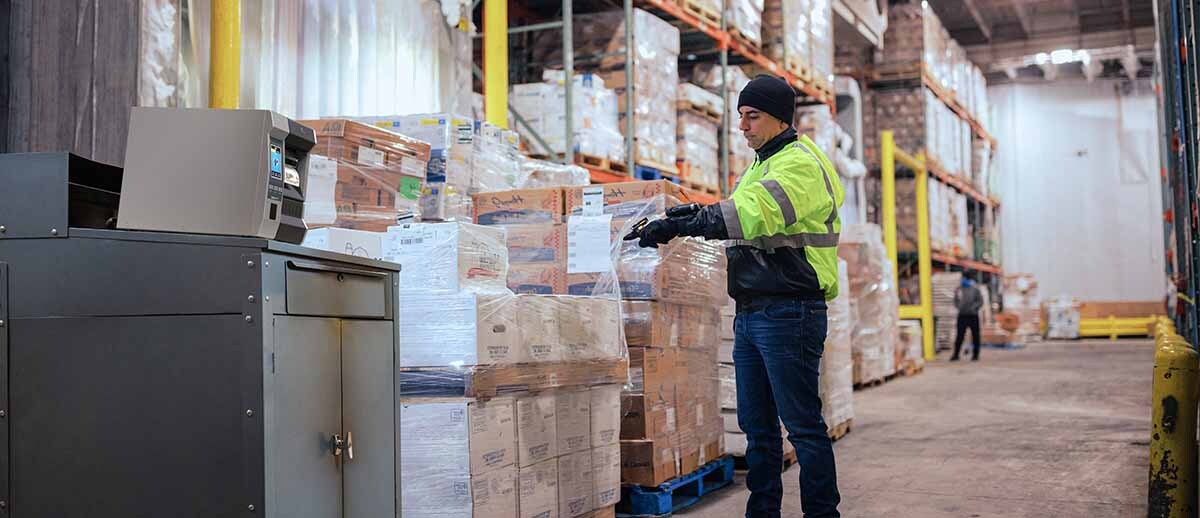
- The Problem: Printers work fine in the office but produce faded, incomplete barcodes in the freezer. Ribbons break, labels jam, and printheads fail after a few months.
- What's Happening: Thermal printheads must work harder in cold conditions to reach transfer temperatures, consuming more power and wearing out faster. Standard ribbons become brittle and shatter in sub-zero temps. Direct thermal paper coatings stop responding to heat. The printer's mechanical components contract, throwing off calibration and causing feed errors. Printheads designed for ambient conditions fail within months instead of lasting years.
- The Fix: Use thermal transfer (not direct thermal) with freezer-grade ribbons and label stock. The ribbon and label materials are formulated to remain flexible at extreme temperatures. Print quality stays consistent because the material coatings are optimized for thermal transfer at low temperatures. Consider printers with heated printhead options or keep printers in climate-controlled areas and only bring pre-printed labels into the cold.
What to Look For:
- Thermal transfer technology (avoid direct thermal in freezers)
- Freezer-grade wax or resin ribbons
- Labels with coatings optimized for cold temperature printing
- Printers rated for cold storage operation (or plan to print in ambient areas)
- Robust mechanical construction that handles temperature swings
Why Do Barcode Scanners Lose WiFi Connection Inside the Freezer?
- The Problem: Devices maintain perfect wireless connectivity everywhere except inside the cold storage area, where they constantly drop connections.
- What's Happening: Frozen products packed densely on pallets create RF-absorbing masses. Metal racking creates interference and dead zones. Consumer-grade wireless radios adequate for offices can't push signals through this challenging environment. Workers experience constant disconnections and failed data transmissions.
- The Fix: Enterprise-grade cold storage mobile computers use high-powered wireless radios designed for industrial RF environments. These maintain stable connections through frozen inventory and metal infrastructure where standard equipment loses signal. Some include external antenna connections for especially difficult installations.
What to Look For:
- Enterprise-grade WiFi radios (not consumer-grade)
- Support for 5GHz networks (penetrates obstacles better than 2.4GHz in some scenarios)
- External antenna options for challenging environments
- Devices tested in actual cold storage facilities with metal racking

Why Can't Workers Scan Barcodes Covered in Frost or Condensation?
- The Problem: Labels are present and intact, but frost buildup or condensation makes them impossible to scan, forcing workers to spend extra time in dangerous cold trying to read codes.
- What's Happening: Condensation obscures labels and scanner windows. Frost buildup makes barcodes invisible. Standard paper labels wrinkle or bubble from moisture. The contrast between bars and spaces degrades as moisture infiltrates label materials. Laser scanners struggle with partially obscured codes.
- The Fix: Combine high-performance freezer labels that resist moisture infiltration with advanced imaging scanners. Modern imagers can decode barcodes even when partially obscured by frost or condensation, and their illumination systems work better in the low-light conditions typical of freezer warehouses. The label construction maintains print quality and contrast throughout its service life.
What to Look For:
- 2D imaging scanners rather than laser (better with obscured codes)
- Scanners with advanced decoding algorithms
- High-intensity illumination systems
- Labels with metallized or synthetic materials for improved contrast
- Anti-fog coatings on scanner windows
What Barcode Equipment Actually Works in Sub-Zero Cold Storage?
Mobile Computers:
- Zebra MC9400 Freezer with heated display and -30°C operation
- Honeywell CK62 and CK67 Cold Storage with freezer battery
- Zebra TC21-HC and TC26-HC with freezer-rated batteriesDevices with resistive touchscreens and sealed scan engines
Barcode Scanners:
- Zebra DS3608-SR ultra-rugged imager (-40°C to 50°C)
- Honeywell Granit 1991i (-30°C operation)
- Datalogic PowerScan 9600 with Cold Storage configurationAny scanner with heated element technology and sealed optics
Labels & Ribbons:
- Zebra PolyPro 4000T Freezer Grade (polyester facestock)
- Avery Dennison Freeze-Tac labels
- Brady Freezer/Cryogenic labels (for extreme pharmaceutical cold)
- Zebra 5095 Resin Ribbon (freezer formulation)
- Any label rated 20°F below your minimum storage temperature
Barcode Printers:
- Zebra ZT600 series (industrial, handles temperature swings)
- Datalogic Class 4 Mobile (if printing must happen in freezer)
- Better approach: Print in ambient area with freezer-grade materials
Mounting & Charging:
- Heated vehicle cradles that prevent thermal shock
- Corrosion-resistant charging contacts (gold-plated)
- Metal mounting systems (not plastic that becomes brittle)
- Charging systems with battery conditioning for cold storage
The Real Question: Standard Rugged vs. True Freezer-Grade Equipment?
Many "rugged" devices claim cold storage capability based on minimal testing. A spec sheet saying "operates to -20°F" doesn't mean it will survive day-in, day-out freezer use.
The Difference:
- Standard rugged: Survives brief cold exposure for testing purposes
- Freezer-grade: Engineered for sustained sub-zero operation with purpose-built components
Cost Reality:
- Freezer-grade equipment costs 30-50% more upfront
- Standard devices fail within 3-6 months in real freezer conditions
- Proper cold storage equipment lasts 3-5+ years
- Hidden costs of failures: idle workers, missed shipments, safety incidents, workarounds
Bottom Line: A few hundred dollars extra per device for true freezer-grade equipment costs far less than constant replacements, operational disruption, and productivity losses from equipment that can't handle the environment.
Quick Decision Checklist: Is Your Equipment Really Freezer-Ready?
Batteries:
- Rated to your actual minimum temperature (not just "cold storage")
- Maintains 70%+ capacity at your coldest operating temp
- Uses specialized cold storage chemistry
Environmental Sealing:
- IP65+ rating tested at temperature extremes
- Hermetically sealed scan engine
- Passed thermal shock testing (warm to cold cycling)
Interface:
- Resistive touchscreen or physical keypad
- Works with heavy gloves
- Heated display option available
Barcode Labels:
- Rated 20°F below minimum storage temperature
- Polyester or polypropylene (not paper)
- Freezer-grade adhesive
- Tested for application on frozen surfaces
Device Connectivity:
- Enterprise-grade WiFi radio
- Maintains connection through metal racking and frozen inventory
- External antenna option if needed
Track Record:
- Deployed in similar cold storage facilities
- References from operations with your temperature profile
- Manufacturer supports cold storage applications specifically