
How to Clean Your Zebra Printhead: Boost Print Quality & Extend Printer Life
Posted by Midwest Barcoding Solutions on Oct 1st 2025
In the fast-paced world of logistics, warehousing, and retail, Zebra printers are workhorses for producing crisp barcodes, labels, and shipping tags. But here's a common misconception among Zebra printer owners: these reliable machines "just run" with minimal upkeep. While Zebra thermal printers are built tough, neglecting basic hygiene can lead to costly downtime, faded scans, and premature hardware failure. Enter the unsung hero of Zebra printer maintenance: cleaning your Zebra printhead. This simple task isn't just recommended—it's the #1 preventative measure to keep your barcode printhead humming efficiently.
If you've ever dealt with streaky prints, unreadable barcodes, or frustrating label jams, you're not alone. According to industry experts, up to 70% of print quality issues stem from a dirty printhead. In this comprehensive guide, we'll debunk the low-maintenance myth, explore the importance of cleaning Zebra printhead, and walk you through a step-by-step Zebra printhead cleaning process. Plus, we'll highlight benefits of regular Zebra printer cleaning and share resources like Midwest Barcoding Solutions' easy-to-follow video. By the end, you'll be equipped to tackle Zebra printhead maintenance like a pro, saving time, money, and headaches.
Whether you're managing a small e-commerce operation or a high-volume distribution center, mastering printhead cleaning for your Zebra ZD series, ZT models, or other thermal transfer setups is non-negotiable.
Why Do Zebra Printer Owners Skip Maintenance?
Picture this: Your Zebra printer churns out hundreds of labels daily without a hitch. Why bother with Zebra printer maintenance when it seems self-sufficient? Many owners assume these industrial-grade machines are set-it-and-forget-it tools, especially if they're using high-quality thermal ribbons and labels. But reality bites when print quality issues creep in—faint barcodes that scanners reject, white lines across prints, or ribbon wrinkles that waste media.
The truth? Dust, adhesive residue, and ribbon debris accumulate on the barcode printhead faster than you think, especially in dusty environments or with direct thermal printing. Zebra Technologies themselves emphasize that poor hygiene shortens component life by up to 50%. Skipping Zebra thermal printer cleaning isn't just lazy—it's a recipe for escalating Zebra printer repair bills. Regular clean your Zebra printhead routines flip the script, turning potential disasters into seamless operations.
Think of it like brushing your teeth: Skip it, and small problems snowball. Prioritizing Zebra printhead care ensures consistent performance, reducing the need for expert interventions down the line.
The Critical Role of Zebra Printhead Cleaning in Preventative Maintenance
At its core, the printhead is the heart of your Zebra printer—a precision component that transfers heat to ribbon or media, creating those sharp barcodes and text. Over time, contaminants like wax buildup, dust particles, and label adhesives form a film on its surface, disrupting heat transfer and causing uneven prints.
Printhead cleaning removes this gunk, restoring optimal contact between the head and media. It's not optional; Zebra's official Zebra printhead maintenance schedule recommends it every 3–6 months, or more frequently in high-duty cycles (e.g., 5,000+ labels per shift). For barcode printhead users, where scannability is king, this ritual prevents costly errors like misrouted shipments.
Ignoring it? You're inviting Zebra ribbon wrinkle issues, where contaminated heads cause the ribbon to bunch up, wasting supplies and halting production. Proactive DIY Zebra printhead cleaning empowers you to stay ahead, minimizing reliance on third-party services.
Key Benefits of Regular Zebra Printer Cleaning: From Quality to Longevity
Wondering if cleaning your Zebra printhead is worth the 10 minutes? Absolutely. Here's how this powerhouse habit transforms your printing workflow:
1. Dramatically Improves Print Quality
A spotless printhead delivers razor-sharp images, dense barcodes, and vibrant text. No more ghosting or fading—your labels scan on the first try every time. In fact, studies from printing associations show that clean heads boost resolution by 20–30%, ensuring compliance with standards like GS1 barcodes. Say goodbye to troubleshooting Zebra printer lines; a quick wipe eliminates voids and streaks caused by debris hotspots.
2. Elongates the Life of Your Printhead
Printheads aren't cheap—replacements can run $200–$500. Regular Zebra printhead lifespan extension through cleaning reduces wear from abrasive residues, potentially doubling service life from 1–2 years to 3–5. By preventing overheating (a common failure mode in dirty units), you avoid thermal stress that warps delicate elements. It's the ultimate ROI for Zebra printer maintenance.
3. Eliminates Lines and Ribbon Wrinkles
Those pesky horizontal lines? Often a symptom of uneven residue blocking heat flow. Fix Zebra ribbon wrinkle problems starts with a clean surface, allowing smooth ribbon feed without buckling. Clean heads maintain even tension, preventing wrinkles that snag and tear media mid-print.
4. Reduces Label Jams and Printing Errors
Jams waste time and media, but a contaminated printhead exacerbates them by causing inconsistent feeding. Benefits of regular Zebra printer cleaning include fewer motor strains and sensor false triggers, cutting error rates by up to 40%. In high-volume settings, this means fewer reprints and smoother workflows—vital for just-in-time inventory.
In short, how often to clean Zebra printhead depends on usage, but the payoff is universal: reliability you can bank on.
How Often Should You Clean Your Zebra Printhead?
Setting a Maintenance Schedule: No one-size-fits-all here, but Zebra guidelines suggest starting with a baseline: Clean every 1–3 months for light use (under 2,000 labels/week) or monthly for heavy-duty industrial barcode printers. Monitor signs your Zebra printhead needs cleaning, like inconsistent darkness, barcode rejection rates above 5%, or visible buildup.
Track it in a log alongside ribbon changes. Tools like Zebra's Printer Profile Manager can alert you, but hands-on checks keep you proactive. For Zebra barcode printer maintenance tips, integrate cleaning into downtime routines—post-shift or during media reloads.
Step-by-Step Guide: How to Clean Your Zebra Printhead
Ready for action? How to clean Zebra printhead step by step is straightforward with the right supplies: 99% isopropyl alcohol swabs (or a soft cloth and alcohol solution), lint-free wipes, and gloves to avoid oils. Power off and unplug your printer first. Midwest Barcoding Solutions has nailed it with their simple "How to Clean Your Zebra Printhead" video—watch it here for visual guidance:
Follow these Zebra thermal printer cleaning guide steps for most tabletop models like the ZT400 or ZT600 series:
- Prepare and Open the Printer: Turn off the Zebra printer and open the front cover. Locate the printhead lever (usually green or labeled) and move it to the "open" position. This lifts the barcode printhead assembly, exposing the dark ceramic strip—that's your target.
- Remove Media and Ribbon: Gently unload any labels or thermal ribbon. If ribbon is present, unwind and set it aside carefully to avoid creases. This prevents contamination during cleaning.
- Inspect for Debris: Visually check the printhead and platen roller (the rubber cylinder below) for dust, adhesive, or residue. Use compressed air (canned or blower) to dislodge loose particles—never use a vacuum, as it can generate static.
- Apply Cleaning Solution: Soak a swab or soft cloth in 99% isopropyl alcohol. Avoid water-based cleaners, which can damage electronics. For stubborn buildup, let the alcohol sit for 10–15 seconds to loosen grime.
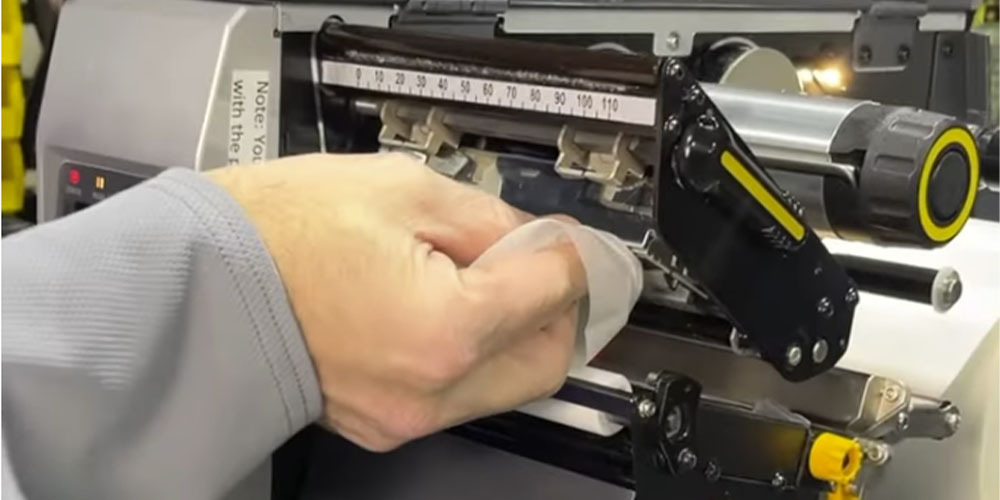
- Wipe the Printhead: Starting from the center of the printhead's dark strip, swipe gently toward the edges in one direction only (left to right or right to left). Use light pressure—like polishing a smartphone screen—to avoid scratching the delicate surface. Renew the swab as it darkens; one pass per section suffices. Clean the entire length, focusing on edges where residue hides.
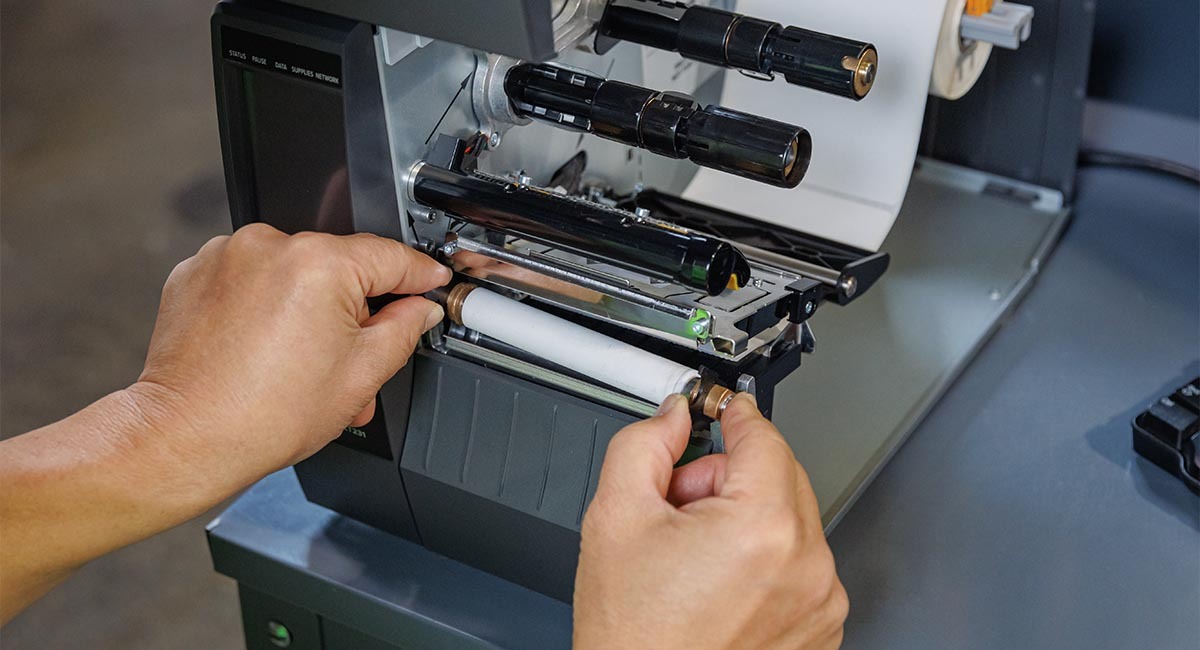
- Clean the Platen Roller: Repeat the process on the platen roller, rotating it by hand to reach all areas. This duo-cleaning prevents cross-contamination and ensures smooth media feed.
- Dry and Reassemble: Let components air-dry for 1–2 minutes (or wipe with a dry lint-free cloth). No heat sources—patience prevents streaks. Reload media and ribbon, close the printhead lever, and secure the cover.
- Test Print: Power on and run a configuration label (hold PAUSE + FEED on most models). Check for even darkness and no lines. If issues persist, repeat or consult troubleshooting resources.
Total time? Under 10 minutes. Pro tip: Use Zebra-approved cleaning pens for quick touch-ups between deep cleans. This DIY Zebra printhead cleaning routine keeps your setup pristine without tools.
Common Mistakes to Avoid in Zebra Printhead Maintenance
Even pros slip up. Don't use household cleaners—they leave residues. Skip abrasive pads; they etch the surface, hastening Zebra printer repair needs. And never clean while powered on—risk of shorts is real. For prevent Zebra print quality issues, stick to alcohol-based methods.
When It's Time for More: Diagnosing Zebra Printhead Replacement
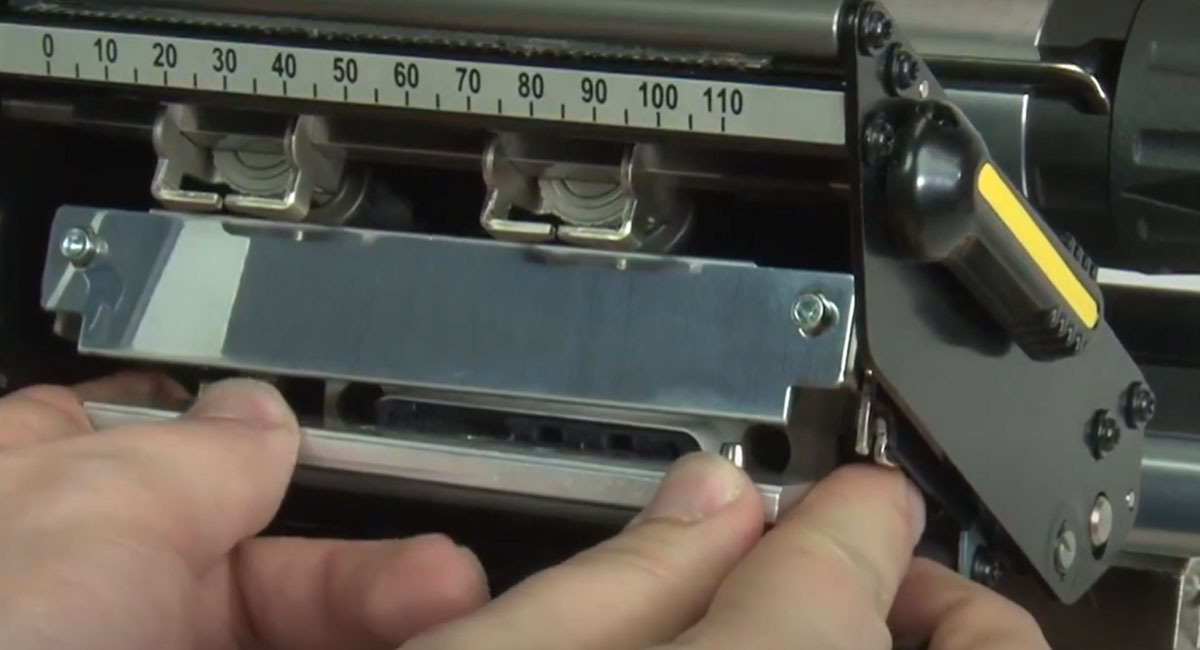
Step-by-step Zebra printhead care goes far, but heads do wear out after 500,000–1 million inches of printing. If cleaning doesn't resolve deep grooves or persistent fading, replacement looms.
Signs your Zebra printhead needs cleaning evolve into replacement red flags: permanent damage, error codes like "Printhead Open," or output resembling a scratched CD. Before investing, diagnose properly.
If you're unsure, Midwest Barcoding Solutions offers a handy video on assessing when to replace Zebra printhead. It covers inspection techniques and when to call pros for Zebra printer repair.
Wrapping Up: Make Zebra Printhead Cleaning Your New Habit
Ditching the "no-maintenance" mindset unlocks the full potential of your Zebra setup. From sharper barcode printhead outputs to fewer jams, the importance of cleaning Zebra printhead can't be overstated. Implement a Zebra printhead maintenance schedule today, follow our how to clean Zebra printhead step by step blueprint, and lean on videos for confidence.
Your printers—and bottom line—will thank you. Got questions on Zebra barcode printer maintenance tips? Drop a comment or reach out the Midwest Barcoding Solutions support. Here's to flawless prints and endless uptime!
Watch Our Helpful How-To Video Below:
Talk to an Expert