
Laser vs. Area Imager: Why Your Warehouse Needs to Stop Buying Legacy Laser Scanners
Posted by Midwest Barcoding Solutions on Mar 18th 2026
By Midwest Barcoding Solutions | Warehouse Technology | Barcode Scanner Buying Guide
If you walk through most distribution centers and warehouses today, you'll still find them: the familiar single-line red laser scanners that have been the workhorse of inventory management for three decades. They beep, they scan, they work — most of the time. So why would you replace them?
Because the world your warehouse operates in today looks radically different than it did when those scanners were designed. Your vendors are shipping products with QR codes and Data Matrix symbols. Your WMS integrations are pushing 2D barcodes. Your workers are losing 30-second battles with faded labels, crinkled barcodes, and codes printed on curved packaging every single day. And every one of those failed scans is a micro-delay that adds up to thousands of hours of lost productivity per year.
The good news: the technology that solves all of this — the 2D area imager — costs about the same as a modern laser scanner. In many cases, it costs less. And the area imagers available today from Zebra, Honeywell, and Datalogic are ready to ship from Midwest Barcoding Solutions right now.
This guide will break down exactly what separates a laser scanner from an area imager, why the laser scanner is now a legacy technology, and which specific area imager models belong in your warehouse.
How a Laser Barcode Scanner Actually Works — And Why That's a Problem
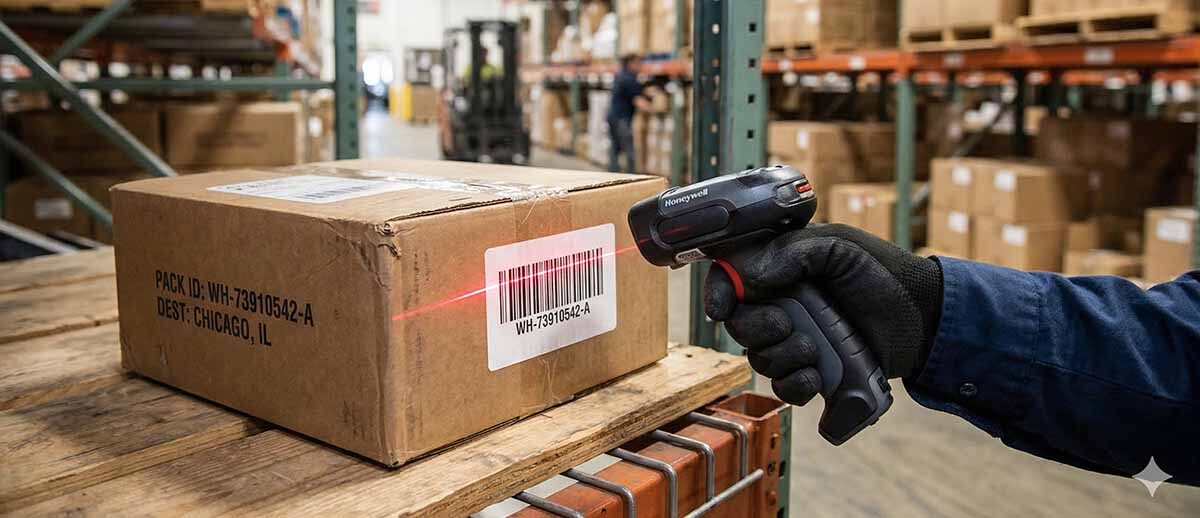
A laser barcode scanner works by projecting a single beam of laser light across a barcode in a straight horizontal line. A photodetector reads the pattern of light reflected back from the bars and spaces, decodes the alternating widths, and converts that into data.
This is elegant technology. It was genuinely revolutionary when it was introduced. And for a world that only used simple 1D linear barcodes — UPC-A, Code 39, Code 128 — it was perfectly adequate.
Here's the problem: that single-line approach has four fundamental limitations that are increasingly incompatible with modern warehouse operations.
1. Laser Scanners Cannot Read 2D Barcodes
A QR code, Data Matrix symbol, PDF417, or Aztec code is a two-dimensional symbol. The data is encoded in both horizontal and vertical patterns. A single laser line can only read horizontal information — it is physically impossible for a laser scanner to decode a 2D barcode. None. Ever. Period.
As 2D barcodes become the standard for GS1 compliance, pharmaceutical track-and-trace (DSCSA), automotive supplier requirements, and e-commerce shipping labels, a laser scanner becomes not just inefficient — it becomes a compliance liability.
2. Laser Scanners Require Precise Alignment
Getting a laser to read a barcode requires the worker to orient the scanner's beam perpendicular to the barcode's bars. Tilt the scanner 45 degrees and the read fails. Hold the scanner at an awkward angle because the label is on the side of a pallet, and the read fails. On a busy shipping dock where workers are moving fast, this alignment requirement creates a constant, low-grade friction that slows every single scan.
3. Laser Scanners Struggle with Poor-Quality Codes
A laser scanner reads the contrast ratio between bars and spaces. When a barcode is wrinkled, torn, faded, printed with a low ink cartridge, or sitting under glare from a warehouse light, the contrast degrades — and reads fail. Area imagers use sophisticated image-processing algorithms to reconstruct and decode barcodes even when the image is imperfect.
4. Laser Scanners Have Moving Parts
The laser beam in a traditional scanner is moved by an oscillating mirror or a rotating prism driven by a small motor. That motor wears out. In a warehouse environment with vibration, drops to concrete, and thousands of scans per day, mechanical failure is not a matter of if — it's when. Area imagers are solid-state: no moving parts, nothing to wear out mechanically.
What Is an Area Imager? How 2D Barcode Scanners Actually Work
An area imager is essentially a digital camera with purpose-built barcode decoding intelligence built in. Instead of sweeping a laser line, it captures a full image of whatever is in its field of view — in a fraction of a second — and then applies powerful decoding algorithms to find and read any barcode present in that image.
This approach has several immediate consequences that matter in a warehouse:
- The scanner reads in any orientation. Tilt the code sideways, upside down, at any angle — it doesn't matter.
- The scanner reads 1D and 2D codes equally well. QR, Data Matrix, PDF417, GS1 DataBar, Code 128, UPC — same device.
- The scanner can read barcodes on smartphone screens, tablets, and monitor displays.
- Advanced algorithms can "repair" degraded barcodes, reading codes that a laser would skip entirely.
- No moving parts means fewer mechanical failure points.
The result is a scanner that reads faster, more reliably, at more angles, and on more barcode types than any laser scanner ever built — at a price point that is now, in many product lines, identical to comparable laser models.
Laser Scanner vs. Area Imager: Head-to-Head Comparison
Use this quick-reference table when making your next scanner purchasing decision:
| Feature | Legacy Laser (1D) | Area Imager (2D) |
|---|---|---|
| Reads QR / 2D Codes | ✗ No | ✓ Yes |
| Omnidirectional Scanning | ✗ No | ✓ Yes |
| Damaged / Poor Code Read | Poor | Excellent |
| Reads Screen / Mobile Display | ✗ No | ✓ Yes |
| Tolerance for Moving Labels | Low | High |
| Future-Proof for 2D Standards | ✗ No | ✓ Yes |
| Mechanical Parts to Fail | Yes (mirror/motor) | No (solid-state) |
| Typical Lifespan | 3–5 years | 5–7+ years |
| Price vs. Equivalent Laser | — | Minimal to None |
The Hidden Costs of Keeping Laser Scanners in Your Warehouse
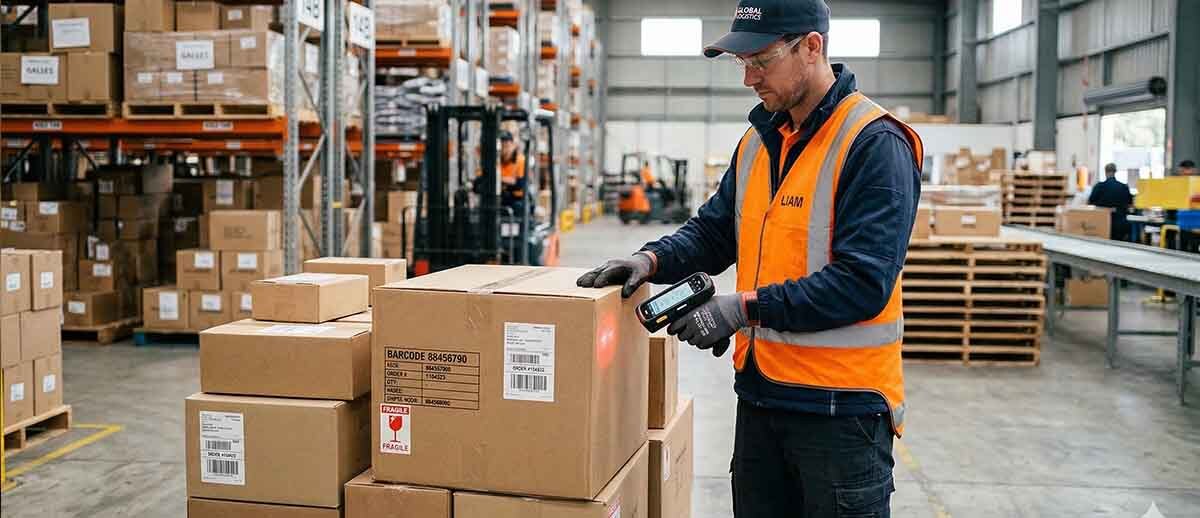
When warehouse managers justify keeping legacy laser scanners, the argument usually centers on upfront price. "They're cheaper." "We have a lot of them and they still work." "We'll upgrade next cycle."
But the true cost of ownership for laser scanners in a modern operation includes factors that rarely appear on the initial purchase order:
Failed Scan Productivity Loss
A failed scan requires an average of 3–5 additional seconds to correct — whether that means repositioning, manually entering data, or calling for supervisor help. In a facility scanning 10,000 barcodes per day with a 2% failure rate (conservative for aging lasers on mixed barcode types), that's 200 failed scans. At 4 seconds each, you lose 13+ minutes per day, per operator. Multiply across your headcount and operating days, and the number becomes significant very quickly.
Inability to Process 2D Barcode Shipments
When a vendor ships a pallet with GS1-128 or QR code labels and your laser scanners can't read them, someone has to manually enter data. Or worse, the shipment gets processed incorrectly. In 2026, with major retailers, manufacturers, and logistics providers accelerating their migration to 2D symbologies, this isn't a hypothetical edge case — it's an increasingly common workflow bottleneck.
Repair and Replacement Costs
The oscillating mirror assembly in a laser scanner is a precision mechanical component. When it fails, the repair cost frequently approaches the cost of a new unit. Area imagers — with no moving parts in their imaging engine — simply don't have this failure mode. Over a three-to-five-year asset lifecycle, the repair cost difference is measurable.
The "End of Life" Problem
Major scanner manufacturers — including Zebra and Honeywell — have been systematically end-of-lifing their laser scanner product lines for years. Replacement parts become scarce. Firmware updates stop. Support contracts expire. When you're buying laser scanners today, you're buying into a shrinking support ecosystem.
The Area Imager Products We Recommend for Your Warehouse
At Midwest Barcoding Solutions, we carry a comprehensive selection of area imager barcode scanners from the industry's most trusted brands. Here are our top recommendations by use case and budget for warehouse, distribution center, and manufacturing environments:
Best Ultra-Rugged Cordless Warehouse Area Imager: Zebra DS3678 Series
The Zebra DS3678 is the gold standard for demanding warehouse and distribution center environments. Built to MIL-STD-810G specifications, it survives repeated drops to concrete from 8 feet with IP67 sealing against dust and water ingress, and delivers lightning-fast 1D/2D area imaging in a cordless form factor. The DS3678 family covers multiple optics configurations:
- DS3678-SR — Standard range, reads 1D/2D up to 5 feet; ideal for general picking, packing, and receiving
- DS3678-HD — High density optics for small, tightly spaced barcodes in electronics, medical, and precision parts
- DS3678-HP — High performance extended range reads up to 7 feet for high-racking and large-format labels
- DS3678-DP — Direct Part Mark imaging for laser-etched and dot-peen marks on metal parts
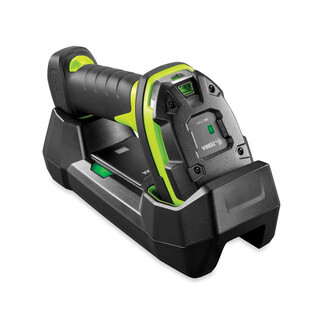
Zebra DS3678-SR Ultra-Rugged Cordless Area Imager
Part #: DS3678-SR3U42A0SFW
Standard range 1D/2D cordless area imager rated for 8-ft drops to concrete with IP67 sealing. Lightning-fast capture of any barcode in virtually any condition, up to 5 feet. FIPS-compliant, vibration motor feedback, Bluetooth connectivity. Ideal for picking, packing, receiving, and shipping dock operations.
Shop the DS3678-SR →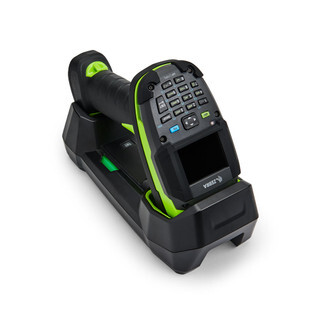
Zebra DS3678-HP Ultra-Rugged Cordless Area Imager
Part #: DS3678-HP3U4212SKW
High-performance 1D/2D cordless imager with up to 7-foot read range. Captures any 1D or 2D barcode plus OCR and intelligent document capture. Built for high-racking environments, large-format pallet labels, and operations requiring maximum read distance in a rugged cordless package.
Shop the DS3678-HP →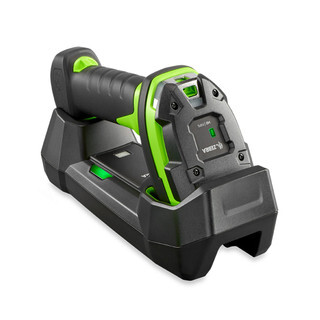
Zebra DS3678-HD Ultra-Rugged Cordless Area Imager
Part #: DS3678-HD3U42A0SFW
High-density 1D/2D imaging for small, tightly packed barcodes common in electronics manufacturing, medical device tracking, and precision parts operations. Ultra-rugged construction for the most demanding floor environments.
Shop the DS3678-HD →Best Entry-Level Area Imager for Warehouses on a Budget: Zebra DS2208
Not every station in your warehouse needs a premium ultra-rugged scanner. For receiving desks, packing stations, and light-use locations, the Zebra DS2208 delivers full 1D/2D area imaging at an affordable price point that competes directly with legacy laser scanners.
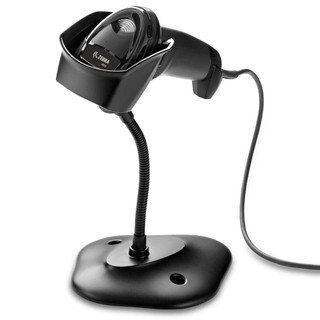
Zebra DS2208 Corded Area Imager
Part #: DS2208-SR7U2100SGW
Affordable 1D/2D area imager that doesn't sacrifice performance for price. Reads every major 1D and 2D barcode symbology including QR, Data Matrix, PDF417, and GS1. Simple USB deployment, easy management, no laser alignment required. A direct upgrade path from legacy 1D laser scanners for workstations and receiving counters.
Shop the DS2208 →Best Cordless Area Imager for High-Traffic Warehouse Stations: Zebra DS8178
For operations that need premium cordless performance, the Zebra DS8178 delivers exceptional barcode scanning on virtually every 1D and 2D barcode — including dense, poorly printed, crinkled, faded, distorted, dirty, or damaged codes, and barcodes on electronic displays.
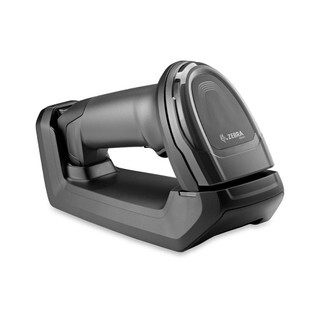
Zebra DS8178-SR Cordless Area Imager
Part #: DS8178-SR7U2100SFW
Premium cordless 1D/2D area imager with advanced algorithms that instantly capture the most problematic barcodes. Supports Digimarc digital watermark technology. Excellent for high-volume shipping and receiving, quality control stations, and any location where cordless freedom and maximum read performance are priorities.
Shop the DS8178-SR →Best Wireless Area Imager for Versatile Warehouse Operations: Honeywell Xenon 1902g
Honeywell's Xenon 1902g features sixth-generation area-imaging technology with a custom sensor optimized for barcode scanning and Bluetooth wireless freedom. Purpose-built for applications requiring versatile area-imaging combined with cordless connectivity.
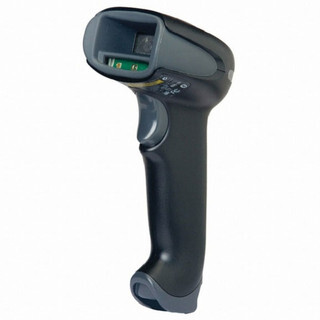
Honeywell Xenon 1902g Wireless Area Imager
Part #: 1902GHD-2USB-5
Sixth-generation Honeywell area-imaging technology with Bluetooth wireless connectivity. Custom sensor optimized for barcode scanning delivers superior read rates on 1D, PDF417, and 2D codes. An excellent choice for operations requiring the freedom of Bluetooth combined with the versatility of full area-imaging performance.
Shop the Xenon 1902g →"But We Still Have Laser Scanners That Work" — Addressing the Top Objections
Objection #1: "Our laser scanners still read everything we scan."
Today they do. But consider: what percentage of your inbound shipments currently carry QR or 2D codes? In many industries, that number is growing 10–20% year over year. The moment your operation processes a shipment or packing slip that requires a 2D read, your laser scanner becomes an obstacle. You're not buying scanners for what you scan this month — you're buying them for the next 4–6 years of your operation.
Objection #2: "Area imagers cost more."
This was true five years ago. It's no longer accurate. Compare the Zebra DS2208 (a full 1D/2D area imager) to the LS2208 laser it replaced: the pricing gap has essentially closed. At the premium rugged end, compare the Zebra DS3678-SR to a comparable rugged laser — the delta is minimal and is recovered in fewer failed scans within months of deployment.
Objection #3: "We've standardized on laser scanners and don't want to retrain workers."
There is no retraining required. An area imager is held and operated identically to a laser scanner. Workers aim and press a trigger. The only difference they'll notice is that the scanner reads faster, at more angles, and fails less often. The learning curve is zero.
Objection #4: "We'll upgrade next refresh cycle."
Every month you delay is another month of failed scans on damaged labels, another month of missing 2D barcode reads, and another month of buying into a technology ecosystem that the manufacturers themselves have been walking away from for years. The refresh cycle argument only makes sense if area imagers were significantly more expensive — and they're not.
When Does a Laser Scanner Still Make Sense?
We believe in giving you accurate information, not just selling you on the newest technology. There are narrow use cases where laser scanners remain defensible:
- Extremely long-range scanning (40+ feet) where specialized extended-range laser optics still have advantages over standard area imagers
- Environments with legacy system integrations that have not been validated with imager output
- Short-lifecycle deployments where existing laser scanner inventory is being consumed before planned replacement
In virtually every other scenario — standard warehouse picking and packing, receiving and shipping, manufacturing floor tracking, cross-dock operations, general inventory management — an area imager is the right choice today.
How to Choose the Right Area Imager for Your Warehouse
When evaluating area imager barcode scanners for your warehouse, there are four key specification categories to consider:
1. Read Range Requirements
Standard Range (SR): Reads barcodes from near contact to approximately 18–24 inches. Ideal for picking, packing, and receiving stations. See: Zebra DS2208, DS3678-SR.
High Performance / Extended Range: Reads from near contact to 7+ feet. Required for scanning items on pallet racking or large-format case labels from a distance. See: Zebra DS3678-HP.
High Density (HD): Specialized optics for small, tightly packed barcodes. Required for electronics assembly, medical device tracking, and circuit board marking. See: Zebra DS3678-HD.
2. Corded vs. Cordless
Fixed workstations (receiving counters, packing benches, QC stations) generally work well with corded scanners. Workers who move continuously through the warehouse benefit significantly from cordless Bluetooth scanners. For cordless warehouse area imaging, the Zebra DS3678-SR and Honeywell Xenon 1902g are our top recommendations.
3. Durability Rating
Consumer-grade scanners are rated for 5-foot drops to plywood. The Zebra DS3678 series is rated for 8-foot drops to concrete with IP67 sealing against dust and water ingress. For warehouse and distribution center environments, specify industrial-grade rugged scanners. The upfront price premium is almost always recovered in reduced repair and replacement costs.
4. Symbology Requirements
If you handle any of the following, you need a 2D area imager:
- QR codes or Data Matrix symbols on any inbound or outbound shipments
- GS1 DataBar, GS1-128 with 2D components, or EAN/UCC-128 extensions
- PDF417 on driver's licenses, shipping labels, or government documents
- Barcodes displayed on smartphone screens or electronic devices
- Any supplier or customer compliance requirements referencing 2D symbologies
Frequently Asked Questions: Laser vs. Area Imager Barcode Scanners
Can an area imager scan the same 1D barcodes as a laser scanner?
Yes — completely. An area imager reads every 1D linear barcode that a laser scanner reads, including UPC-A, UPC-E, EAN-8, EAN-13, Code 39, Code 128, Interleaved 2 of 5, Codabar, and all common warehouse barcode formats. It simply also reads 2D codes that a laser cannot.
Is an area imager harder to use than a laser scanner?
No. The operational use is identical: aim and press the trigger. Workers don't need to change how they scan. The scanner handles alignment automatically.
What happens if I scan a 2D barcode with a laser scanner?
The scan fails. The laser cannot decode 2D symbols. The worker must re-scan, manually enter the data, or escalate the item — any of which introduces delay and potential error.
Do area imagers work in dark or low-light warehouse areas?
Yes. Modern area imagers include illumination LEDs that work effectively in low-light conditions. Many models also include aiming patterns (crosshairs or targeting boxes) that make it easier to aim the scanner in poor lighting.
How long do area imagers typically last in a warehouse?
Well-built industrial-grade area imagers like the Zebra DS3678 series are designed for 5–7+ year operating lifetimes in demanding environments. With no mechanical scanning assembly to wear out, the primary wear points are the housing and cabling (for corded models).
Can I mix area imagers and laser scanners in the same warehouse?
You can, but it's not recommended. Mixed scanner fleets create management complexity, split spare-parts inventories, and mean that some workers can process 2D barcodes while others cannot — which becomes an operational problem as 2D codes proliferate across your supply chain.