
The 5-Minute Daily Preventive Maintenance Routine for Printers
Posted by Midwest Barcoding Solutions on Mar 23rd 2026

By Midwest Barcoding Solutions | Printer Maintenance | Barcode Printer Best Practices
A thermal barcode printer is one of the hardest-working pieces of equipment in a warehouse or distribution center. It runs all day, every day, under demanding conditions — heat, dust, vibration, constant media loading, and thousands of prints per shift. And yet most operations have no formal daily maintenance routine for it whatsoever.
The result is predictable: premature printhead failure, platen roller degradation, media jams, inconsistent print quality, and unplanned downtime at exactly the wrong moment. The frustrating part is that the vast majority of these failures are preventable with a routine that takes five minutes or less at the start of each shift.
This guide lays out that routine step by step — what to check, what to look for, what to do when something is off, and how this five minutes each day directly translates into longer printhead life, fewer service calls, and a printer that simply doesn't let you down.
Why Five Minutes a Day Matters More Than You Think
A thermal printhead is rated for a specific number of label inches — typically between 500,000 and 1 million inches depending on the model. That sounds like a lot. But in a high-volume operation running 8–10 rolls of labels per shift, you can burn through that rating in 18 months if the printer isn't maintained. In an operation that does maintain it properly, that same printhead can last 3–4 years or longer.
The difference isn't magic — it's contact pressure, contamination, and heat management. A dirty printhead has to run hotter to transfer ink through the debris layer. A worn platen roller applies uneven pressure that creates hot spots on the printhead elements. A media roll loaded with a twist puts lateral stress on the printhead that it wasn't designed to handle. Every one of these issues is caught and corrected in under a minute by someone paying attention at the start of a shift.
Five minutes of attention at 6:00 AM is worth far more than four hours of downtime and an emergency printhead order at 2:00 PM.
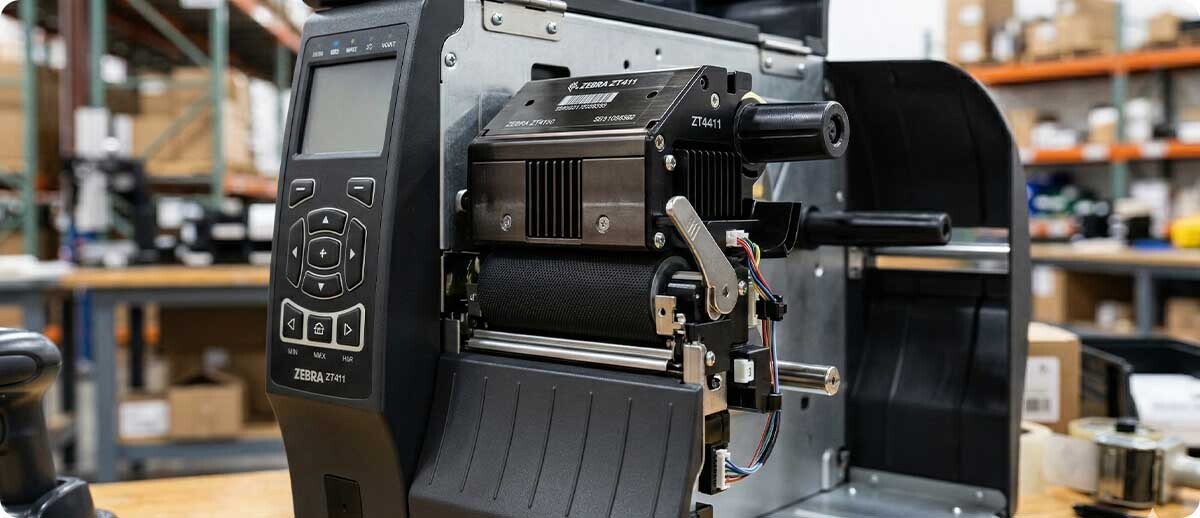
The 5-Minute Daily Preventive Maintenance Routine
Run through these six steps at the start of every shift. Each step takes under a minute. Together they cover every common failure point in a thermal printer's daily operation.
Step 1 — Visual Inspection (30 seconds)
What to do: Before powering on, open the printer and take a quick look inside. You're checking four things:
- Debris in the media path — torn label pieces, adhesive buildup, or ribbon shreds left over from the previous shift. Even a small piece of liner caught in the media path can jam the next roll and score the platen roller.
- The platen roller surface — it should be smooth, uniformly black or grey, and free of adhesive buildup or flat spots. Adhesive residue on the roller creates high-pressure contact points that accelerate printhead wear. Flat spots from a roller that sat under spring pressure when idle appear as a repeating dark band on every label.
- The printhead surface — look for a brown or grey residue line along the element zone. This is ribbon wax or adhesive buildup and it's the most common cause of white lines in printed barcodes.
- The media guides — verify they're seated correctly and not cracked or bent. Misaligned guides cause label skewing that puts lateral pressure on the printhead over time.
If you find something: Remove debris by hand. If the platen roller or printhead shows buildup, move directly to Step 3 before loading media.
Step 2 — Media and Ribbon Load Check (60 seconds)
What to do: If the previous shift left a partial roll loaded, check the media and ribbon before the first print job of the day.
- Media roll — verify it's centered on the spindle and seated flush against both media guides. A roll loaded off-center will skew labels and can cause the printhead to contact the platen roller at an angle, wearing one side of the element line faster than the other.
- Ribbon (thermal transfer printers only) — verify the supply and take-up rolls are properly seated on their spindles, the ribbon is routed correctly around the printhead, and there are no wrinkles, folds, or slack in the ribbon path. A ribbon that's loaded with slack will wrinkle under the printhead and produce void areas in the printed image.
- Media type verification — confirm the loaded media matches the job about to run. Loading thermal transfer labels in a printer configured for direct thermal (or vice versa) is a common shift-change error that produces blank labels and wastes an entire roll before anyone realizes the mistake.
Rule of thumb: Any roll with less than 20% remaining should be swapped out before the shift starts rather than mid-run. Stopping a print job to change media is a disruption that always seems to happen at the worst possible moment.
Step 3 — Quick Clean (60–90 seconds, every other day minimum)
What to do: With the printer powered off, wipe the printhead element line and the platen roller surface using an IPA-saturated cleaning pen or wipe. Allow 30 seconds for the IPA to fully evaporate before closing the printer and powering on.
This is the single highest-ROI maintenance step in this entire routine. Ribbon wax, label adhesive, and airborne dust accumulate on the printhead and platen roller with every roll of media that passes through. This contamination layer:
- Insulates the printhead elements, requiring higher darkness settings to compensate — which increases thermal stress and shortens element life
- Creates pressure irregularities on the platen roller that translate to uneven print density across the label width
- Eventually hardens into a deposit that physically scratches the printhead surface if left long enough
Frequency guidance: Every other day in standard environments. Every shift change in high-volume operations, dusty environments, or printers running synthetic label materials (polypropylene, polyester) which generate significantly more static-attracted debris than paper labels.
Step 4 — Test Print (30 seconds)
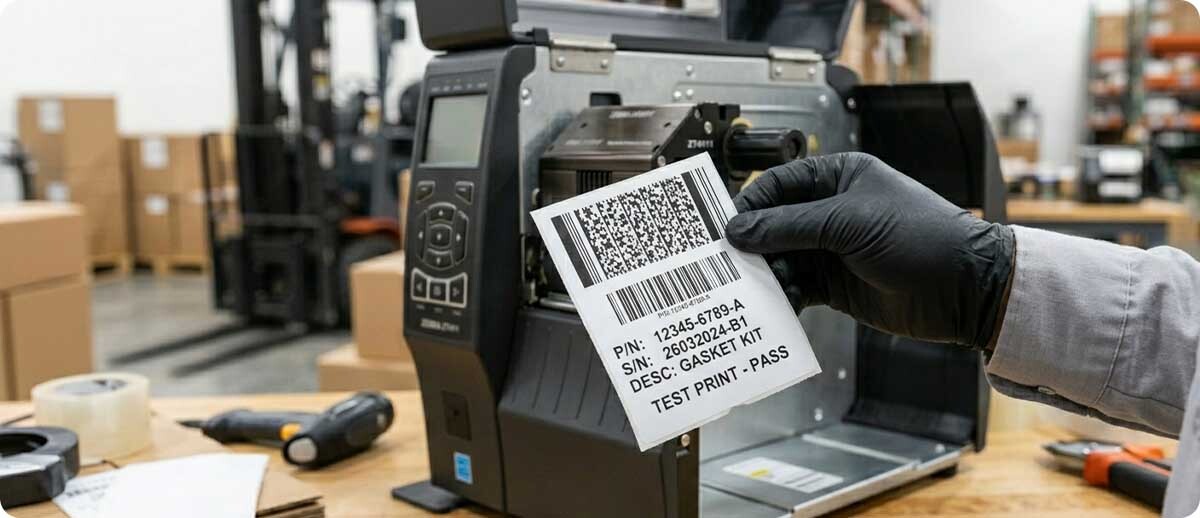
What to do: Power on the printer and run a configuration label or test print before the first production job. Every Zebra, Honeywell, SATO, and most other major brand printers have a built-in test print function accessible by holding a button during power-on or through the menu. This takes 15–20 seconds and gives you an immediate read on printer health before a single production label is printed.
What to look for on the test print:
- Horizontal white lines — burned or contaminated printhead elements. If cleaning in Step 3 didn't resolve them, the elements may be permanently damaged and replacement is approaching.
- Faded or uneven darkness — contamination on the printhead or worn platen roller. Try cleaning again; if it persists, check the darkness setting and platen roller condition.
- Vertical streaks or voids — ribbon wrinkling, a damaged ribbon, or a platen roller with a flat spot or adhesive buildup in a specific location.
- Skewed or misaligned output — media guides out of position or a media roll that's not centered. Correct before running production labels.
- A perfectly clean, dark, sharp test print — the printer is healthy and ready. This is the goal and, with consistent daily maintenance, the norm.
Step 5 — Check the Environment (30 seconds)
What to do: Take a quick look at the printer's immediate environment. This step takes 30 seconds but catches problems that no amount of cleaning or part replacement will solve if the root cause is environmental.
- Ventilation clearance — thermal printers generate heat. Verify the ventilation slots on the printer housing are unobstructed. A printer stuffed against a wall or buried under paperwork and supplies will run hot, accelerating printhead wear and causing thermal shutdown errors.
- Cable condition — check that power, USB, and Ethernet cables are not pinched, kinked, or showing wear at the connector entry points. A cable that's slowly shorting is a communication error waiting to happen.
- Label supply stock — confirm there's enough media on hand to get through the shift without a mid-run emergency reorder. Running out of the correct label mid-shift is a preventable disruption that falls on whoever should have checked at the start of the day.
- Printer position and stability — the printer should be on a stable, level surface. Vibration from nearby equipment can loosen the printhead latch over time, cause media to feed unevenly, and introduce registration errors in label placement.
Step 6 — Log It (30 seconds)
What to do: Keep a simple maintenance log — even a paper form next to the printer works — where the person completing the daily check initials the date, notes anything found, and records what was done. This step is optional for a single printer but becomes critical in multi-printer operations for two reasons:
- It creates accountability — the routine gets done when someone has to sign off on it
- It creates a history — when a printer does develop a persistent problem, the log tells you when it started, what changed, and whether the maintenance has actually been happening consistently
A two-week pattern of "white lines noted, cleaning performed" in the log is a clear signal that a printhead is approaching end of life — giving you time to order a replacement before failure, not after.
The Daily Routine at a Glance
| Step | Task | Time | Frequency |
|---|---|---|---|
| 1 | Visual inspection — media path, platen roller, printhead, guides | 30 sec | Every shift |
| 2 | Media and ribbon load check — alignment, roll level, media type | 60 sec | Every shift |
| 3 | IPA clean — printhead element line and platen roller | 60–90 sec | Every other day (every shift for high-volume) |
| 4 | Test print — configuration label before first production job | 30 sec | Every shift |
| 5 | Environment check — ventilation, cables, media stock, stability | 30 sec | Every shift |
| 6 | Log it — sign off, note anything found, record what was done | 30 sec | Every shift |
| Total time | Under 5 minutes | ||
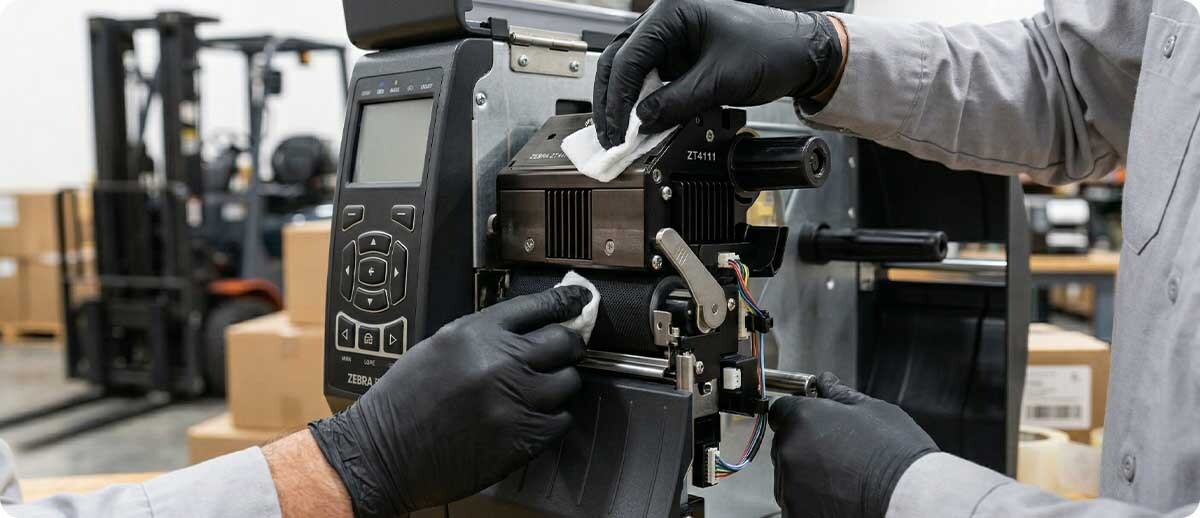
Beyond Daily: The Weekly and Monthly Maintenance Schedule
The 5-minute daily routine handles the high-frequency maintenance needs. A handful of additional tasks belong on a weekly and monthly cadence:
Weekly
- Deep clean the media path — use a cleaning card or wipe to clean the full media path including the tear bar, label sensor lens, and any rollers or guides the label contacts during feeding. The paper sensor lens in particular accumulates dust that causes false "out of media" errors.
- Inspect the printhead latch and pressure mechanism — verify the printhead closes and latches firmly with consistent pressure. A latch that doesn't fully engage reduces print pressure, causing faint output that operators try to compensate for by cranking up the darkness setting — accelerating printhead wear.
- Check firmware version — if the printer is networked, verify it's running the current recommended firmware. Zebra, Honeywell, and SATO release firmware updates that address known bugs, improve calibration accuracy, and in some cases extend printhead life through optimized drive algorithms.
Monthly
- Inspect the platen roller for wear — look for glazing (a shiny, hardened surface), flat spots, or cracking. A glazed platen roller cannot apply consistent pressure to the label, and no amount of cleaning or darkness adjustment will fully compensate. Plan replacement before it fails entirely.
- Check the drive belt (industrial printers) — industrial printers use a drive belt to control media feed speed and ribbon synchronization. A belt that's stretched or developing cracks will cause inconsistent label length registration. Inspect and replace on a mileage basis per your printer model's service manual.
- Review print darkness settings — run a test print and compare to the recommended darkness setting in your printer's configuration. If the darkness has been creeping up over time to maintain acceptable quality, it's a signal that the printhead, platen roller, or media is degrading. Identify the cause before the required darkness setting reaches the maximum and you're getting printhead failure alerts.
- Calibrate media sensors — run a full sensor calibration cycle per your printer's procedure. Sensor calibration ensures the printer correctly identifies label gaps or black marks, preventing misfed labels, wasted media, and registration errors in label placement.
When Maintenance Isn't Enough: Printhead and Platen Roller Replacement
Even a perfectly maintained printer will eventually need a printhead and platen roller replaced — these are consumable components with finite rated lives. The goal of daily maintenance isn't to make them last forever; it's to get the maximum rated life out of them and to know when replacement is coming before it shuts down production.
Replace the printhead when:
- White lines persist after thorough cleaning — elements are permanently burned
- Print quality requires darkness settings above 15 on a 0–30 scale despite a clean printhead and good platen roller
- Visible scoring, gouging, or wear groove across the element line
- The printer reports a printhead-related error code that persists after cleaning and reseating
Replace the platen roller when:
- Glazing (shiny, hardened surface) is visible that doesn't respond to cleaning
- Flat spots cause a repeating dark band pattern on every label
- Cracking or surface separation is visible
- Adhesive buildup that cannot be fully removed with IPA cleaning
Frequently Asked Questions: Daily Printer Preventive Maintenance
Does this routine apply to all thermal printer brands or just Zebra?
Every step in this routine applies equally to Zebra, Honeywell, SATO, TSC, Bixolon, Brady, and any other thermal printer brand. The components being checked and cleaned — printhead, platen roller, media path, sensors, drive mechanism — are universal to all thermal printer designs. The only brand-specific element is which button combination runs your printer's built-in test print, which is documented in your printer's user guide.
What if my printer is running fine — do I still need to do the daily routine?
Yes — this is the point of preventive maintenance. The routine is most valuable when the printer appears to be running perfectly, because that's when the gradual degradation that eventually produces a failure is quietly accumulating. A printer that "runs fine" with dirty printhead and worn platen roller is running fine at a higher cost that you don't see until the printhead fails prematurely.
Our operation runs 24/7 with three shifts. How do we manage the routine across shifts?
Assign the routine to the first 5 minutes of each shift changeover. The outgoing operator does Step 6 (log it) noting anything observed during their shift; the incoming operator runs Steps 1 through 5 before their first production job. The maintenance log at the printer is the handoff document — it communicates the printer's condition between operators who may never overlap.
How do I know if my darkness setting is too high?
Print a test label and look at the barcode bars — they should have sharp, clean edges. If the edges are blurry or bleeding, the darkness is too high. Most Zebra printers have a recommended darkness range of 10–15 on a 0–30 scale for standard paper labels with wax ribbon. Running consistently above 20 without a specific media reason (thick synthetic labels, for example) is a warning sign that something in the print path needs attention.
Is the daily routine enough, or do I need professional printer servicing too?
For most operations, the daily and weekly routine combined with timely printhead and platen roller replacement handles the vast majority of maintenance needs without professional service calls. Annual professional cleaning and calibration is worthwhile for high-volume industrial printers (ZT series, industrial SATO/Honeywell), particularly for cleaning internal components like fans and circuit board surfaces that aren't accessible in a normal daily routine.
Where do I find replacement printheads and platen rollers for my specific printer?
Midwest Barcoding Solutions stocks genuine replacement printheads, platen rollers, and drive belts for Zebra, Honeywell, SATO, and Brady printers — all in-house for same-day shipping. Use our Printhead, Platen & Belt Finder to locate the correct part for your printer model, or contact our team at 1-855-650-6540 for assistance.