
When to Switch from Desktop to Industrial Printer: Duty Cycle & Media Capacity Explained
Posted by Midwest Barcoding Solutions on Jan 20th 2026
Desktop vs. Industrial Label Printers: Making the Smart Switch for Your Business Needs
In the world of barcode and label printing, choosing between desktop barcode printers and industrial barcode printers can significantly impact your operational efficiency, cost savings, and overall productivity. Whether you're managing a small warehouse, scaling up manufacturing operations, or optimizing logistics workflows, understanding the nuances of these printers is crucial. This comprehensive guide explores the key differences between desktop models like Zebra ZD400 Printers and industrial powerhouses such as the ZT-series, along with Honeywell's comparable options. We'll delve into critical factors like print volume capabilities, internal media handling, and connectivity features to help you decide when it's time to upgrade from a desktop setup to an industrial one – or vice versa – to avoid the pitfalls of under-purchasing a fragile desktop unit or overspending on unnecessary industrial muscle.
If you're searching for insights on barcode printer upgrade considerations" or "label printer selection for growing businesses, this article will provide practical advice tailored to real-world scenarios. By focusing on long-tail queries like differences in duty cycle between desktop and industrial printers and "best connectivity options for high-volume label printing, we aim to equip you with the knowledge to make an informed decision that aligns with your specific requirements.
What Are Desktop and Industrial Label Printers?
Desktop label printers are compact, user-friendly devices designed for lighter workloads in office-like environments or small-scale operations. They're ideal for printing shipping labels, inventory tags, or product identifiers in batches that don't exceed a few thousand per day. Models like Zebra's ZD-series (e.g., ZD421 and ZD621) exemplify this category, offering affordability and ease of use without the bulk of larger machines.
Industrial label printers, on the other hand, are built for rugged, high-demand settings such as factories, distribution centers, and large warehouses. These robust units, like Zebra's ZT-series (e.g., ZT231, ZT411, and ZT421), handle continuous operation, harsher conditions, and significantly higher volumes. They're engineered with durable metal frames to withstand dust, vibrations, and temperature fluctuations, making them suitable for 24/7 shifts.
Honeywell provides strong alternatives: Their PC-series (e.g., PC42t and PC42d) serves as desktop equivalents, while the PM-series, PD-series, and I-Class Mark II represent industrial options. These printers cater to similar needs but often emphasize energy efficiency and integration with enterprise systems.
The primary distinction lies in scalability. Desktop printers shine in entry-level label printing solutions for small teams, whereas industrial ones excel in heavy-duty barcode printing for manufacturing efficiency. Selecting the wrong type can lead to frequent breakdowns, increased downtime, or inflated costs – issues we'll address in detail.
Key Comparison: Print Volume (Duty Cycle)
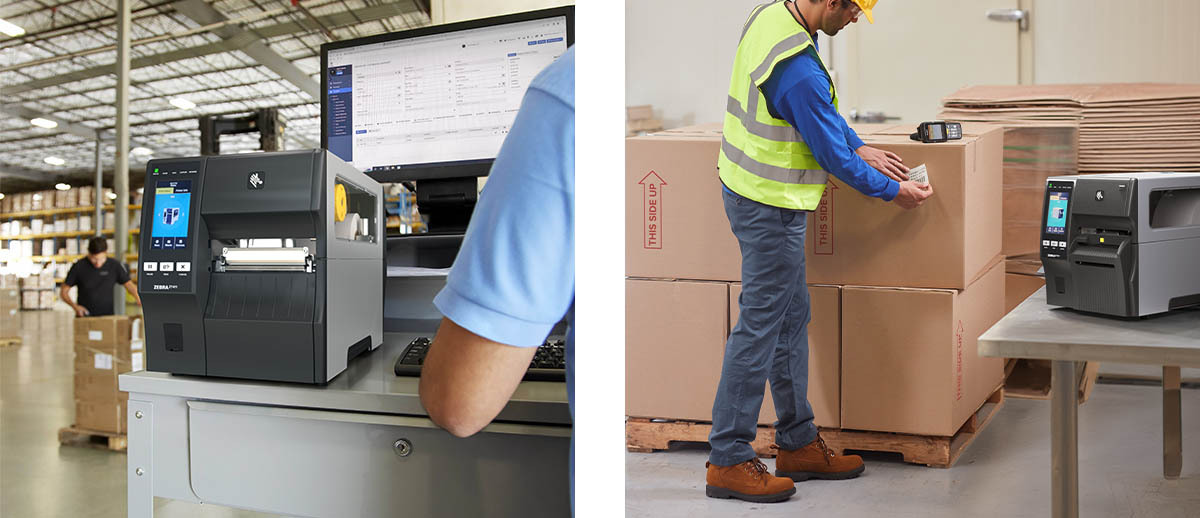
One of the most critical factors in deciding between desktop and industrial printers is print volume, often referred to as duty cycle. This measures how many labels a printer can reliably produce per day without excessive wear.
For Zebra's ZD-series desktop printers, the duty cycle typically ranges from 1,000 to 3,000 labels per day, depending on the model. The ZD421, for instance, is rated for light to medium use, with print speeds up to 6 inches per second (ips) at 203 dpi. It's perfect for scenarios like retail inventory labeling with moderate daily output or office-based shipping label generation. Exceeding this volume regularly can lead to overheating, printhead failures, or reduced print quality, forcing premature replacements.
In contrast, Zebra's ZT-series industrial printers boast duty cycles of 3,000 to 10,000+ labels per day. The ZT411, for example, achieves speeds up to 14 ips and is designed for continuous operation in demanding environments. This makes it ideal for high-throughput warehouse label printing or manufacturing line barcode production. Honeywell's PC42t desktop model mirrors the ZD-series with a light-duty rating, supporting up to 5 ips and media widths up to 4.3 inches, suitable for around 1,000-2,000 labels daily. Their I-Class Mark II industrial printer, however, ramps up to 12 ips with a robust build for 5,000+ labels per day, emphasizing industrial-grade durability for extended shifts.
When your business experiences increasing print demands due to business growth, monitoring your current output is key. If you're consistently pushing a desktop printer beyond its limits – say, printing 4,000 labels daily – it's a clear signal to switch to an industrial model to prevent costly repairs and downtime.
Internal Media Capacity: Handling Larger Jobs Efficiently
Media capacity refers to how much label stock or ribbon a printer can hold internally, directly affecting how often you need to reload supplies and interrupt workflows.
Desktop printers like the Zebra ZD-series typically accommodate media rolls with a maximum outer diameter (OD) of 5 inches and core sizes of 0.5 to 1 inch. This translates to shorter runs before refills, with label widths up to 4.25 inches. The ZD621, for example, supports rolls that yield about 300-500 meters of labels, making it suitable for compact label printing setups in limited spaces. Honeywell's PC42d follows suit, with a 5-inch OD capacity and media widths up to 4.3 inches, optimized for small-batch thermal transfer printing.
Industrial printers expand this significantly. Zebra's ZT-series handles 8-inch OD rolls on 1- to 3-inch cores, allowing for longer ribbons (up to 450 meters) and wider media (up to 4.5 inches on models like the ZT421). This reduces reload frequency by up to 60%, ideal for bulk label production in logistics centers. Honeywell's PD45 industrial printer supports similar capacities, with an 8-inch OD and advanced media sensors for seamless handling of diverse stock types, perfect for "versatile industrial media management."
If your operation involves frequent media changes disrupting productivity, upgrading to an industrial printer's larger capacity can save hours weekly. Conversely, for space-constrained environments with low media turnover, a desktop model prevents overkill.
Connectivity Options: Seamless Integration for Modern Workflows
Connectivity determines how easily a printer integrates into your network, enabling remote management, mobile printing, and automation.
Zebra's ZD-series offers standard USB and Ethernet, with optional Bluetooth and Wi-Fi on models like the ZD421. This setup supports basic network label printing and is compatible with Zebra's Link-OS for cloud-based monitoring. However, it lacks advanced ports like serial or parallel, limiting it to simpler setups.
The ZT-series elevates this with USB, Ethernet, Bluetooth, and optional serial, parallel, and dual-band Wi-Fi. Features like USB Host ports allow direct connections to scanners or keyboards, making it suited for enterprise-level barcode printer connectivity. Honeywell's PC42t desktop includes USB host/device, optional Ethernet, and serial, while their I-Class Mark II adds parallel, LAN, WLAN, and GPIO interfaces for comprehensive industrial printer networking.
For businesses querying "wireless label printing options for mobile teams, industrial models provide more robust, future-proof connectivity. If your needs are simple plug-and-play desktop integration," stick with desktop printers to avoid unnecessary complexity.
- Zebra ZD-Series vs. Zebra ZT-Series: A Direct Comparison
Zebra's lineup provides a clear progression. The ZD-series excels in affordability (starting around $300-$600) and compactness, with features like easy media loading and energy-efficient designs. However, its plastic construction limits durability in harsh settings.
The ZT-series, priced from $800-$2,000+, offers metal enclosures, faster speeds, and advanced options like RFID encoding. In terms of duty cycle, media capacity, and connectivity, the ZT outpaces the ZD for scaling barcode printing operations. - Honeywell Equivalents: PC-Series vs. PM/PD/I-Class
Honeywell's PC-series desktops are cost-effective (around $200-$400) for entry-level thermal desktop printing, with similar specs to ZD: light duty, 5-inch media, basic connectivity. Honeywell industrial lines, like the PM45 barcode printer (up to 14 ips, high-volume) or I-Class (rugged, multi-port), align with ZT for "demanding label printing environments." The PD45 bridges the gap with mid-range industrial features at a competitive price.
When Should You Make the Switch?
The tipping point often comes when desktop limitations hinder growth. Signs include:
- Exceeding Duty Cycle: If you're printing over 3,000 labels daily, switch to avoid breakdowns.
- Frequent Downtime: Constant media reloads or connectivity issues signal the need for industrial capacity.
- Environmental Demands: Dusty or high-traffic areas require industrial ruggedness.
- Business Expansion: As you add shifts or integrate automation, industrial printers support seamless scalability in label production.
Conversely, if an industrial printer sits idle most days, downgrading to desktop saves money without sacrificing essentials.
Real-world examples: A small e-commerce shop might start with a ZD421 for daily shipping label needs, but as orders surge to 5,000+ labels, upgrading to a ZT231 prevents bottlenecks. In manufacturing, Honeywell's I-Class ensures "non-stop production line labeling."
Why the Right Choice Saves You Money and Hassle
Under-buying a desktop printer for heavy use leads to repair costs exceeding $500 annually, plus lost productivity. Over-buying an industrial barcode printerwastes $1,000+ on unused features. By matching your needs – considering cost-benefit analysis for label printer upgrades – you optimize ROI, reduce waste, and enhance workflow efficiency.
Factors like total cost of ownership (TCO), including supplies and maintenance, favor desktops for low-volume and industrials for high. Tools like Zebra's printer selector or Honeywell's configurators can aid in "custom label printer evaluations."
Empower Your Operations with the Perfect Printer
Navigating desktop vs industrial printers for barcode labeling doesn't have to be overwhelming. By evaluating print volume, media capacity, and connectivity against your business's trajectory, you can make a switch that propels efficiency. Whether opting for Zebra's ZD/ZT or Honeywell's PC/PM, the goal is balance: robust enough for today, scalable for tomorrow.
For those exploring strategies to optimize label printing costs, remember that the right printer isn't just a tool – it's a strategic asset. Consult experts like Midwest Barcoding Solutions or test models to ensure alignment with your unique setup.