
Zebra ZT411 / ZT421 Barcode Printers: Durable, High-Speed Industrial Printing
Posted by Midwest Barcoding Solutions on May 19th 2025

Overview: Why the Zebra ZT411 and ZT421 Barcode Printers Are Industry Favorites
The Zebra ZT411 Printer and Zebra ZT421 Printer have emerged as two of the most popular industrial barcode printers on the market, and for good reason. These Zebra printers combine decades of engineering refinement with modern features to meet the needs of manufacturing floors, warehouse operations, cold storage facilities, healthcare labs, and logistics centers. They are built for rugged environments and heavy workloads, yet remain user-friendly and adaptable. Zebra’s ZT400 barcode printer series (to which the ZT411 and ZT421 belong) is a long-time customer favorite, having evolved from earlier models without losing the reliability that made its predecessors. In fact, the ZT411 and ZT421 continue over two decades of Zebra’s market leadership in industrial printing by adding new technology while preserving the trusted durability and performance of prior generations (like the Zebra ZT410/420, Zebra ZM400/600, and the classic Zebra Z4M/Z6M series).
Key Features and Functionalities
Both the Zebra ZT411 and ZT421 barcode printers come packed with features that make them stand out as comprehensive barcode printing solutions. Here are some of their key functionalities and options:
- RFID Encoding: Both models offer optional UHF RFID encoding capabilities. With the RFID upgrade, the printer can print and encode smart labels in one pass, providing enhanced asset tracking and inventory visibility. The ZT411 RFID Printer and ZT421 RFID Printer variants include factory or field-installable RFID modules, allowing you to turn these units into full-fledged Zebra RFID printers. Notably, Zebra even offers an exclusive ZT411 on-metal RFID tagging solution – the only dedicated option for printing and encoding thicker RFID tags designed for metal containers and assets. This means businesses can deploy RFID for standard labels or more challenging applications, future-proofing their investment in tracking technology.
- Wireless Connectivity: The ZT400 series supports a wide range of connectivity options right out of the box, and you can also go wireless. Standard interfaces include Ethernet, USB 2.0, Serial, Bluetooth 4.1, and dual USB host ports. For wireless printing, an optional dual-band 802.11ac Wi-Fi card can be installed (replacing the older 802.11n option on previous models) to deliver fast and reliable Wi-Fi connectivity. This wireless printing capability lets you place the printer where you need it on the shop floor or warehouse without relying on network cables, enabling flexible deployment and mobile printer carts. Bluetooth support even allows local pairing for quick prints or configuration via tablets and handhelds.
- Multiple DPI Options: To accommodate different label clarity needs, the Zebra ZT411 and ZT421 are available in multiple print resolutions. You can choose 203 dpi or 300 dpi for standard printing, and the ZT411 also offers a high-resolution 600 dpi option for extremely fine barcodes or small text/graphics. This range of dpi options means these printers can tackle anything from coarse shipping labels up to electronics micro-labels or high-density barcodes. Keep in mind that higher DPI will modestly reduce top print speed (as is true with any printer), but under most industrial use cases 203 or 300 dpi is sufficient and offers the fastest throughput. The availability of 600 dpi on the ZT411 model is ideal for specialized applications requiring ultra-sharp print quality.
- Internal Rewind: For operations that need to collect printed labels onto a roll or remove the liner (backing) automatically, the ZT400 series supports an internal rewinder option. With the rewind unit installed, the printer can internally rewind a full roll of printed labels on a 3-inch core, or it can peel each label off its liner and rewind the waste liner inside. This is especially useful for batch printing, where an operator might later apply the labels, or for environments that require peel-and-present (the printer dispenses one label at a time peeled off, ready to apply, while winding up the liner). The rewind option greatly streamlines workflows by eliminating manual winding of labels or liners and keeping the process tidy.
- Cutter Option: If your use case involves individual labels or card stock that need to be separated, the ZT411 and ZT421 can be equipped with an automatic cutter. This is a front-mounted guillotine-style cutter that slices each label (or batch of labels) immediately after printing. The cutter comes with a catch tray for the cut labels. It’s ideal for applications like printing batches of tags, tickets, or receipts where you want the printer to do the cutting instead of tearing labels on perforations. With the cutter enabled, you can run print jobs in strip mode and have the printer neatly cut each piece, improving consistency and efficiency in label handling.
All of these features are modular – they can be factory-installed or field-installed as needed. Impressively, media handling add-ons like the peel, cutter, and liner take-up (rewind) can be installed in under five minutes, with no special tools and without accessing the printer’s main electronics. This modular design means you can start with a base model and later upgrade it with new capabilities as your needs evolve, rather than having to buy a new printer. It’s a flexibility that future-proofs your investment.
Built for Durability and High-Volume Performance
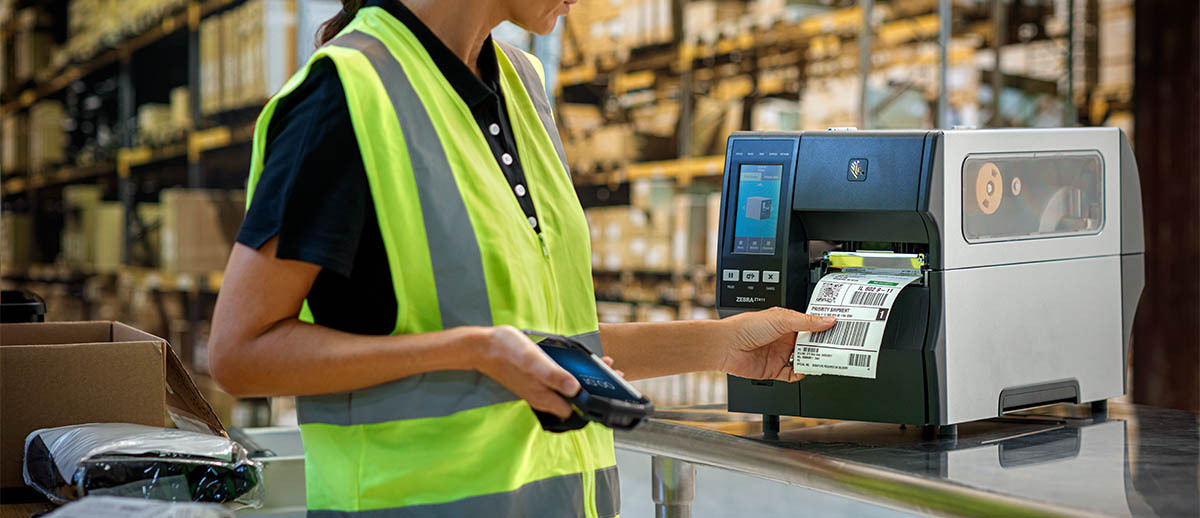
One of the hallmarks of Zebra’s industrial printers is their rugged durability, and the Zebra ZT411/ZT421 exemplify this. These printers are constructed with an all-metal frame and a steel bi-fold media door, giving them the sturdiness to withstand harsh industrial environments. The physical design is meant for the factory floor: the bi-fold door reduces the clearance needed to open the printer by about 35%, so even in tight spaces or crowded workstations, you can change media without needing a lot of room. Inside, critical components like the printhead and platen roller are designed for longevity and can be replaced without tools, minimizing downtime for maintenancezebra.comzebra.com. In other words, Zebra built these printers to maximize uptime – a crucial factor in any high-volume operation.
Performance is another area where the ZT411 and ZT421 shine. They are engineered for speed and throughput, capable of handling large batch print jobs and continuous label flows without breaking a sweat. The ZT411 can print at up to 14 inches per second, while the wider ZT421 can reach up to 12 inches per second. This high speed, paired with robust processing power and ample memory (256 MB SDRAM, 512 MB Flash), means the printers can quickly tackle job queues and complex label formats (including those with graphics or 2D codes) without lag. In practical terms, they can produce thousands of labels per day – Zebra rates the ZT400 series for moderate-to-high volume use, roughly on the order of up to 2–4 rolls of labels per day in typical scenarios. For many warehouses and production lines, this level of output is more than sufficient, enabling fast turnaround on label printing tasks.
Despite this muscle, the printers are smart about maintaining quality. Even at speed, print registration is precise, and features like Element Energy Equalizer (E3) ensure consistent print darkness across the label. The ZT411’s availability of 600 dpi also allows it to do high-precision jobs (albeit at slower speed), so you don’t need a separate specialty printer for fine detail — a testament to the versatility of the ZT400 series.
From a total cost of ownership (TCO) perspective, the ZT411 and ZT421 offer excellent long-term value. Their durability means fewer repairs and replacements over time, and their design makes maintenance (like printhead swaps or sensor cleaning) quick and easy, reducing labor costs. Zebra’s reputation for quality and the wide availability of spare parts (printheads, rollers, etc.) ensure that these printers can be kept in service for many years. Less downtime and longer service life directly translate to lower cost of ownership. As one industry source noted, these models are a “smart choice for carrying out high volume label printing in multiple areas with reduced cost of ownership”barcodesinc.com. In short, you pay for an industrial-grade device up front, but you get a workhorse that reliably performs day in and day out, minimizing the unexpected costs that come with cheaper, failure-prone units.
Zebra also bundles its Print DNA software suite with the ZT411 / ZT421 series, which includes tools for remote management, heightened security, and seamless integrationzebra.com. For example, features like Profile Manager and PrintSecure help IT teams manage fleets of printers and protect data. This means these printers not only last a long time physically, but they also stay optimized and secure throughout their life, further improving their overall value to the business.
Zebra ZT411 vs ZT421: Model Differences
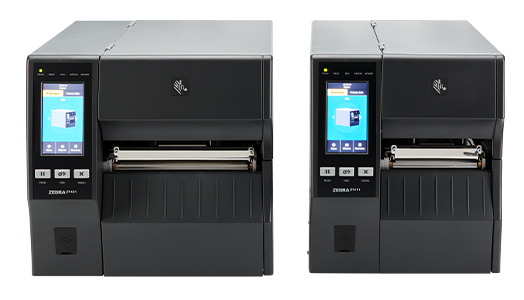
When choosing between the ZT411 and ZT421, it’s important to understand their differences. In essence, the ZT411 and ZT421 are sibling models that share the same internal components and feature set, but are built for different label widths. Here’s a clear breakdown of ZT411 vs. ZT421:
- Print Width: The most obvious difference is maximum print width. The ZT411 is a 4-inch printer (max print width of 4.09″ / 104 mm), whereas the ZT421 is a 6-inch printer (max print width of 6.6″ / 168 mm). If your labels are typically 4 inches wide or less (which covers standard shipping labels, inventory barcodes, etc.), the ZT411 is appropriate. If you need to print wider labels (for example, large pallet labels, chemical drum labels, or compliance labels up to nearly 7 inches wide), the ZT421 is the better fit.
- Print Resolution Options: Both models support 203 dpi and 300 dpi resolutions. However, 600 dpi is only available on the ZT411. The ZT421 maxes out at 300 dpi. So if you require ultra high-res printing (600 dpi) for very small barcodes or high-density data matrix codes, you’ll need the 4-inch ZT411. In contrast, the 6-inch ZT421 trades off that higher resolution option in exchange for the wider print format.
- Print Speed: The ZT411 can print slightly faster, up to 14 inches per second, while the ZT421’s wider format prints up to 12 inches per second at its top speed. In practice, both are extremely fast for thermal printers, and the speed difference may not be noticeable unless you are printing very long labels or large batches. Both models allow you to adjust print speed to balance quality and throughput as neededzpsstore.com.
- Physical Size: Because of its 6-inch media width, the ZT421 is a larger machine. Both printers share the same height and depth (about 12.75″ tall and 19.5″ deep, as the chassis is similar), but the ZT421 is about 2.6 inches wider than the ZT411 (approximately 13.25″ wide vs. 10.6″ wide)pacificbarcode.com. The weight of the ZT421 is also slightly higher (~40 lbs compared to ~36 lbs for the ZT411). If space on your workbench or printer station is limited, or if you need to frequently move the printer, the smaller footprint of the ZT411 might be advantageous. On the other hand, if you need the wider format, ensure you have room for the ZT421’s larger frame.
- Media Handling Differences: In terms of media (labels, ribbons) used, both models accept similar 8-inch outer diameter label rolls on 3-inch cores, and 450m ribbon rolls for thermal transfer printing. The ZT421’s media path is simply wider to accommodate bigger labels. Both printers use the same ribbon widths (up to 110 mm / 4.33″ ribbon for ZT411, and the ribbon width can be slightly wider on ZT421 to cover 6″ labels). Most optional add-ons (cutter, peeler, rewind, RFID, wireless) are available for both models and function the same way. Essentially, you’re deciding on width – the core technology and features remain consistent between the two.
In summary, ZT411 vs ZT421 comes down to label width and resolution. If you need up to 4-inch print width or 600 dpi, go with the Zebra ZT411 printer. If you require up to 6-inch width labels, choose the Zebra ZT421 printer. Both will deliver the same level of performance, ruggedness, and feature flexibility that the ZT400 series is known for.
Successors to ZT410/ZT420, ZM400/ZM600 and Z4M/Z6M: A Legacy of Reliability
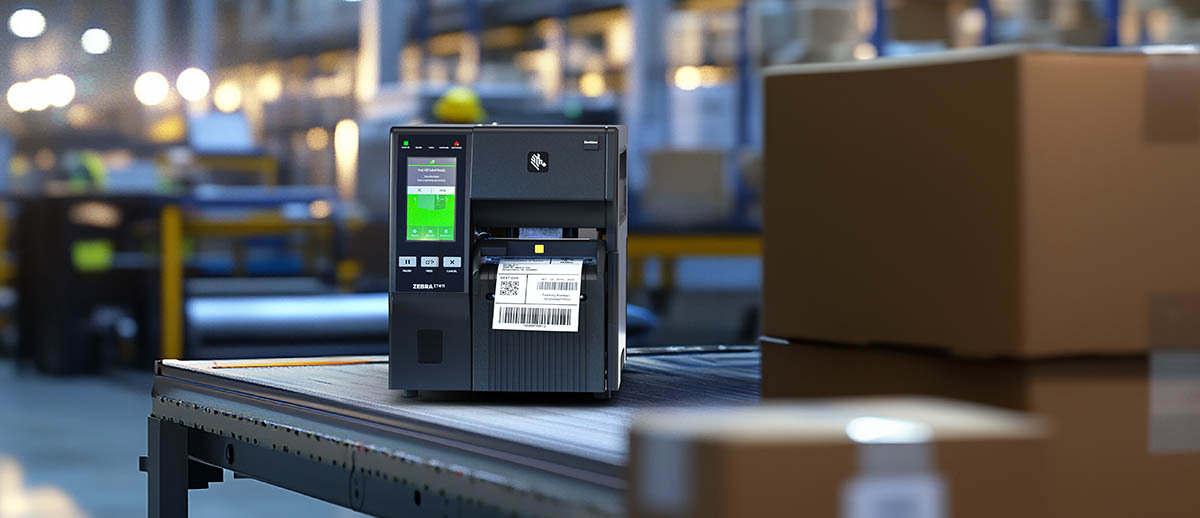
The Zebra ZT411 & ZT421 printers are not just new models in isolation – they are the latest evolution of Zebra’s proven industrial printer lineup. Zebra has a tradition of offering a 4-inch and 6-inch printer pair for each generation, and the ZT411/421 proudly carry that torch. They directly replace the older ZT410 and ZT420 models, bringing a number of upgrades such as the color touchscreen display and updated electronics. In turn, the ZT410/420 (introduced around 2014) had replaced the even earlier ZM400 and ZM600 models from the 2000s, which themselves descended from the classic Z4M and Z6M printers of the late 1990s/early 2000s. This lineage spans well over two decades.
Each generation improved upon the last while maintaining core qualities. For example, the old Z4M/Z6M series set the benchmark for rugged label printing in many warehouses. The ZM400/600 introduced better connectivity and speed. The ZT410/420 added Link-OS and modernized the platform. Now, the ZT411/421 models deliver significant improvements in design and usability over those legacy printers. Zebra’s design team incorporated user feedback and lessons from intermediate models (like the ZT200 series) to make the ZT400 series more user-friendly and easier to maintain. Features like the 4.3″ color touch interface, guided wizards for setup, and tool-less maintenance are direct responses to customer pain points with older units. Yet, despite these advancements, Zebra ensured backward compatibility where possible (for instance, nearly all ZT410 accessories work on the ZT411, aside from needing a new Wi-Fi card). This shows Zebra’s commitment to a smooth transition for existing users.
Crucially, what has remained consistent through the Z-series to ZM-series to ZT-series is rock-solid durability and print quality. Zebra built its reputation on these industrial workhorses – many businesses still have a Z4M or ZM400 chugging along in a corner because they refuse to die. The ZT411 and ZT421 carry on that legacy with confidence, giving longtime Zebra users the familiarity of a trusted brand but with up-to-date tech and future-ready capabilities. This continuity and refinement over generations are a big reason why Zebra has dominated industrial barcode printing for so long.
Optional Add-Ons and Upgradeability
A major strength of the ZT411/ZT421 printers is the extensive range of add-ons and upgrades available, allowing companies to tailor the printer to their exact needs. We touched on key features earlier; here we highlight how you can customize these models:
- Field-Installable Accessories: Zebra designed the ZT400 series to be highly modular. You can easily install options like a peel mechanism, cutter, full roll rewind, or additional media handling attachments in the field, often in mere minutes. The printer chassis has pre-drilled attachment points and plug-in connectors that make adding a cutter or peeler straightforward without needing a service technician. This means you can buy a basic configuration and later add, say, a cutter for a new project that requires tag cutting, rather than buying a whole new printer. Such field upgradeability protects your investment as your requirements change.
- Zebra Printer RFID Upgrade: If you don’t need RFID from day one, you can still opt to add it later. Both the ZT411 and ZT421 have RFID upgrade kits (for UHF RFID encoding) that can be installed on-site. This is a huge advantage for future-proofing – you might run barcode labels today, but next year move to RFID-tagged pallets or medical samples, and you can convert your existing unit into an RFID-enabled Zebra printer. Zebra even offers an on-metal RFID encoding upgrade kit for the ZT411 (203 or 300 dpi configurations) to handle those specialized RFID tagspacificbarcode.com. By keeping RFID as a modular option, Zebra acknowledges that not all users need it immediately, but many want the peace of mind that they can upgrade when ready.
- Connectivity and Network Options: Similarly, the communications can be enhanced post-purchase. The printers come network-ready with wired connections and Bluetooth, but you can add the Wi-Fi/Bluetooth combo card later if your facility goes wireless. There are also parallel or applicator interface cards available for special use cases (for example, hooking the printer to older equipment or label applicator machines). With two internal communication slots, the ZT411/421 can accommodate these add-ons easily. In essence, you can configure the printer to fit into any IT environment – from a modern cloud-connected warehouse Wi-Fi network to an offline standalone setup – using the appropriate modules.
- Media and Supplies Flexibility: Zebra provides various media handling upgrades too, like a linerless printing kit (for using linerless labels that have no backing paper). Linerless labels are popular for sustainability and for mobile printing carts since there’s no waste liner. The ZT411/ZT421 can be converted to handle linerless media with a field kit (which usually includes a special platen roller and cutter to deal with the adhesive labels). This is another example of how you can adapt the printer for different applications. Of course, Zebra’s vast selection of barcode label materials, ribbons, and RFID tags are all compatible with these Zebra printers, and using genuine Zebra printer supplies can ensure optimal performance.
Overall, the add-ons and optional features of the ZT411 and ZT421 make them incredibly adaptable. Instead of a one-size-fits-all device, you effectively have a platform that you can build upon. This modular approach is appreciated by IT and operations managers because it means the printer can stay relevant for many years, accommodating new workflows or technologies with minimal additional cost.

Common Applications and Use Cases
Thanks to their versatility and industrial-grade performance, the ZT411 and ZT421 find homes in a wide array of industries. Here are some of the most common applications and environments where these printers excel:
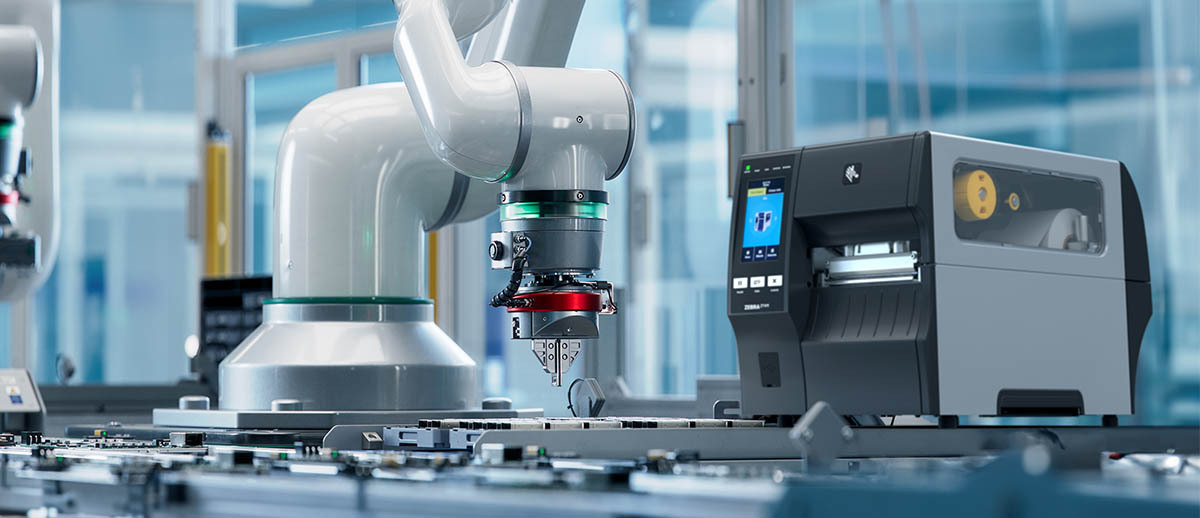
- Manufacturing & Industrial Production: On manufacturing lines, these printers are used for product labeling, serial number and rating plate printing, work-in-process tracking labels, and inventory management. Their durability lets them operate in factories with dust, heat, or vibration. For example, an electronics manufacturer might use a ZT411 to print high-resolution PCB labels or component ID tags (leveraging 600 dpi), while an automotive plant might use a ZT421 for large bin labels or safety decals. The all-metal construction and reliable throughput help these printers withstand 24/7 production schedules (though they are rated for moderately high volumes, truly around-the-clock massive printing might call for Zebra’s ZT610 series). In general, for several hours of operation per day or multiple shifts, the ZT400 series handles it with ease.
- Warehousing & Distribution: Warehouses and distribution centers rely on the ZT411/421 for shipping labels, pallet labels, carton barcodes, and location labels. The fast print speeds mean that even during peak shipping times, the printers can churn out labels as fast as workers can apply them. The ZT421’s wider print width is especially useful for pallet and compliance labels that need to contain large barcodes or lots of information (e.g., GS1 logistics labels). With the internal rewind option, these printers can also generate batches of labels that an operator can later take and apply to shelves or products, which is perfect for inventory relabeling projects. Moreover, the printers can be outfitted on mobile printer carts with a battery and Wi-Fi – the ZT411’s relatively compact size and wireless capability enable mobile printing stations that can be moved around a warehouse floor for point-of-application labeling.
- Cold Storage & Harsh Environments: In cold storage warehouses or food distribution centers, equipment is subjected to low temperatures and moisture. The ZT411 and ZT421 are often chosen in these scenarios for their robustness. They have an operating temperature range down to 0°C (32°F) for direct thermal and 5°C (41°F) for thermal transfer printing, which covers typical refrigerated environments (though not deep freezers). Their metal frames handle temperature fluctuations better than cheap plastic printers. Often, they are used to print freezer-grade barcode labels for food packages or pharmaceutical products, using special label stock that remains adhesive in subzero conditions (the printers themselves might sit just outside the freezer or in a heated enclosure if needed). The reliability of the ZT400 series in these demanding environments gives operations managers confidence that label printing won’t be a bottleneck, even in a cold, wet, or dusty facility.
- Healthcare & Laboratories: Hospitals and labs utilize the ZT411 for laboratory sample labels, blood bank labels, asset labels, and pharmacy packaging. In healthcare, accuracy is paramount, and the ZT411’s high resolution can produce very small barcode labels for test tubes or slides that remain scannable. The printers’ Link-OS connectivity and network features also allow them to be integrated into hospital information systems or lab management systems. For instance, a lab might print hundreds of specimen labels per hour on a ZT411, taking advantage of its speed and the fact that it can run both thermal transfer (for long-lasting prints) and direct thermal (for short-term labels) as needed. The ZT411 and ZT421 are overkill for wristband printing or small clinics (Zebra has specialized printers for that), but in large hospital networks or pharma companies, these units are workhorses for logistics and research labs. Additionally, with optional RFID, they can print and encode Zebra RFID wristbands or asset tags for tracking expensive medical equipment within a facility – a growing use case in modern smart hospitals.
- Transportation & Logistics: In the broader logistics sector, including freight, airlines, and cross-docking facilities, the ZT411 and ZT421 are used for boarding passes, bag tags, shipping manifests, and freight labels. Their high-speed printing and network connectivity are valuable in fast-paced logistics hubs. For example, an express shipping company might station ZT421 printers at its sorting hubs to print large 6×4 inch shipping labels complete with barcodes and RFID for tracking packages. Their ability to encode RFID on the fly (for those that implement RFID printing in supply chain) is a strong advantage for future logistics applications. Even at ports or yards, these printers (often in an enclosure) can print container labels or railcar placards. Essentially, anywhere in the supply chain that requires reliable, high-volume label output, the ZT411 and ZT421 have proven themselves. They’re a common sight in the back rooms of retail distribution centers, postal logistics centers, and third-party logistics (3PL) warehouses due to their reputation for toughness and consistent performance.
Across all these applications, some common threads emerge: high-volume output, durability, and versatility. It’s not unusual to hear that a single Zebra ZT421 printer in a warehouse is handling all the pallet label printing for years without major issues, or that a ZT411 in a manufacturing cell is producing thousands of product labels a day with minimal intervention. These printers excel when you need a dependable tool that just works, day after day, in critical operations.
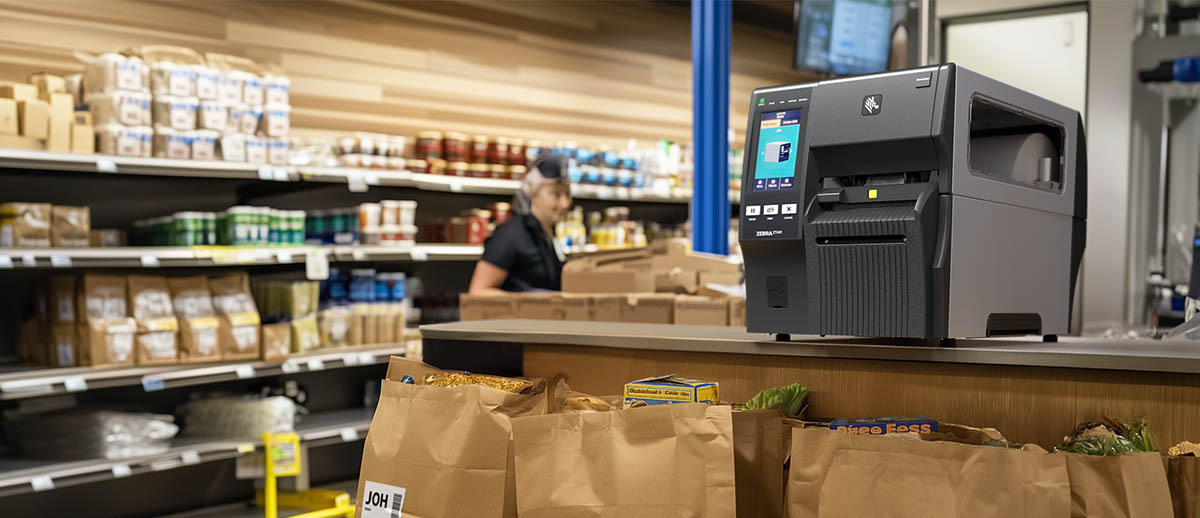
Future-Proof Investment for Industrial Printing Needs
Given all of the above, are the Zebra ZT411 and ZT421 strong investments for companies looking to future-proof their industrial printing? Absolutely. These models have been designed with an eye on both current and future requirements. Zebra has built in the capacity to adapt – whether it’s adding RFID encoding down the line, switching to wireless networking, or upgrading to new media types, the ZT411/421 can handle it. They are “designed to meet your needs now and in the future,” with easy customization in the field as your business grows or changes. This means you won’t be left with obsolete hardware when new technology emerges; your printer can evolve with you.
Another aspect of future-proofing is the ongoing support and ecosystem. Zebra is known for supporting its printers with firmware updates, service parts, and technical assistance for many years. The ZT411 and ZT421, being flagship models in the mid-range industrial category, will enjoy support for a long time. Zebra’s Printer DNA software tools also ensure that from an IT perspective, these printers remain secure and easy to manage on your network, which is increasingly important in an IoT-connected future. Security features built into the firmware protect against unauthorized access or data breaches – a critical consideration as printers are often networked devices now.
Furthermore, investing in such a popular platform has the benefit of a large user community and third-party support. Consumables (Zebra labels & ribbons) that are optimized for these printers are widely available. Many software packages and ERP systems have built-in templates or drivers for Zebra printers, making integration straightforward. Training technicians or operators on these printers is easier too, because Zebra’s interface is quite standardized and resources/training materials abound. All of this reduces the friction in deploying and maintaining the printers over the long term, contributing to a lower total cost and a smoother experience.
Importantly, Zebra managed to introduce the Zebra ZT411 / ZT421 barcode printes with major upgrades but without a major price hike over the previous models. They deliver more value (color touch display, improved sensors, advanced features) at roughly the same price point as the older ZT410/420. From an ROI standpoint, that makes them an even stronger buy. You’re getting a state-of-the-art industrial barcode printer that sits in the sweet spot between basic budget models and ultra-high-end printers. For most medium to large businesses, the ZT411 and ZT421 hit the “goldilocks” balance of cost and capability – not overspending on features you don’t need, but powerful enough to handle growth and new demands.
The Zebra ZT411 and ZT421 barcode printers stand out as durable, high-speed, and feature-rich solutions that have earned their popularity in industries from warehousing to healthcare. Their ability to encode RFID, support multiple resolutions, connect wirelessly, and handle large volume output – all while being built like a tank – sets them apart from competitors. They clearly differentiate themselves in two models (ZT411 vs. ZT421) to cover different media width needs, ensuring there’s an option for almost any industrial labeling application. By carrying forward Zebra’s long legacy of dependable printers and adding modern touches, the ZT411 and ZT421 have positioned themselves as excellent long-term investments. For companies looking to future-proof their industrial printing needs, these printers offer the confidence that today’s purchase will continue to deliver value for years to come, adapting to whatever labeling challenges tomorrow may bring.
Talk to an Expert