
Barcoding in the Freezer: Why "Rugged" Isn't Enough for -20°F
Posted by Midwest Barcoding Solutions on Apr 13th 2026
By Midwest Barcoding Solutions | Cold Storage | Freezer Operations Guide
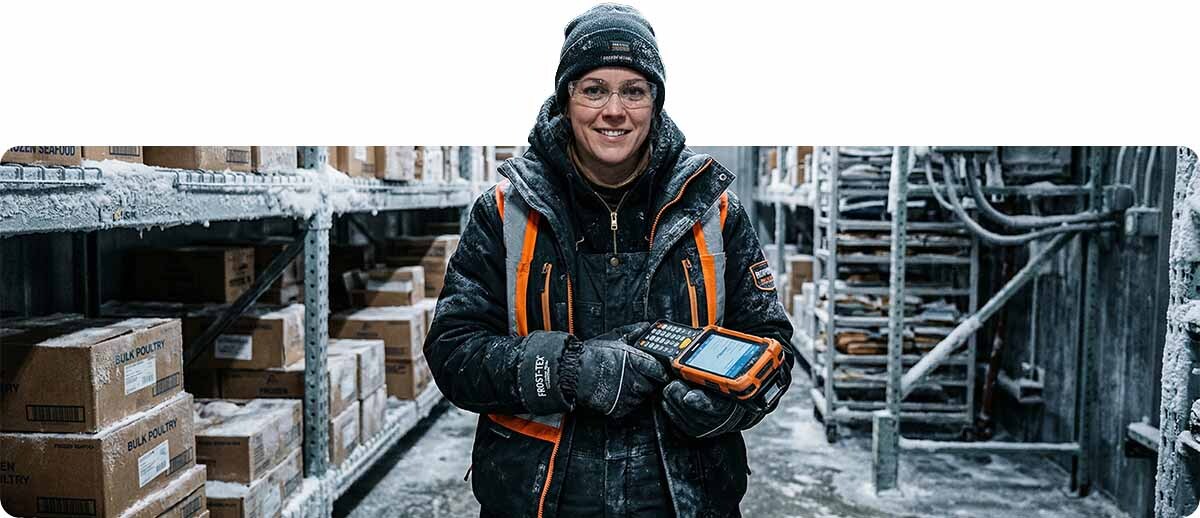
Walk into most cold storage and frozen food distribution operations and you'll find at least one of the following: scanners that work intermittently in the morning and fail by noon, mobile computers that show adequate battery but shut down unexpectedly, barcodes that scan perfectly on the loading dock but fail to read inside the freezer, and labels that peel off products within days of being applied.
In most cases, the hardware being used wasn't wrong for a warehouse. It was wrong for a freezer. The distinction matters because the failure mechanisms at -20°F are different in kind, not just degree, from the challenges of a cool warehouse or refrigerated cooler. Battery chemistry, LCD display physics, capacitive touchscreen behavior, scan window condensation, adhesive chemistry, and plastic impact resistance all change in ways that a standard rugged spec sheet doesn't address — because standard rugged spec sheets aren't written for -20°F.
The solution isn't buying "more rugged" general-purpose devices. It's buying hardware specifically engineered for the failure modes that deep freezer environments produce. Here's what those failure modes are, what causes them, and what addresses each one.
Failure Mode #1: Battery Collapse at Low Temperature
What happens. A mobile computer that shows 80% battery on the loading dock at 50°F shuts down 45 minutes into a freezer shift at -20°F. The device wasn't defective — the battery is behaving exactly as lithium-ion cells behave at extreme cold. The electrochemical reaction that produces current in a Li-Ion cell slows dramatically as temperature drops. At 0°F, a standard Li-Ion battery may lose 20-30% of its usable capacity. At -20°F, the loss can exceed 40%. The battery management system reads available charge based on cell voltage, not on what the cell can actually deliver at temperature — so the percentage display is accurate at ambient temperature but meaningless once the device is cold-soaked.
What doesn't fix it. Carrying multiple standard batteries and swapping mid-shift doesn't fully solve it — the spare battery cold-soaks in the same environment. Warming the device on breaks helps temporarily but the problem returns. Adding a battery case or insulating wrap is a workaround that creates ergonomic issues.
What actually fixes it. Freezer-rated batteries use cell chemistry and construction specifically formulated for low-temperature performance. They maintain usable capacity at -20°F and below, and they're tested in the cold environment rather than at ambient lab conditions. The Zebra MC9400 Cold Storage configuration ships with a freezer-rated 5,000mAh battery that's engineered and tested for deep freezer operation — not a standard battery with a different label.
Failure Mode #2: Condensation on the Scanner Exit Window
What happens. A worker carries a scanner from a -20°F freezer to a 65°F staging area — or even just moves into a slightly warmer aisle — and the scan window fogs with condensation. The optical system is now trying to project a laser or LED through a layer of water droplets. Scan failures follow immediately, lasting until the window clears. In busy operations with workers moving between temperature zones repeatedly, this can happen dozens of times per shift.
The same problem occurs in reverse for devices brought cold into a slightly warmer zone — the surface temperature of the scan window is below the dew point of the surrounding air, and condensation forms on the exterior. IP sealing keeps water out of the housing, but the optical glass surface itself is exposed to the environment.
What actually fixes it. A heated scan exit window maintains the glass surface above the local dew point, preventing condensation from forming. The Zebra MC9400 Cold Storage configuration includes a heated scanner exit window specifically to address this failure mode. It's not a standard rugged feature — it's a freezer-specific engineering decision that standard IP68-rated devices don't include.
Failure Mode #3: Display Dimming, Lag, and Touchscreen Failure
What happens. At -20°F, liquid crystal displays slow dramatically. The "liquid" in LCD refers to liquid crystal material that changes optical properties in response to electrical signals — and like all liquids, it becomes more viscous and sluggish at low temperatures. The result is visible response lag (the display updates slowly after input), dimming (backlight efficiency drops), and in extreme cases, the display becomes unreadable or stops updating entirely. Capacitive touchscreens compound the problem: they require a conductive contact to register input, and workers in -20°F environments wear heavy insulating gloves that don't conduct capacitance. A standard capacitive touchscreen is essentially unusable with the gloves required for freezer work.
What actually fixes it. Freezer-rated mobile computers include displays engineered for cold-temperature performance, often with low-temperature LCD formulations and optically bonded glass that maintains response at operating temperatures. The Zebra MC9400 Cold Storage model features a heated touch panel and optically bonded Corning Gorilla Glass that works with thick gloves — directly addressing both the display performance and the glove usability issues. Physical keypads, standard on the MC9400 platform, are also a key advantage in freezer environments: keys work reliably regardless of glove thickness, providing an input method that doesn't depend on touchscreen sensitivity.
Failure Mode #4: Housing Brittleness and Impact Failure
What happens. Standard rugged devices are drop-tested at room temperature. The plastic housings — typically ABS, polycarbonate, or blends — have material properties specified and tested in the 60°F-80°F range. At -20°F, the same plastics become more brittle. The glass transition temperature of many engineering plastics is low enough that at -20°F, the polymer chains are significantly less flexible than they are at ambient temperature. A device that survives a 5-foot drop on a concrete floor at room temperature may crack or shatter at the same drop in -20°F conditions, because the housing absorbs the impact energy differently at low temperature.
What actually fixes it. Freezer-rated devices use housing materials specifically selected and tested for low-temperature impact performance. The Zebra MC9400 Cold Storage model's drop specification is validated at -30°C (-22°F) to 50°C — the freezer drop test is performed in the cold environment, not extrapolated from room-temperature data. This is a meaningful specification distinction that generic "rugged" drop ratings don't provide.
Failure Mode #5: Label Adhesive Failure and Facestock Brittleness
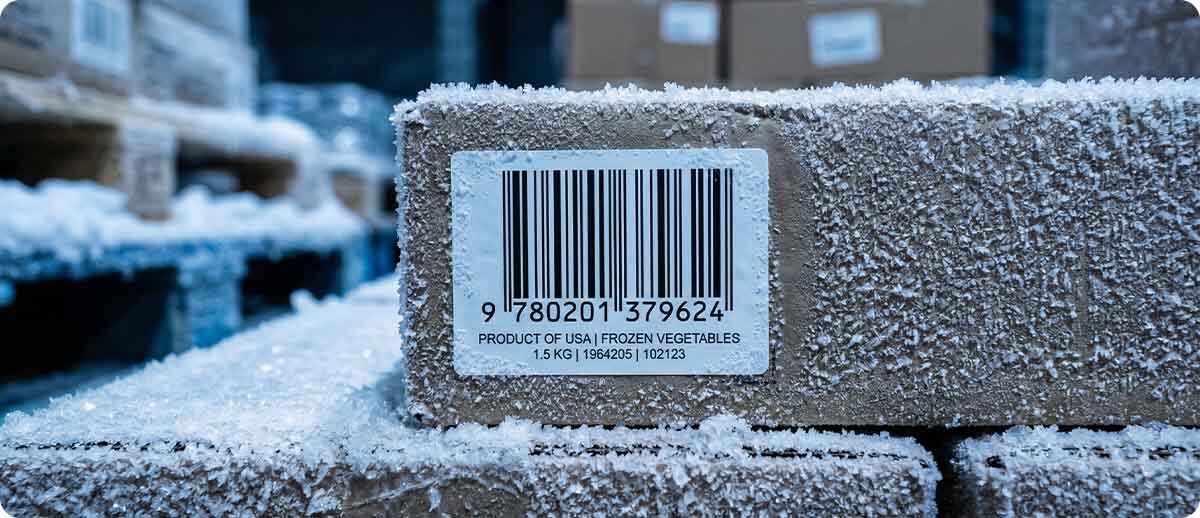
What happens. Standard permanent acrylic adhesives are formulated for application and service at room temperature. Below approximately 10°F, most standard acrylic adhesives lose significant tack — the adhesive becomes less fluid and less able to wet the surface and establish a permanent bond. Labels applied to frozen product surfaces using standard adhesives peel at the edge within hours or days. In addition, paper label facestocks become brittle in deep cold — the paper fibers lose flexibility and the facestock cracks along score lines or at edges when the label is flexed or impacted.
The application temperature vs. service temperature distinction. Label adhesive performance has two separate specs: the temperature at which the label can be applied, and the temperature at which it can survive after application. Some labels survive at -65°F in service but cannot be applied below 35°F — they must be applied at ambient temperature before going into cold storage. Others can be applied at -40°F for in-freezer labeling. Matching the right label to the application method (apply before storage vs. apply in the freezer) is essential and often overlooked.
What actually fixes it. All-temperature adhesive label stocks engineered specifically for cold storage use. Midwest Barcoding Solutions stocks two key Zebra options for freezer labeling:
Zebra Z-Perform 2000D All-Temp Label
Survives to -65°F | Apply at -40°F | Direct Thermal | Multiple sizes available
Standard direct thermal paper label with an all-temp permanent acrylic adhesive engineered to maintain adhesion at temperatures as low as -65°F and to be applied in-freezer at temperatures as low as -40°F. The most flexible cold-application option for operations that label product inside the freezer. Available in multiple sizes including 2" x 1", 2.25" x 1.25", and 3" x 3".
Browse Z-Perform 2000D Labels →Zebra Z-Select 4000D All-Temp Label
Survives to -65°F | Apply at -20°F | Direct Thermal | Premium coated facestock
Premium direct thermal paper label with an all-temp acrylic-based adhesive. Survives service temperatures to -65°F and can be applied in-freezer at temperatures as low as -20°F. The premium coated facestock provides better print quality and image durability than the 2000D for applications requiring sharper barcode definition. Available in multiple sizes including 2" x 1" and 4" x 1".
Browse Z-Select 4000D Labels →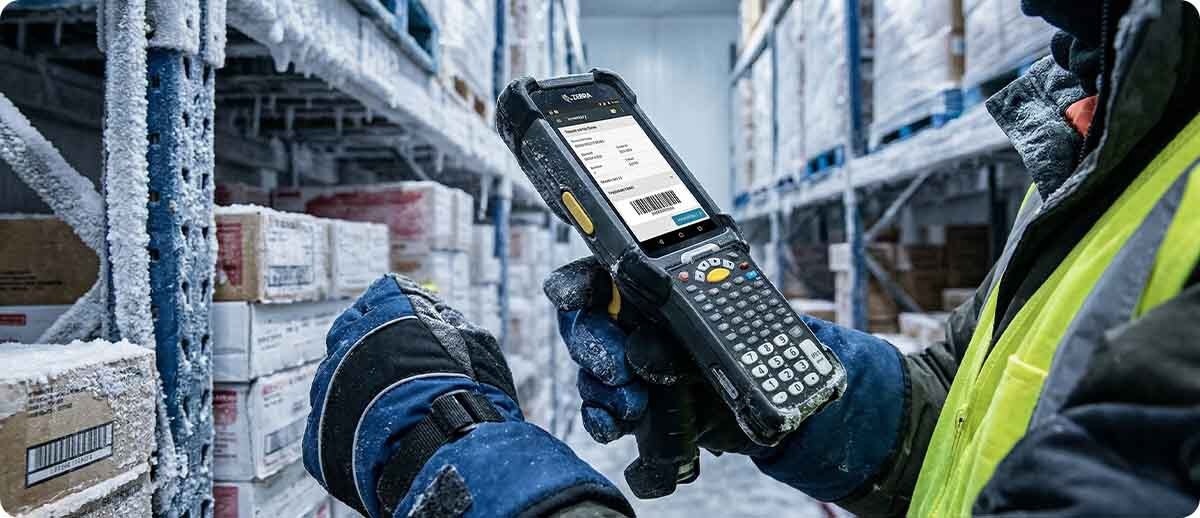
The Freezer Hardware Stack: Devices Built for -20°F and Below
Once the failure modes are understood, the hardware selection becomes straightforward: every device that goes into a deep freezer environment needs to specifically address the battery, display, scan window, housing, and operating temperature failure modes described above. These are the Zebra devices on our shelf built for exactly that environment.
Mobile Computer — On-Foot Freezer Workers
Zebra MC9400 Cold Storage Mobile Computer
Part #: MC9401-0G1M6DCS-NA (SE58 extended range, 53-key) | and additional cold storage configurations
Zebra's purpose-built freezer mobile computer, validated for operation at -30°C (-22°F). Heated touch panel prevents display lag and maintains touchscreen sensitivity with heavy gloves. Heated scanner exit window eliminates condensation fog when moving between temperature zones. Freezer-rated 5,000mAh battery maintains power delivery at deep cold temperatures. Physical 53-key keypad provides reliable gloved input that doesn't depend on touchscreen sensitivity. Housing drop-tested at -30°C to 50°C — the freezer environment, not a lab at room temperature. Wi-Fi 6E. Qualcomm platform with 6GB/128GB memory. SE58 extended range imager with IntelliFocus scans barcodes from in-hand to over 100 feet. Fully backward compatible with MC9300 accessories for operations already invested in MC93 infrastructure.
Shop MC9400 Cold Storage →Wearable Scanner — Hands-Free Freezer Picking
Zebra RS6100 Wearable Scanner (Cold Storage)
Part #: RS61B0-KFSSYWR
For freezer picking operations where workers need both hands free — case pulling, pallet building, product handling — the RS6100 wearable scanner is Zebra's most capable hands-free option. Explicitly rated for warehouse aisles, freezers, coolers, subzero winter cold, and forklift-seat use in all weather. Advanced multi-focus scan engine in a practically weightless design. Pairs with a mobile computer host via Bluetooth. Workers keep their hands free throughout the pick operation and trigger scans with a ring-finger trigger or motion gesture, without setting anything down in a -20°F environment.
Shop Zebra RS6100 Cold Storage →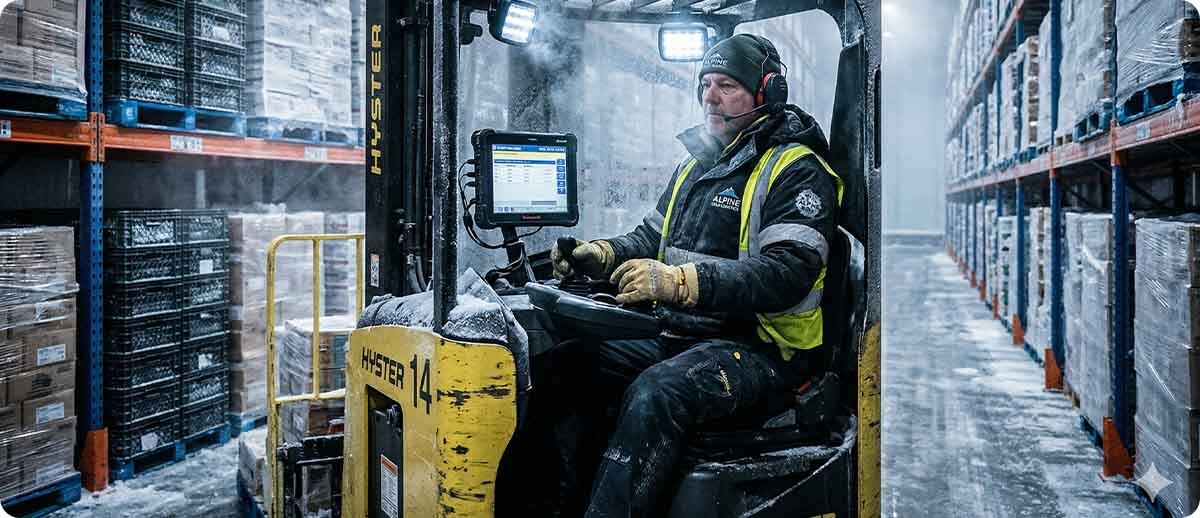
Vehicle Mount Computer — Forklift Operations in Cold Storage
Zebra VC8300 Vehicle Mount Computer (Freezer Configuration)
Part #: VC83-10FSRNBAABANA (10" Freezer display)
For forklift and powered equipment operators working inside cold storage facilities, the VC8300 Freezer model is Zebra's ultra-rugged vehicle mount computer designed to handle the full environmental spectrum from freezer interior to outdoor loading dock. The freezer display configuration maintains visibility and touch response at low temperature. Integrated full alphanumeric keyboard allows gloved-hand operation without relying on the touchscreen. Runs existing TE applications out of the box — no re-coding, no workflow retraining. Built to go where the forklift goes, including the coldest aisles of a blast freezer facility.
Shop VC8300 Freezer →The Condensation Transition Problem: In and Out of the Freezer
One failure mode deserves its own section because it's frequently underestimated: what happens to devices when they transition between freezer and ambient environments. Cold-soaked devices brought into warm air immediately accumulate condensation — not just on the scan window but on the display, housing seams, connector ports, and charging contacts. This is why IP sealing matters beyond just rain resistance: condensation from temperature transitions is the most common source of moisture ingress in cold storage applications.
Best practice for transition management: allow devices to acclimatize before connecting to charging cradles after cold exposure. Moisture on charging contacts causes corrosion and intermittent charging failures over time — a problem that doesn't show up immediately but degrades fleet reliability steadily. IP68-sealed devices with properly sealed charging contacts manage this better than IP54 or IP65 devices that may admit moisture at port covers or cradle contacts during thermal cycling.
For operations where workers rotate frequently between freezer and ambient zones within a shift, the heated scan window on the MC9400 Cold Storage model addresses the most operationally disruptive condensation effect — the scan failure on exit from the freezer — without requiring the worker to wait for the device to dry before scanning resumes.
Frequently Asked Questions: Freezer Barcoding
Our current scanners say "operating temperature: -4°F to 122°F" on the spec sheet. Why do they still fail in the freezer?
Operating temperature range tells you the temperature at which the device will function — but it doesn't tell you whether the battery will maintain adequate capacity, whether the display will maintain readability, or whether the scan window will resist condensation at that temperature. A device rated to -4°F may technically "operate" at that temperature but perform poorly because the battery capacity has dropped 35% and the display is dim and slow. Freezer-specific configurations address the performance at temperature, not just the power-on threshold.
Can we use the same labels we use in ambient areas inside the freezer?
Almost certainly not reliably. Standard permanent acrylic adhesives typically lose bond strength below 10°F. If your labels are applied at room temperature before going into the freezer, a label rated for -20°F service will hold. But if you're labeling product inside the freezer, you need an all-temperature adhesive rated for application at -20°F or below — and standard labels don't qualify. The Z-Select 4000D all-temp can be applied at -20°F. The Z-Perform 2000D can be applied at -40°F. Neither is interchangeable with standard paper stock for freezer applications.
Is a standard DS3678 scanner adequate for cooler environments (35-40°F), or do we need cold-rated hardware?
Cooler-temperature environments (35-40°F) are generally within the operating range of standard rugged scanners without requiring cold-specific configurations. Battery capacity loss at 35-40°F is moderate, display performance is acceptable, and condensation from temperature transitions is less severe. The cold-specific hardware is most important for blast freezer environments at -10°F and below. That said, if your cooler drops below 20°F or if workers move frequently between cooler and warm staging areas, a cold-rated configuration becomes more operationally beneficial.
We have MC9300 charging cradles already. Do we need new cradles for MC9400 Cold Storage devices?
No — the MC9400 is fully backward compatible with all MC9300 accessories including charging cradles. This is one of the most operationally significant aspects of upgrading from MC9300 to MC9400 for cold storage fleets: your existing cradle infrastructure doesn't need to be replaced. The MC9400 also accepts MC9200-generation charging accessories with an adapter, protecting even older infrastructure investments.
Where should we be printing cold storage labels — inside the freezer or outside?
Most operations print labels outside the freezer or in a tempered staging area, then apply them to product either before cold storage entry or immediately at the entry point. This is operationally simpler and allows a wider range of label materials (including those with -20°F application ratings rather than -40°F). If your workflow requires labeling inside a -30°F blast freezer, the Z-Perform 2000D all-temp label applied at temperatures as low as -40°F is your option. For most operations, print outside and apply at the entry point or on product as it moves into storage.
Whether you're troubleshooting failures in an existing cold storage setup or speccing out a new freezer operation from scratch, getting the hardware right the first time saves significant downtime and rework over a 5-year device lifecycle. Our team has worked through every variation of the -20°F barcoding problem — from battery failures to condensation issues to label adhesive failures — and we know which configurations actually hold up. Fill out the form below and let's build the right solution for your facility.