
Vehicle-Mounted Computer vs. Rugged Tablet on the Forklift: How to Choose Between the Zebra VC8300 and ET60/ET65
Posted by Midwest Barcoding Solutions on May 14th 2026
By Midwest Barcoding Solutions | Vehicle Computing | Forklift Technology Buyer's Guide
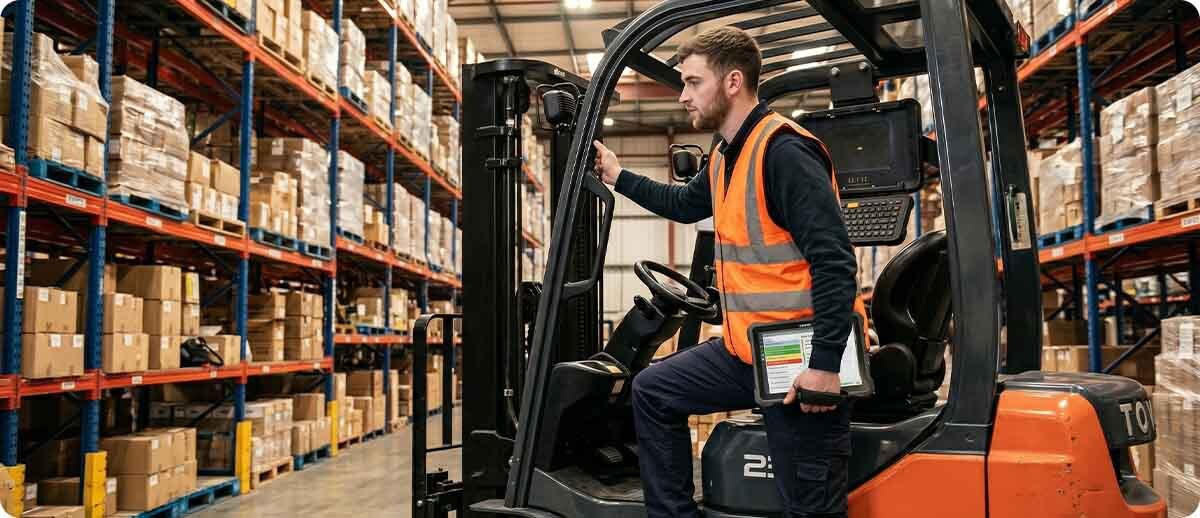
Zebra makes both sides of this market. The VC8300 is their purpose-built vehicle-mounted computer, designed from the ground up to live permanently on a forklift. The ET60 and ET65 are their rugged enterprise tablets, capable of vehicle mounting through a dedicated forklift dock but also capable of coming off that dock and serving as a handheld or laptop alternative. Both platforms run Android, both connect to the same enterprise wireless infrastructure, and both integrate with WMS applications and terminal emulation systems. The difference is in what the device is optimized for and what trade-offs come with that optimization.
Getting this decision wrong has real consequences. An operation that buys vehicle-mounted computers when their operators regularly need to dismount and work on foot is managing two separate hardware categories when one could have served both. An operation that buys rugged tablets for dedicated forklift operators discovers that tablets introduce device tracking complexity, battery management overhead, and occasionally a damaged tablet that left its dock for reasons that should not have required it. The right answer depends on your specific workflow, environment, and IT management capacity.
The Zebra VC8300: Built to Never Leave the Forklift
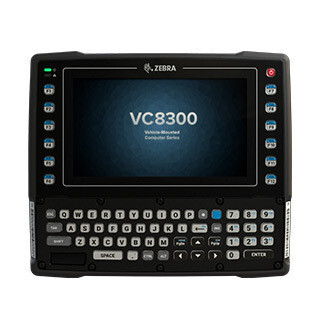
The VC8300 is a vehicle-mounted computer in the traditional sense: it is wired directly to the vehicle's electrical system, bolted to the cab structure, and treated as part of the vehicle rather than as a device the operator carries. It does not have a battery. It powers on when the forklift powers on. It is not designed to be removed between shifts. This is its defining characteristic, and it drives nearly every other advantage the VC8300 has over a tablet in dedicated forklift applications.
No battery to manage. An operation running 50 forklifts with 50 VC8300 units has zero battery management overhead for those devices. No charging cradles, no battery swap procedures, no mid-shift power failures, no battery health degradation over time. The vehicle provides power. The computer runs as long as the vehicle runs. For IT teams already managing batteries across a handheld fleet, eliminating battery management from the vehicle-mounted tier is a meaningful operational simplification.
Designed for resistive touch and gloved operation. The VC8300 uses a resistive touchscreen that responds to any physical pressure regardless of what is pressing it. Standard touchscreens require a conductive finger or a specialized stylus. In a cold storage environment where operators wear heavy insulated gloves, the VC8300 responds to gloved fingers reliably without requiring thin touchscreen-compatible gloves or switching to stylus input. The integrated alphanumeric keyboard provides a physical input option for data entry workflows that prefer keypad input over touchscreen.
Purpose-built for terminal emulation. The VC8300 ships with Ivanti Velocity TE pre-loaded. For operations running legacy warehouse management systems through telnet or VT/TN3270 terminal emulation, the VC8300 can connect to the existing WMS and run the existing green screen application right out of the box without software modification, middleware installation, or workflow change. This is not a coincidence — the VC8300 was designed for the large installed base of operations that still run mission-critical warehouse applications on TE and need to do so reliably on a vehicle-mounted platform.
Freezer and hazardous location configurations. The VC8300 freezer model (VC83-10FSRNBAABANA) includes a heated display and heated keyboard, allowing the unit to transition between the freezer and ambient temperature areas without condensation obscuring the screen or making the keyboard unresponsive. The VC8300 is also available in a Class 1 Division 2 configuration for operations in hazardous material environments where an intrinsically safe device rating is required. The ET60/ET65 currently does not offer a Cl1Div2 configuration.
Zebra VC8300 at Midwest Barcoding Solutions
VC83-08SOCQBAABANA — 8" display, standard environment, resistive touch, alphanumeric keyboard, Android GMS
VC83-08SOCQBAABA-I — 8" display, standard environment, alternate configuration
VC83-10SSCNBAABANA — 10" display, standard environment, resistive touch, alphanumeric keyboard, Android GMS
VC83-10FSRNBAABANA — 10" display, freezer configuration, heated display and keyboard, -30°C to +50°C
Shop Zebra VC8300 →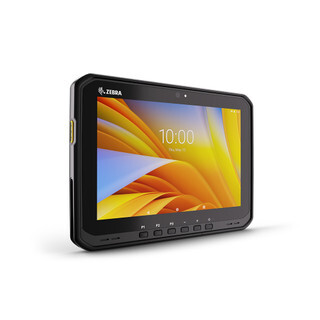
The Zebra ET60 and ET65: When the Forklift Is Not the Only Workplace
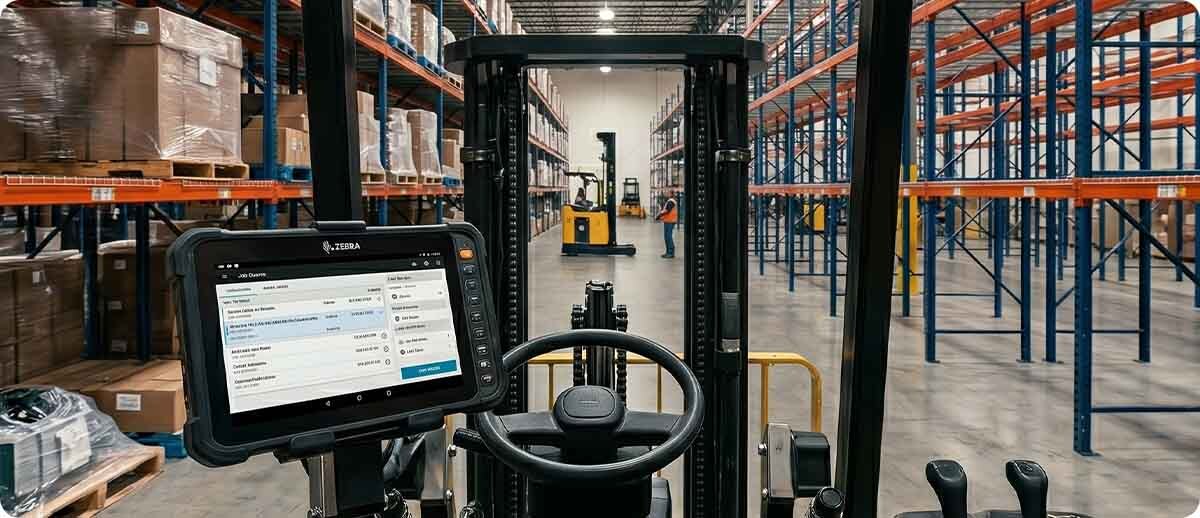
The ET60 and ET65 are rugged enterprise tablets that can do what the VC8300 does in a forklift, and then come off the dock when the operator needs to work on foot. This dual-use capability is the primary reason operations choose the ET60/ET65 over the VC8300, and it genuinely changes the value calculation when it applies to the actual workflow.
The ET60 and ET65 use a new patent-pending forklift dock with heated connectors specifically designed to handle the vibration, shock, and temperature cycling of forklift operation. Locking the tablet into the dock takes a single motion. Removing it for on-foot work takes a single motion in the other direction. The dock powers the tablet through the vehicle electrical system when mounted, eliminating battery consumption during vehicle operation, and the tablet battery takes over when the operator dismounts.
Faster processor and larger, brighter display. The ET60/ET65 runs on the Qualcomm 6490 octa-core platform at 2.7GHz. The VC8300 runs on the Qualcomm Snapdragon 660. The ET60/ET65's 10.1-inch WUXGA display at 1920x1200 and 1000 nits is significantly larger and brighter than the VC8300's display, which matters for operators reading WMS screens with complex layouts or working in outdoor yards where ambient light competes with the display. The ET60/ET65 display is also Gorilla Glass-protected against scratches and impacts.
Wi-Fi 6E and 5G. The ET60 carries Wi-Fi 6E. The ET65 adds cellular (5G and LTE) for operations where the forklift or vehicle moves into areas outside Wi-Fi coverage: outdoor yards, container depots, satellite facilities, or loading zones where Wi-Fi infrastructure is sparse. The VC8300 relies on Wi-Fi connectivity and does not offer cellular as a standard option.
SE55 extended range scan engine option. The ET60/ET65 is available with Zebra's SE55 scan engine with IntelliFocus, providing scan range from in-hand contact to over 100 feet. For operators who need to scan high-bay rack labels from the forklift cab without leaving the vehicle, the SE55 in the ET60/ET65 covers this requirement while still providing the tablet's dismount flexibility. The VC8300 does not have an integrated scan engine; it relies on a paired peripheral scanner connected via USB or Bluetooth.
Laptop alternative for data-heavy tasks. The friction hinge keyboard accessory converts the ET60/ET65 into a 2-in-1 laptop alternative, enabling on-vehicle data entry for operators who need to complete complex forms, inspection records, or documentation that is impractical on a touchscreen alone. For yard managers, supervisors, or drivers who move between a vehicle and a desk or office environment, this versatility serves both contexts with a single device.
Zebra ET60 at Midwest Barcoding Solutions
ET60WW-0S7EPSJ0A0-00 — Windows platform, 10.1" display, no integrated scan engine, standard battery, Wi-Fi
Android configurations and ET65 (with cellular) also available — contact MBS for full configuration options including SE55 scan engine, freezer model, and Wi-Fi 6E variants
View Zebra ET60 →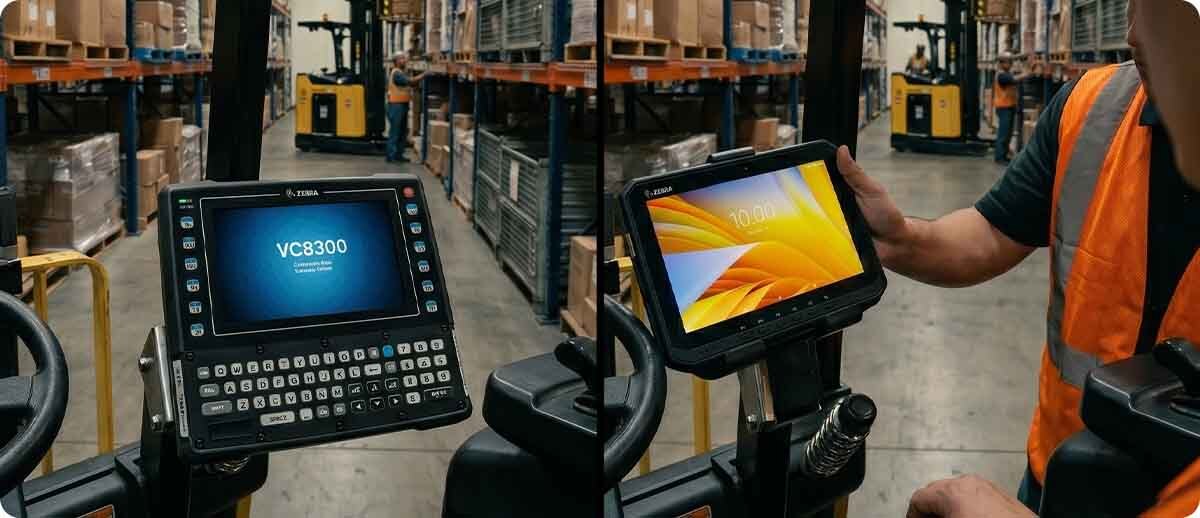
Head-to-Head: The Key Differences
| Specification | Zebra VC8300 | Zebra ET60 / ET65 |
|---|---|---|
| Designed to leave the vehicle | No — permanently mounted | Yes — single-motion dock release |
| Power source | Vehicle electrical (no battery) | Vehicle power when docked, battery when dismounted |
| Display size / brightness | 8" or 10", standard brightness | 10.1" WUXGA, 1000 nits |
| Touch type | Resistive (any glove) | Capacitive (touch-compatible gloves needed) |
| Processor | Qualcomm SD660 | Qualcomm 6490, 2.7GHz octa-core |
| Wireless | Wi-Fi only | Wi-Fi 6E (ET60), Wi-Fi 6E + 5G (ET65) |
| Integrated scan engine | None (peripheral scanner via USB/BT) | Optional SE55 (in-hand to 100ft) |
| Terminal emulation | Ivanti Velocity pre-loaded | TE via separate app installation |
| Freezer configuration | Yes — heated display and keyboard | Yes — heated touchpanel and keyboard in dock |
| Hazardous location (Cl1Div2) | Yes — available configuration | No |
| Device lifecycle commitment | Standard Zebra enterprise lifecycle | Up to 8 years from initial sale |
The Five Scenarios That Decide the Right Platform
Scenario 1: Dedicated Forklift Operators Running Legacy TE All Day
An operator who spends an entire shift on a forklift running a legacy WMS through telnet terminal emulation, never dismounting except at break time, is a VC8300 operator. The device that is bolted to the forklift, powered by the vehicle, pre-loaded with Ivanti Velocity TE, and runs reliably without battery management or device tracking is the right platform for this workflow. The ET60/ET65 can also run TE with a TE client installed, but the VC8300's permanent installation and pre-loaded TE app are specifically optimized for this scenario.
Verdict: VC8300
Scenario 2: Operators Who Regularly Dismount to Perform On-Foot Tasks
A put-away operator who drives to a location, dismounts to place product on a rack, scans a location label at height, and returns to the forklift repeatedly throughout the shift needs a device that goes with them when they leave the cab. A VC8300 stays in the cab during the on-foot portion of that workflow. The ET60/ET65 comes off the dock, provides the scan capability and WMS access needed during the on-foot task, and goes back in the dock when the operator returns to the vehicle. One device handles both parts of the workflow instead of requiring a second handheld or wearable device for the dismounted portion.
Verdict: ET60 or ET65
Scenario 3: Outdoor Yard Operations With Spotty Wi-Fi Coverage
A yard spotter or container yard operator moving between facility Wi-Fi coverage and open yard areas where Wi-Fi is weak or absent needs cellular connectivity to maintain a continuous WMS session. The VC8300 is Wi-Fi only. The ET65 with 5G cellular maintains WMS connectivity regardless of Wi-Fi availability, switching seamlessly between Wi-Fi when in range and cellular when outside coverage. For any vehicle operation that regularly moves outside the facility's Wi-Fi footprint, the ET65 is the correct specification.
Verdict: ET65 (cellular)
Scenario 4: Freezer Warehouse With Dedicated Forklift Operations
Both the VC8300 freezer model and the ET60/ET65 freezer configuration address the specific challenges of cold storage computing: screen condensation when transitioning between cold and ambient zones, keyboard response in very cold temperatures, and device performance in sustained subzero environments. The VC8300 freezer model (VC83-10FSRNBAABANA) includes a heated display and heated keyboard. The ET60/ET65 freezer dock includes heated connectors and an optional heated touchpanel and warehouse keyboard for the docked configuration. For freezer operations where operators never leave the vehicle, the VC8300 freezer model is the simpler and more purpose-specific solution. For freezer operations where operators dismount to work in cold storage aisles, the ET60/ET65 freezer configuration covers both the docked and dismounted portions of the workflow.
Verdict: VC8300 freezer if operators stay in the cab; ET60/ET65 freezer configuration if operators regularly dismount
Scenario 5: Hazardous Location Environments
Operations in chemical plants, refineries, grain handling facilities, paint manufacturing, and other environments classified as Class 1 Division 2 hazardous locations require intrinsically safe or non-incendive devices. The VC8300 is available in a Cl1Div2 configuration. The ET60/ET65 currently does not offer a hazardous location configuration. For any operation where hazardous location ratings are a requirement, the VC8300 is the only option between these two platforms.
Verdict: VC8300 (only option with Cl1Div2 configuration)
The Hidden Cost of Getting This Decision Wrong
Operations that buy vehicle-mounted computers when their operators need to dismount typically solve the gap by issuing a second handheld device to each operator. Now the same operator has a VC8300 in the cab and a TC53 on their belt. You are managing two device categories, two charging infrastructures, two sets of accessories, and two separate MDM configurations for what is functionally one worker's computing need. The ET60/ET65 in a vehicle dock eliminates the second device and consolidates the workflow into one platform.
Operations that buy rugged tablets for dedicated forklift operators introduce device management complexity that the VC8300 avoids by design. A tablet that can leave the dock will occasionally leave the dock when it should not. It needs to be tracked. Its battery needs to be managed. It can be damaged during dismounted use that the vehicle dock would have prevented. For operators whose entire workday is in the forklift cab, the flexibility of a tablet is a complication rather than a benefit.
Neither platform is the wrong answer in the right application. Both are the wrong answer in the wrong one. The workflow question to answer before either platform is specified is whether the operator leaves the vehicle as a regular part of their workflow. If the answer is yes, the ET60/ET65 earns its flexibility premium. If the answer is no, the VC8300 eliminates complexity that the ET60/ET65 introduces without adding value.
Frequently Asked Questions
Can the ET60/ET65 run the same terminal emulation apps as the VC8300?
Yes. The VC8300 ships with Ivanti Velocity TE pre-loaded, but the ET60/ET65 can run Ivanti Velocity, StayLinked SmartTE, or other Android TE clients as installed applications. The TE functionality is equivalent once the app is installed and configured. The VC8300's advantage in TE environments is that the app comes pre-loaded and the device is configured out of the box for TE workflows. The ET60/ET65 requires that TE client installation and configuration as part of the deployment setup, which is a one-time IT task rather than an ongoing operational difference.
Does the ET60/ET65 really handle forklift vibration reliably in the dock?
The new forklift dock Zebra developed for the ET60/ET65 is specifically engineered for the vibration profile of forklift operation and has been tested against the same MIL-STD-810 vibration standards as purpose-built vehicle-mounted computers. The patent-pending dock design uses vibration-dampening connections and locking mechanisms designed to hold the tablet securely through the constant vibration of a forklift shift. Zebra specifically cites forklift mounting as a primary ET60/ET65 use case, and the dock was designed to support it reliably rather than adapting a standard tablet mount.
Our operators wear heavy insulated gloves in the freezer. Will the ET60/ET65 touchscreen respond reliably?
The ET60/ET65 uses a capacitive touchscreen, which requires either a bare finger or a glove with capacitive fingertip material. Standard thick insulated gloves typically do not work reliably with a capacitive screen. The VC8300's resistive touchscreen responds to any physical pressure regardless of glove material. If your freezer operators wear heavy non-capacitive gloves and need frequent touchscreen interaction, the VC8300 is the more appropriate specification. If the ET60/ET65 is preferred for other workflow reasons, touchscreen-compatible insulated gloves are available that address this limitation, though they provide less thermal insulation than standard freezer gloves.
We are upgrading from a VC70 or VC80 fleet. What carries over to the VC8300?
The VC8300 is the current generation successor to the VC70 and VC80 platforms. Zebra provides accessory compatibility guides for VC-to-VC8300 migrations, covering power cable adapters that allow reuse of existing vehicle power wiring, mount adapter brackets for existing VESA mount holes in the cab structure, and peripheral connection compatibility. Most existing vehicle wiring and mounting hardware carries forward with minor adapter components rather than requiring a complete vehicle installation from scratch. MBS can provide a migration assessment for your specific VC70 or VC80 configuration before deployment.
Forklift computing decisions affect every shift your vehicle operators run, and getting the platform wrong means either managing unnecessary complexity or leaving productivity on the table. If you want to walk through your specific workflow, environment, and fleet size before committing to either platform, our team has deployed both the VC8300 and the ET60/ET65 across a range of warehouse, cold storage, and yard operations. Fill out the form below and let's work out which platform fits your operation.