
When Your Warehouse Has No Walls: Barcode Tracking for Construction Tools, Equipment, and Materials.
Posted by Midwest Barcoding Solutions on May 20th 2026
By Midwest Barcoding Solutions | Construction and Field Operations | Rugged Hardware Guide
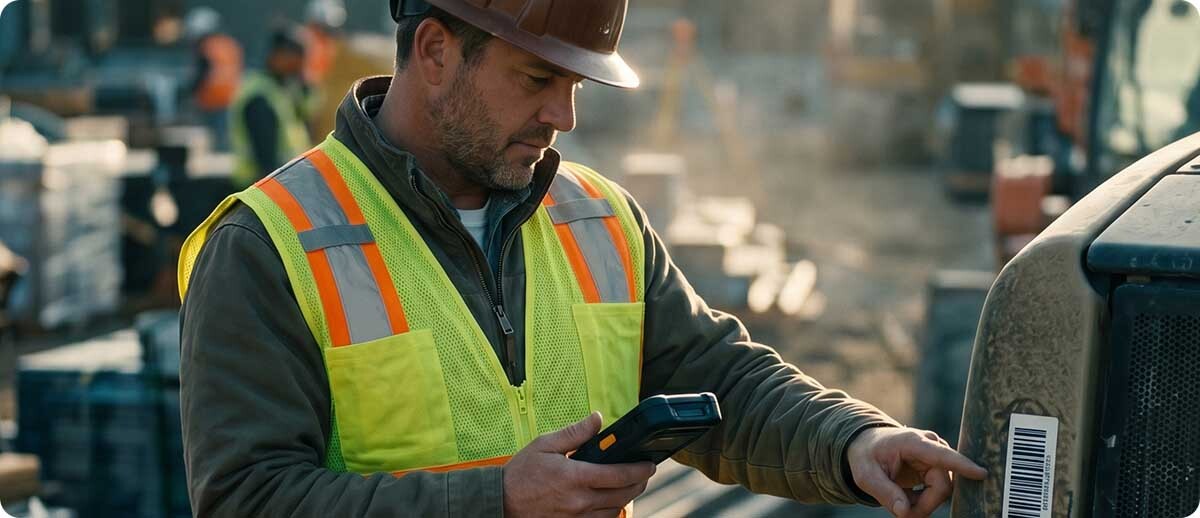
The construction industry loses over one billion dollars annually to tool theft alone, according to the Associated General Contractors of America. That number does not include the cost of equipment that is misplaced rather than stolen, materials ordered twice because nobody knew what was on-site, or the project delays that follow when a crew spends the first hour of a shift locating the tools they need. Barcode-based asset tracking and inventory management solve these problems in warehouse environments every day. The reason construction operations are slower to adopt the same approach is not that the problems are different. It is that the hardware requirements are different, and most barcoding hardware is built for indoor warehouses, not outdoor job sites.
The differences matter at the device level in ways that become apparent the moment you try to use a standard warehouse scanner on a job site. This guide covers the specific failure modes of standard warehouse hardware in construction environments, the five hardware requirements that a job site imposes that a warehouse does not, and the Zebra devices that are purpose-built to meet those requirements.
Why Standard Warehouse Hardware Fails on the Job Site
The Display Problem
Standard enterprise mobile computers are designed for indoor use. Their displays are optimized for controlled lighting environments. On a construction site in direct sunlight, a screen that reads perfectly in a warehouse becomes a washed-out mirror. Workers hold the device at different angles trying to find a viewing position that makes the screen legible, and the scanning workflow slows or stops. This is not a user training issue. It is a display brightness specification that was never intended for outdoor use.
Construction and field operations require displays with 800 to 1000 nits of peak brightness for outdoor readability in direct sun. Most standard warehouse mobile computers peak at 500 to 650 nits. The numbers that look similar on a spec sheet produce very different real-world performance when the sun is at the angle it typically sits during working hours on an outdoor job site.
The Connectivity Problem
Warehouse barcoding workflows rely on Wi-Fi connectivity. The Wi-Fi network is infrastructure that the warehouse operator controls, maintains, and optimizes for the specific device density and traffic patterns of the facility. A construction job site has no such network. Some sites have temporary Wi-Fi set up in a trailer. Many do not. Workers move between locations on a site or between multiple sites during a day. The Wi-Fi that might be available on one part of the site is not available forty feet away where the materials staging area is.
Standard Wi-Fi-only mobile computers stop communicating with the asset tracking system the moment they leave the coverage area. If the tracking system requires a live connection to accept a scan, every scan outside coverage is lost. The solution for construction environments is either cellular connectivity (5G or LTE) that works wherever the carrier's network reaches, or offline data capture capability that stores scan records locally and syncs when connectivity is restored. Operations that try to solve this with a temporary Wi-Fi network deployed on every site discover that it creates its own management and reliability problems that do not exist with cellular-equipped devices.
The Drop and Impact Problem
Warehouse floors are concrete, and warehouse devices are typically rated for 5 to 6 foot drops on that surface. Job sites drop devices on concrete, gravel, rebar, lumber piles, and active surfaces where the device may bounce after the initial impact. They get set on the bed of a pickup truck, driven to a location, and occasionally fall off when the truck moves. Standard 5-foot drop ratings assume a single impact on a flat hard surface. Job site drops involve rougher surfaces, higher heights, and the likelihood of secondary impacts after the first.
Construction environments require devices rated for 8 to 10 foot drops on concrete with additional tumble testing that simulates the multiple impact events of a field drop. The devices also need to survive temperature ranges that exceed indoor specifications, from sub-zero winter mornings to summer afternoon temperatures that would not occur in a climate-controlled facility.
The Glove and Wet-Hand Problem
Construction workers wear gloves. They work in rain. Their hands are often dirty, wet, or covered in materials from whatever they are handling. Standard touchscreens require a bare, dry, conductive fingertip. Devices that work perfectly for a warehouse picker who never wears gloves fail to register touches reliably for a construction worker in work gloves on a rainy morning. The scanning workflow requires workers to remove gloves, scan, replace gloves — adding several seconds per scan and creating friction that leads workers to stop using the system.
Construction-appropriate devices need touchscreens that respond to glove touch and wet touch simultaneously. They also need to work when the scan trigger is pressed through a work glove rather than requiring fingertip precision for a small button.
The Barcode Target Problem
Warehouse barcodes are printed on labels, applied to flat surfaces, and typically in good condition because they move through a controlled environment for a short time before being scanned. Construction asset barcodes live a harder life. Tool tags get scratched, smeared with concrete, partially torn, and exposed to UV for extended periods. Equipment barcodes may be on curved surfaces, at unusual angles, or on items stored on shelves or racks at height. Materials on a job site may arrive with barcodes that are partially damaged from shipping.
Construction scanning also involves extended range. Scanning a barcode on a piece of equipment stored on a high shelf in a material staging area, or on a tool in the bed of a truck from a standing position, requires a scanner that can resolve and decode at distances beyond arm's length. The standard range scanners that cover warehouse picking applications may not cover the variety of scanning distances construction crews encounter in a day.
The Three Use Cases That Drive Hardware Selection
Tool and Small Equipment Tracking
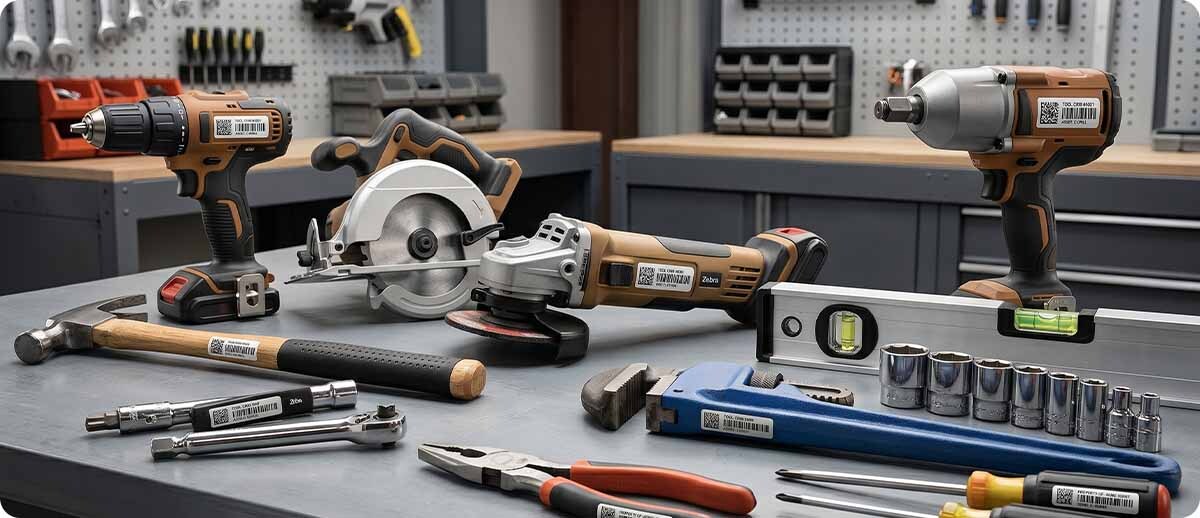
The most common starting point for construction barcoding is tool tracking. Every power tool, hand tool set, and small piece of equipment gets a barcode label applied to it, and every time it moves — from the tool crib to a worker, from a worker to a job site, from one site to another — the transfer is recorded with a scan. When a tool goes missing, the last recorded location and the last worker to check it out are immediately available. When a tool returns, its condition can be documented with a photo taken on the same device that scanned the barcode.
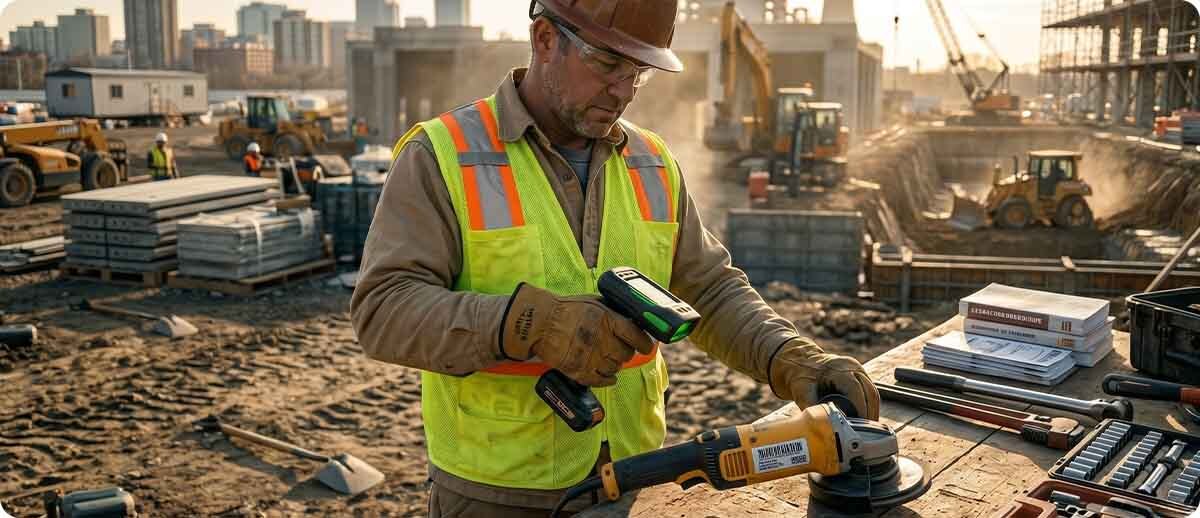
The hardware requirement for this use case: a cordless scanner that a worker can carry throughout the day without occupying a hand, that reads barcodes on labels in varying condition at arm's length and slightly beyond, and that connects to the tracking system either via cellular or with offline sync capability for sites where connectivity is intermittent. A corded scanner tethered to a laptop is impractical on a job site. A Bluetooth cordless scanner paired to a mobile computer that the worker carries gives the same scanning capability without the cable.
Materials and Consumables Inventory
Construction operations that track materials on-site need to scan items as they arrive from suppliers and as they are consumed or moved. A scan at delivery confirms the correct materials arrived in the correct quantities. A scan when materials move from staging to active use creates the consumption record that prevents double-ordering. The challenge for materials tracking is that the volume of scan events is higher than for tool tracking, and the scanning locations vary as materials are staged at different parts of the site.
The hardware requirement here is a mobile computer with a fast scan engine, cellular or offline capability, and a large enough display that the materials management application is usable on a job site. Workers who are scanning incoming deliveries may be doing so from the back of a delivery truck, in varying light, and while also handling documentation. A device that they can slip into a holster between scans and retrieve quickly without removing gloves keeps the workflow moving.
Large Equipment and Vehicle Inspection
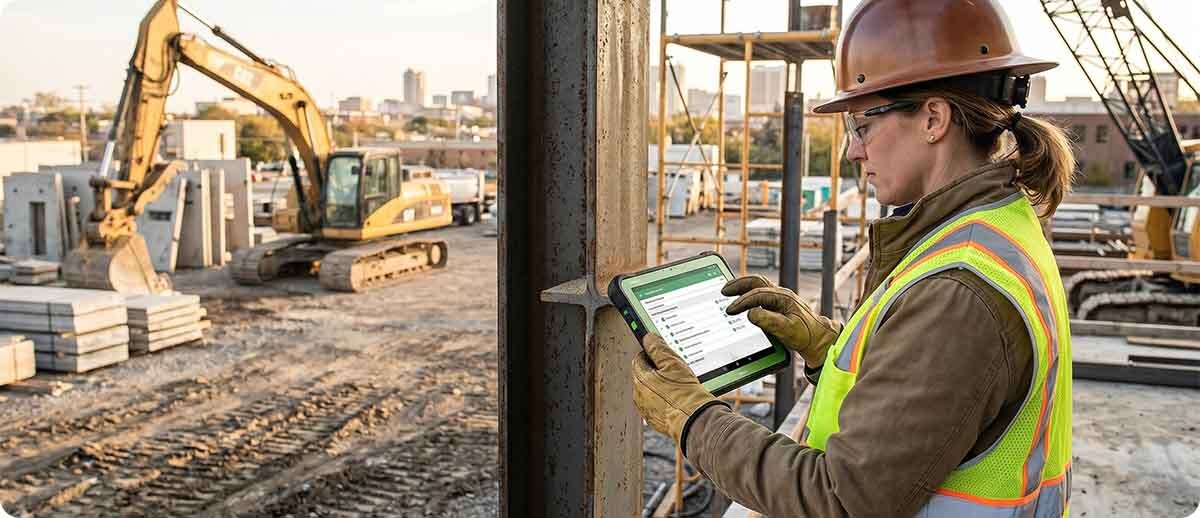
Heavy equipment — excavators, lifts, compressors, generators — needs to be inspected on a schedule, assigned to specific projects, and returned to the yard at the end of a job. Barcode-based inspection workflows let equipment managers scan the asset, complete a digital inspection checklist, document any damage with photos, and record the assignment location in a single workflow on a mobile device. This replaces paper inspection forms that get lost, are difficult to read, and create no searchable record.
The hardware requirement for equipment inspection is a rugged tablet or mobile computer with a camera for documentation, a large display for completing checklists, and enough processing power to run a field application alongside the scanning and camera functions simultaneously. The inspection often happens outdoors at the equipment's location, not at a desk, which means the display needs to be readable in direct sun and the device needs to handle the full outdoor environment the equipment is sitting in.
The Hardware Stack at MBS for Construction and Field Operations
Cordless Scanners: Zebra DS3678 Series
The DS3678 is Zebra's ultra-rugged cordless scanner and the right foundation for construction tool and materials tracking. It is IP65 sealed against dust and water jets. It survives 6-foot drops on concrete across a wide temperature range from -22°F to 122°F. It reads 1D and 2D barcodes reliably on labels in poor condition, at awkward angles, and under direct ambient light that would cause a standard scanner to misread.
The DS3678 pairs with a mobile computer or tablet via Bluetooth and can also operate in a corded configuration when a wired connection is preferred at a fixed scanning station such as a tool crib checkout desk. The Bluetooth range covers typical job site distances between the scanner and the paired device. The DS3678 is available in multiple scan engine configurations, including the extended range ER variant that reads barcodes from 3 inches to 70 feet, covering the full range of construction scanning scenarios from in-hand to materials stored on high staging shelves.
Zebra DS3678 Ultra-Rugged Cordless Scanner at MBS
DS3678-SR3U4210SFW — Standard range, USB kit, standard range 1D/2D imager, cordless
DS3678-SR3U42A0SFW — Standard range, USB kit, FIPS, vibration motor
DS3678-SR0F003VZWW — Standard range, scanner only (requires cradle, cable, power)
DS3678-ER2F003VZWW — Extended range, up to 70 feet, scanner only
DS3678-HP3U4210SFW — High performance, OCR and intelligent document capture, up to 7 feet
DS3678-DP3U4212S1W — Direct Part Mark scanning for marked equipment and components
Shop Zebra DS3678 →Mobile Computers: Zebra TC78 for Field Workers
The TC78 is the cellular-capable version of Zebra's TC73/TC78 series and the right mobile computer for construction workers who need a handheld device that connects independently of job site Wi-Fi. It supports Wi-Fi 6E for facilities with wireless infrastructure, 5G cellular for outdoor connectivity wherever carrier coverage reaches, and CBRS private LTE for larger facilities that have deployed their own private network. The TC78 does not require a Wi-Fi network to function — it connects via 5G the same way a smartphone does.
The TC78 survives 10-foot drops to concrete, which covers drops from truck beds, scaffolding levels, and the elevated work positions construction workers regularly occupy. It has 2,000 tumble ratings for the secondary impact events that follow an initial drop on rough terrain. IP65 and IP68 sealing means it is dustproof and can be submerged in water, covering the rain and wash-down exposure of outdoor work.
The 6-inch display works with gloves and when wet, so workers do not need to remove gloves to interact with the device. The SE55 Advanced Range scan engine option reads barcodes from in-hand contact to 40 feet, covering both close-range tool check-out scans and longer-range materials scans from a standing position. The three-microphone noise cancellation handles the ambient noise of a job site on voice calls and push-to-talk applications.
Zebra TC78 Mobile Computer at MBS
Wi-Fi 6E + 5G cellular | 10ft drop | IP65/IP68 | 6" glove and wet-touch display | SE55 up to 40ft (optional)
The TC78 is the cellular version of Zebra's flagship TC7 series — built for workers who need connectivity independent of facility Wi-Fi infrastructure. Multiple configurations available including SE4770 standard range and SE55 advanced range scan engines. Contact MBS for current SKU availability and configuration options for your specific requirements.
View TC78 Configurations →Rugged Tablets: Zebra ET60 and ET65 for Equipment Inspection and Supervision
Construction supervisors, project managers, and equipment managers who need a larger screen for inspection checklists, project documentation, and site oversight benefit from a rugged tablet rather than a handheld mobile computer. The ET60 and ET65 fill this role with a 10.1-inch 1000-nit display that is specifically designed for outdoor readability in direct sunlight, IP66 sealing against dust and water, and a 5-foot drop specification.
The ET65 adds 5G cellular, which is the critical differentiator for field use cases where job site Wi-Fi cannot be assumed. A project manager moving between sites, or an equipment manager who works across multiple yards and job sites, needs connectivity that follows them rather than connectivity that is available only at fixed locations. The ET65 operates on the cellular network the same way any cellular device does, eliminating the Wi-Fi dependency that makes many standard tablets unsuitable for outdoor field use.
The ET60 and ET65 also mount to forklifts and other vehicles via Zebra's forklift dock, which is useful for operations that use material handling equipment on larger job sites. When the tablet needs to go from a vehicle to a walking inspection, it releases from the dock in a single motion and becomes a portable inspection platform.
Zebra ET60 / ET65 Rugged Tablets at MBS
10.1" 1000-nit outdoor display | IP66 | Wi-Fi 6E (ET60) / Wi-Fi 6E + 5G (ET65) | Forklift dock compatible
ET60WW-0S7EPSJ0A0-00 — ET60, Windows platform, no integrated scan engine, standard battery
Android configurations and ET65 (with 5G cellular) also available — contact MBS for current configuration options including scan engine and connectivity variants for field deployment.
View Zebra ET60/ET65 →Extended Range Scanning: Zebra MC9400 for Yard and Staging Operations
Construction operations with material storage yards, equipment staging areas, or large site inventories that need to scan from a distance benefit from the MC9400 with SE58 scan engine. The SE58 reads barcodes from in-hand to over 100 feet, which covers the full range of scanning scenarios in a material yard — from checking in a delivery at arm's length to reading an equipment tag on a piece of machinery stored at the far end of a lot.
The MC9400 survives 8-foot drops to concrete across temperature ranges that cover outdoor environments, carries IP65 and IP68 ratings for dust and water, and runs on Zebra's full Android platform with Mobility DNA for fleet management. For operations managing large material yards or equipment fleets that need the absolute maximum in scan range combined with enterprise mobile computer capability, the MC9400 with SE58 is the appropriate specification.
Zebra MC9400 with SE58 Extended Range at MBS
In-hand to 100ft+ | 8ft drop | IP65/IP68 | Wi-Fi 6E | Pistol grip
MC9401-0G1M6ESS-NA — SE58, 53-key standard, 6GB/128GB, 7000mAh, standard environment
MC9401-0G1M6DSS-NA — SE58, 53-key, Wi-Fi 6E, standard environment
MC9401-0G1R6DSB-NA — SE58, 8MP + 16MP cameras, BLE battery, standard environment
Shop Zebra MC9400 →The Offline Capability Question
Construction operations that implement barcoding without cellular connectivity often rely on offline data capture as a compromise. Zebra's DataWedge application allows mobile computers to capture scan data locally when no network connection is available and sync that data to the asset tracking or inventory system when connectivity is restored. This works reasonably well for operations where workers scan items during a morning site walkthrough and sync to the system when they return to a connected area at the end of the morning.
The limitation of offline-only capture is that the asset tracking data is only as current as the last sync. If a tool is checked out during the offline period and a supervisor needs to know who has it before the sync happens, the information is not available. For construction operations where real-time visibility is a priority — particularly for high-value equipment that may be on multiple sites simultaneously — cellular connectivity through the TC78 or ET65 is the right specification. For operations where near-real-time is acceptable, offline capture with frequent sync is a viable lower-cost approach that still eliminates the paper and clipboard system.
Frequently Asked Questions: Construction Barcoding
What kind of barcode labels should we put on tools and equipment for job site use?
Construction tool tags need to survive the same environment the tools survive. Standard paper labels applied with standard adhesive do not last on tools that are regularly exposed to dust, moisture, concrete, grease, and UV. For construction environments, polyester or polypropylene label stock with an aggressive adhesive rated for curved surfaces and rough materials is the appropriate specification. Tags embedded in durable holders or affixed with industrial rivets or epoxy adhesive are appropriate for heavy equipment and high-value tools that need a permanent tag that survives years of field use. The scanner you choose also affects the label specification — the DS3678 with its wide field of view reads damaged, scratched, and partially obscured labels that a standard scanner would reject, which extends the effective life of labels in harsh conditions.
Can we use smartphones or consumer tablets instead of Zebra rugged devices?
Consumer smartphones and tablets can run barcode scanning apps and connect to asset tracking software. For light occasional use in relatively controlled conditions, they work. For regular construction field use, the failure points become apparent quickly: consumer displays wash out in direct sun (a construction site in summer), consumer devices are not drop rated for job site conditions, consumer cameras do not decode barcodes as reliably as dedicated scan engines on damaged labels, and consumer devices are not designed for operation with gloves. The total cost of replacing consumer devices that fail in field conditions often exceeds the cost of a properly specified rugged device over a 3-year period, particularly when the productivity impact of a device that does not work reliably in the actual environment is factored in.
How do we track equipment that moves between multiple job sites?
Multi-site equipment tracking requires a barcode scan at every transfer point — when equipment leaves one site, a worker scans it out and records the destination. When it arrives at the receiving site, a worker scans it in. This creates a complete location history for every piece of equipment without requiring GPS tracking hardware on the equipment itself. For this to work reliably, the workers performing transfers need to have scanning capability with them — either a mobile computer with cellular connectivity or an offline-capable device that syncs when they return to connectivity. Operations that make transfer scans a required step in the handoff workflow, rather than an optional documentation step, achieve the most complete tracking data.
We operate in remote areas with limited cellular coverage. What is the right approach?
For operations in areas with limited or no cellular coverage, offline data capture with periodic sync is the most practical approach. Workers scan tools and materials throughout the day with an offline-capable device. When they return to a location with connectivity — a job trailer, a supply yard, or an office — the device syncs its captured scan records to the asset tracking system. The data is not real-time, but it is complete and accurate. Some operations supplement offline scanning with satellite connectivity devices for locations where even cellular coverage is unavailable, though this adds hardware and service cost. For most construction operations, a combination of offline-capable Zebra devices and structured sync workflows at the end of each shift provides adequate tracking without requiring full-time connectivity.
Construction barcoding is a different specification conversation from warehouse barcoding, and getting the hardware right before deploying the system saves significant time and cost. If you are evaluating which devices fit your specific job site environment, tracking application, and connectivity situation, our team has worked through this with operations across construction, field service, and utility verticals. Fill out the form below and let's figure out the right hardware configuration for how your crews actually work.