
Zebra Mobility DNA: What It Is, What It Does, and Why Your IT Team Should Care
Posted by Midwest Barcoding Solutions on Jun 1st 2026

By Midwest Barcoding Solutions | Device Fleet Management | Zebra Mobility DNA Guide
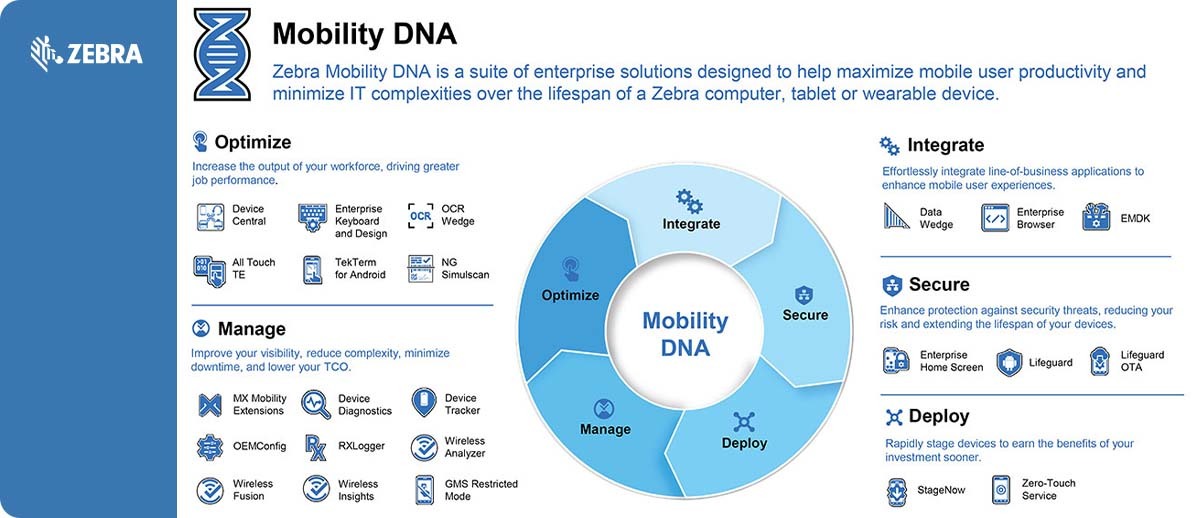
Mobility DNA is Zebra's software platform for enterprise mobile computers. The collection of purpose-built tools that ships pre-installed on every Zebra TC, MC, EC, and WT series device and differentiates a Zebra deployment from putting a generic Android smartphone in a worker's hands. The tools cover device deployment, data capture, battery management, device location, security, Wi-Fi optimization, and fleet analytics. Some are free and included automatically. Some require a license. Some are tools your IT team will use daily. Some are tools workers use in the field without knowing the tool's name.
Understanding Mobility DNA matters for three reasons. First, it changes the total cost calculation for Zebra versus alternatives — the free management tools that ship with every Zebra device would require third-party software licenses to replicate on a non-Zebra Android fleet. Second, it determines how much IT overhead your fleet actually requires. An operation that uses StageNow for deployment, DataWedge for scan integration, and PowerPrecision Console for battery management can handle tasks that would otherwise require a dedicated MDM specialist. Third, it determines whether Zebra's hardware premium is justified for your specific operation — if your fleet does not need the management depth that Mobility DNA provides, the premium may not be warranted. If it does need that depth, the premium often pays for itself in reduced IT overhead.
The Mobility DNA Tools: What Each One Does
What is StageNow and why does it matter for device deployment?
StageNow is Zebra's device staging tool — the software your IT team uses to configure and deploy Zebra Android devices at scale. It is a free Windows application that creates staging profiles containing all the configuration settings a device needs: Wi-Fi credentials, WMS app installation, DataWedge scanner profiles, security policies, wallpaper, device name format, and any other setting that needs to be consistent across the fleet.
Once a staging profile is created, deploying it to a device takes seconds. The IT administrator prints a staging barcode or creates an NFC tag from the profile. A worker or IT technician scans the barcode or taps the NFC tag with a new device, and the device configures itself automatically. No manual settings entry. No risk of configuration errors from typing. No variation between devices staged at different times by different people.
The practical impact scales with fleet size. Staging 10 devices manually through settings menus takes a few hours. Staging 10 devices with StageNow barcodes takes 15 minutes. Staging 200 devices for a new warehouse deployment takes roughly the same 15 minutes plus the time to scan each device. For any operation deploying more than a handful of devices, StageNow is the difference between a manageable IT project and a time-consuming manual process.
What is DataWedge and how does it connect the scanner to the WMS?
DataWedge is the data capture routing engine on every Zebra Android device. When a worker scans a barcode, the raw data from the scan engine needs to reach the right application in the right format. DataWedge is the intermediary that makes that happen without requiring custom development work.
DataWedge profiles define how barcode data from specific scan events is formatted and delivered to specific applications. A profile might specify that when the WMS application is in the foreground, scan data should be stripped of the leading Application Identifier characters from a GS1-128 barcode and delivered via keyboard emulation so it appears in whichever field the WMS has focus. A different profile might specify that when a receiving application is active, the full GS1-128 encoded string including all AI fields should be delivered to the application via Android Intent so the receiving app can parse the individual data elements.
The significance of DataWedge is that it handles this integration without any modification to the WMS or enterprise application. IT teams that deploy Zebra devices into existing WMS environments frequently report that DataWedge eliminates the custom middleware development that was previously required to get the scan data into the application in the right format. For operations evaluating the true cost of a mobile computing deployment, the development cost that DataWedge eliminates is a meaningful line item.
What is LifeGuard for Android and why does it matter for security compliance?
LifeGuard is Zebra's Android security patch program. Google provides security patches for Android versions for a defined period — typically three years from initial release. After that period, the OS version no longer receives security updates from Google. For consumer Android phones, this is managed by upgrading to a new phone. For enterprise mobile computers that are deployed for five to seven year lifecycles, a three-year Google support window is a problem.
LifeGuard extends Android security patch delivery beyond Google's standard lifecycle. Zebra delivers quarterly security patches for specific Android versions running on its enterprise devices, validated for each hardware model, and distributed through the same update infrastructure as standard firmware updates. For operations with data security compliance requirements — PCI-DSS, HIPAA, SOC 2, or internal IT security policies — running enterprise mobile computers on an unpatched Android version is a compliance gap. LifeGuard closes that gap and is included with any active Zebra OneCare service contract.
What is Device Tracker and how do you use it to find missing Zebra devices?
Device Tracker is Zebra's device location application. It uses a combination of Wi-Fi positioning, Bluetooth Low Energy beacons from PowerPrecision+ batteries, and the device's own location services to show the approximate location of any Zebra device on a floor map of the facility. When a device is missing — left in a rack, forgotten in a break room, tucked under a picking cart — Device Tracker shows its last known location and can trigger an audible alert on the device to help workers locate it without walking the full floor.
The BLE beacon in PowerPrecision+ batteries is particularly useful for Device Tracker because it continues broadcasting the battery's location even when the device is powered off. A device that was accidentally powered down or ran out of charge and is sitting somewhere on the floor is still locatable through the battery beacon rather than being completely invisible until someone physically finds it.
For operations that have calculated the cost of missing devices — the time workers spend looking for them, the shifts that start with fewer available devices than planned — Device Tracker is one of the highest ROI tools in the Mobility DNA suite. Device Tracker requires a separate license (available in 1-year and 3-year terms) and requires no additional hardware infrastructure if the facility has adequate Wi-Fi coverage. Contact MBS to discuss Device Tracker licensing for your fleet size.
What is PowerPrecision Console and how does it prevent mid-shift battery failures?
PowerPrecision Console is the fleet-level battery management dashboard included with Zebra Mobility DNA. It aggregates battery State of Health and State of Charge data from every PowerPrecision or PowerPrecision+ battery in the fleet and presents it in a dashboard that shows which batteries are healthy, which are degraded, and which need replacement before they cause mid-shift failures.
The operational value is in the shift from reactive to proactive battery management. Without PowerPrecision Console, IT teams discover degraded batteries when they fail mid-shift and workers report device shutdowns. With PowerPrecision Console, IT teams identify batteries below the replacement threshold during planned maintenance cycles and replace them before they fail. The mid-shift shutdown is eliminated. The worker never knows the battery would have died.
PowerPrecision Console also supports shift-readiness planning. The dashboard shows whether sufficient fully charged batteries are available for the incoming shift, flagging shortages before they affect productivity rather than after the shift starts short. For multi-shift operations where battery inventory management is a meaningful IT responsibility, this visibility is the tool that makes the management scalable.
What is Device Diagnostics and when should you use it?
Device Diagnostics is a free Mobility DNA tool that runs hardware and software self-tests on a Zebra mobile computer to identify whether a reported problem is a genuine hardware failure or a software or configuration issue. It tests the scan engine, display, touchscreen, cameras, microphone, speaker, Wi-Fi, Bluetooth, GPS, and other major systems, and produces a pass-fail result for each.
The primary value of Device Diagnostics is preventing unnecessary depot repairs. A worker reports that their device's scanner is not working. Without diagnostics, the IT team sends the device to the repair depot. The depot receives the device, runs diagnostics, finds no hardware failure, and returns the device. This no-failure-found repair event costs time and money for a problem that was almost certainly a DataWedge profile misconfiguration or a scanner mode setting. Device Diagnostics lets the IT team run the same hardware tests before the device leaves the building — if the scan engine passes the hardware test, the problem is software and can be resolved on-site.
What is WorryFree WiFi and why does it matter in a high-device-density warehouse?
WorryFree WiFi is Zebra's enterprise Wi-Fi optimization layer built into Zebra Android devices. It manages the device's Wi-Fi connection behavior — roaming decisions, band selection, channel optimization — to provide the best possible connection quality throughout the facility, including the specific behaviors required for real-time WMS sessions that consumer Wi-Fi client behavior handles poorly.
Consumer Android devices manage Wi-Fi roaming conservatively — they hold onto a connected access point as long as the signal is functional rather than proactively roaming to a stronger AP as the user moves. In a warehouse where workers move continuously through the facility, this conservative roaming causes WMS session latency, dropped transactions, and occasional session timeouts when the device finally roams after holding a weak connection too long. WorryFree WiFi adjusts this behavior for enterprise mobility — proactive roaming to maintain signal quality, fast reconnection after roaming events, and network diagnostics that show IT teams where coverage gaps are affecting device performance.
What is VisibilityIQ and how is it different from the other Mobility DNA tools?
VisibilityIQ is Zebra's cloud-based device fleet analytics platform and the premium tier of Mobility DNA. While the tools described above operate at the device level — they help manage individual devices or provide dashboards of device-level data — VisibilityIQ Foresight aggregates data across the entire fleet from multiple sources including MDM systems, device telemetry, and repair history to provide business intelligence about fleet health, utilization patterns, and total cost of ownership.
VisibilityIQ shows IT and operations leaders metrics like device utilization by shift, application uptime, connectivity quality across locations, repair frequency by device model, and projected end-of-life dates for fleet planning. It is the tool that turns a Zebra fleet from a hardware expense into a managed asset with measurable performance metrics. VisibilityIQ requires a license beyond the free Mobility DNA tools and is best justified for fleets of 50 or more devices where the analytics investment produces meaningful operational decisions.
Which Mobility DNA Tools Matter Most for Your Operation
| If Your Operation Needs... | The Tool Is... | Cost |
|---|---|---|
| Fast, consistent device deployment across a fleet | StageNow | Free |
| Scanner data routing to WMS without custom development | DataWedge | Free |
| Android OS security patches beyond Google's standard lifecycle | LifeGuard for Android | Included with OneCare |
| Finding lost or missing devices on the floor | Device Tracker | Licensed — 1 or 3-year term |
| Identifying degraded batteries before mid-shift failures | PowerPrecision Console | Free |
| Avoiding unnecessary depot repairs on functional hardware | Device Diagnostics | Free |
| Eliminating WMS session drops from poor Wi-Fi roaming | WorryFree WiFi | Free |
| Fleet-level analytics, utilization data, and lifecycle planning (50+ devices) | VisibilityIQ Foresight | Licensed — contact MBS |
Mobility DNA Across the MBS Device Lineup
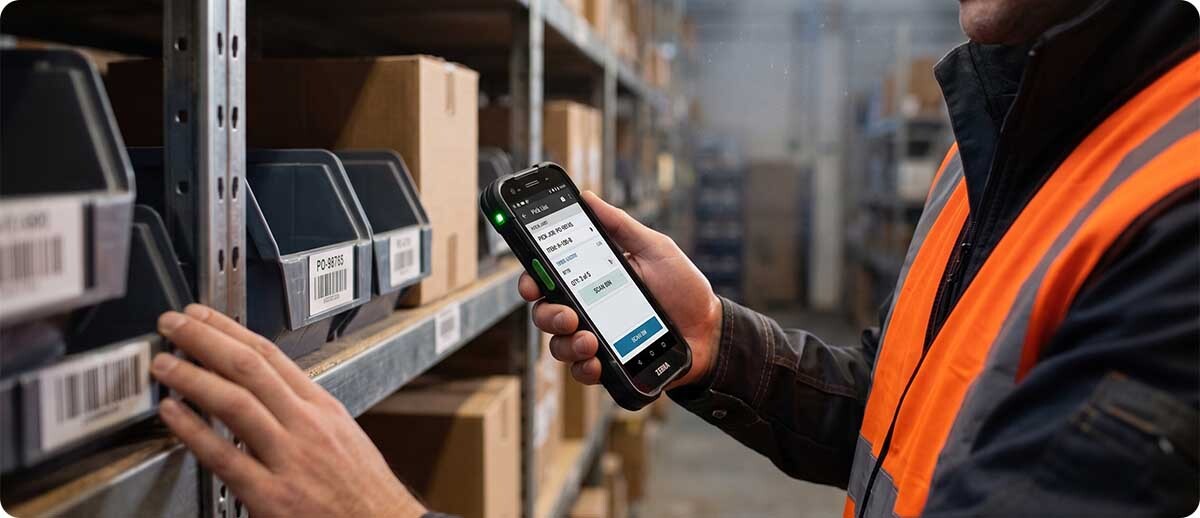
Every Zebra Android enterprise mobile computer sold at MBS ships with Mobility DNA pre-installed. The tools are available on day one without any additional software downloads or license purchases for the free tier. The following MBS device families all carry the full free Mobility DNA suite:
Zebra TC-series handhelds (TC53, TC58, TC73, TC78, TC701) — StageNow, DataWedge, LifeGuard, Device Tracker, PowerPrecision Console, Device Diagnostics, WorryFree WiFi all pre-installed. The TC701's Dragonwing processor runs Mobility DNA tools more responsively than earlier TC generations, which matters for operations running DataWedge with complex formatting rules or VisibilityIQ with large data sets.
Zebra MC-series mobile computers (MC9300, MC9400) — the same full Mobility DNA suite with particular strength in Device Diagnostics, which is valuable for the high-volume, high-wear MC platform. The MC9400 also benefits from LifeGuard's extended security support given its typical 5-7 year deployment lifecycle in industrial environments.
Zebra WT6300 wrist-worn computer and ET60/ET65 rugged tablets — DataWedge manages scan data from the paired RS6100 ring scanner to the WMS application. StageNow handles deployment of both the wrist computer and its scanner pairing configuration. PowerPrecision Console covers battery management across both the WT6300 battery and the RS6100 battery from a single dashboard.
Zebra VC8300 vehicle-mount computers — StageNow deploys configuration to vehicle-mounted computers from the IT room rather than requiring physical access to each forklift. WorryFree WiFi manages the Wi-Fi connection quality as the forklift moves through different areas of the facility with different AP signal strengths.
Frequently Asked Questions: Zebra Mobility DNA
Do I need an MDM (Mobile Device Management) platform if I use Mobility DNA?
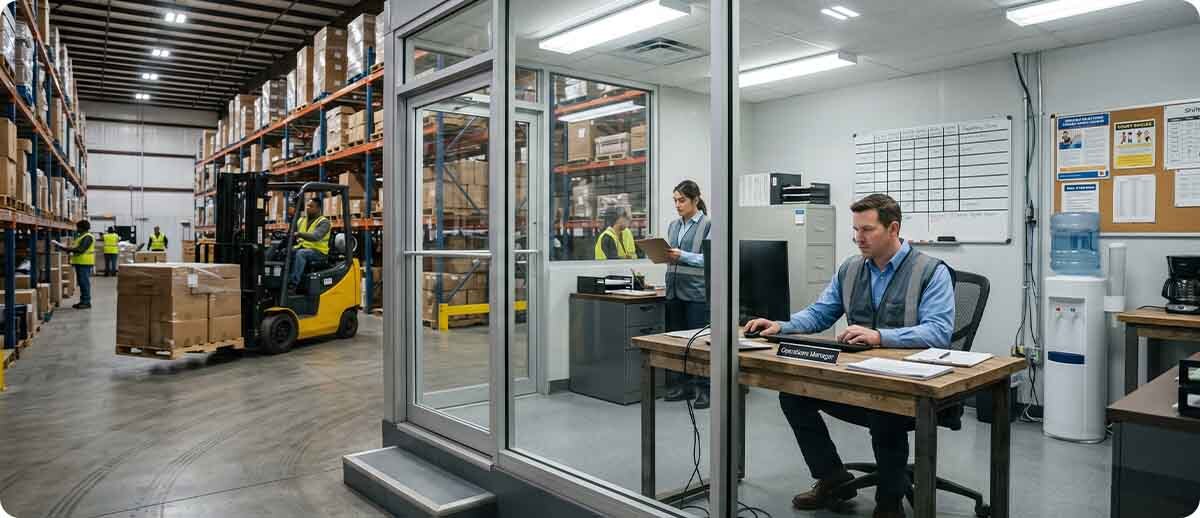
Mobility DNA and MDM serve overlapping but different purposes. Mobility DNA tools like StageNow handle initial device staging and configuration. DataWedge, Device Tracker, and PowerPrecision Console handle operational device management during the deployment lifecycle. An MDM platform like SOTI MobiControl, VMware Workspace ONE, or Microsoft Intune adds ongoing remote management capabilities — pushing app updates, enforcing security policies, remotely wiping devices, and managing the device lifecycle at enterprise scale. For smaller fleets under about 25 devices, Mobility DNA's free tools may be sufficient without a full MDM platform. For larger fleets, an MDM combined with Mobility DNA provides the most complete management capability. Zebra's Mobility Extensions (Mx) API layer in Mobility DNA is specifically designed to integrate with MDM platforms, so the two systems work together rather than competing.
Does Mobility DNA work on older Zebra devices or only the latest models?
Mobility DNA tools are available across Zebra's Android device lineup going back several generations. StageNow, DataWedge, and most free Mobility DNA tools work on devices running supported Android versions with current firmware. LifeGuard for Android requires an active OneCare service contract and is available for supported device and OS version combinations documented in Zebra's LifeGuard matrix. PowerPrecision Console requires PowerPrecision or PowerPrecision+ batteries, which are available across TC and MC series devices from recent generations. If you are evaluating whether your existing Zebra fleet can use specific Mobility DNA tools, MBS can review your device models and OS versions against the compatibility matrix.
How long does it take to set up StageNow for a fleet deployment?
Creating a StageNow profile for a typical warehouse deployment — Wi-Fi configuration, WMS app installation, DataWedge profile, device name format, and basic security settings — takes an experienced IT administrator two to four hours for the initial profile creation and testing. Once the profile is validated on a test device, deploying it to any number of additional devices takes seconds per device. For operations deploying a new device fleet for the first time, MBS can assist with StageNow profile creation as part of a deployment engagement, which reduces the initial setup time and ensures the profile is correctly configured for the specific WMS and network environment.
Is Mobility DNA available on Zebra printers as well as mobile computers?
Zebra printers run a separate but parallel platform called Print DNA, which is Zebra's management software suite for the ZD, ZT, and ZQ printer families. Print DNA includes Link-OS (the printer's operating system), the VisibilityIQ printer monitoring tools, remote firmware update capability, and print queue management. While Mobility DNA and Print DNA are separate platforms for different device categories, both are accessible through VisibilityIQ Foresight at the fleet analytics level, giving IT a single dashboard that covers both mobile computer and printer fleet health. Operations managing mixed fleets of Zebra mobile computers and Zebra printers benefit from this unified visibility.
Whether you are deploying a new Zebra fleet and want to set it up correctly from day one, evaluating whether Mobility DNA justifies the Zebra premium for your specific operation, or trying to get more out of a Zebra fleet you already have, our team can walk through the tools that are most relevant to your environment. Fill out the form below and let's make sure you are getting the full value of what is already on your devices.