
The Zebra VC8300: A Computer Built for the Forklift, Not the Worker's Hand
Posted by Midwest Barcoding Solutions on Sep 29th 2026
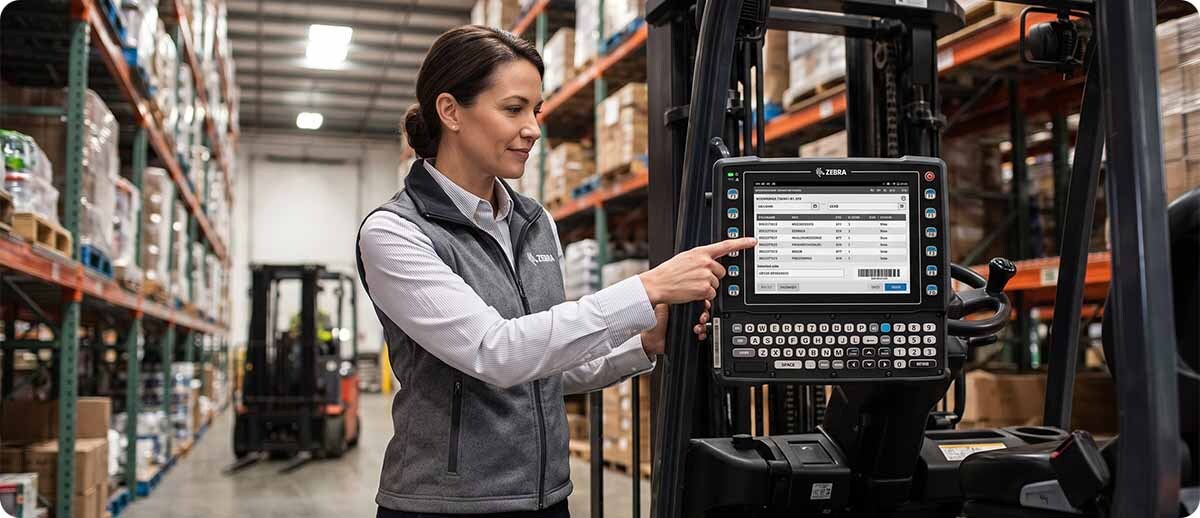
By Midwest Barcoding Solutions | Vehicle Mount Computers | Zebra VC8300 Forklift Computer
MBS carries the full Zebra VC8300 lineup alongside the Honeywell Thor VM1A/VM3 and Datalogic Rhino II for operations evaluating vehicle mount options across brands. This guide covers the VC8300 specifically: what makes it the right choice for most Zebra-aligned operations, the Windows-to-Android migration path that's relevant for a large installed base right now, and which configuration fits which environment.
When a Vehicle Mount Computer Makes More Sense Than a Handheld
What workflows justify a computer on the vehicle rather than in the operator's hand?
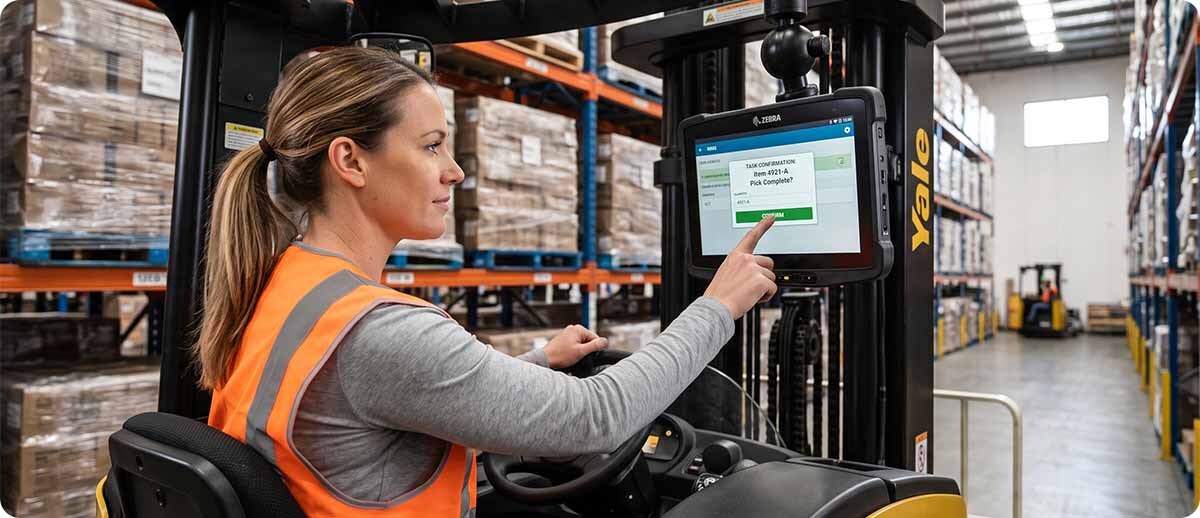
The clearest case is any workflow where the operator interacts with a WMS application multiple times per load cycle without leaving the vehicle. Confirming picks, acknowledging task assignments, and scanning barcodes on elevated racking all require a display that's accessible from the cab. If that display is a handheld the operator has to stop, pick up the device, interact, and put it down before resuming. If it's mounted in the cab they stay in the seat and the workflow doesn't break.
High-bay operations are the other primary use case. An operator scanning pallet barcodes on elevated racking from a forklift cab needs a display large enough to read confirmation data at a distance. The VC8300's bright outdoor-readable display handles this across the full range of lighting conditions an operator encounters during a shift, from dim warehouse aisles to bright outdoor dock areas.
Cold storage operations are the third scenario. Standard handhelds have known performance issues in sustained sub-zero temperatures: battery degradation, display slowdown, touchscreen unresponsiveness. The VC8300 freezer configurations are specifically engineered and tested for continuous cold storage operation where standard devices fail within a shift.
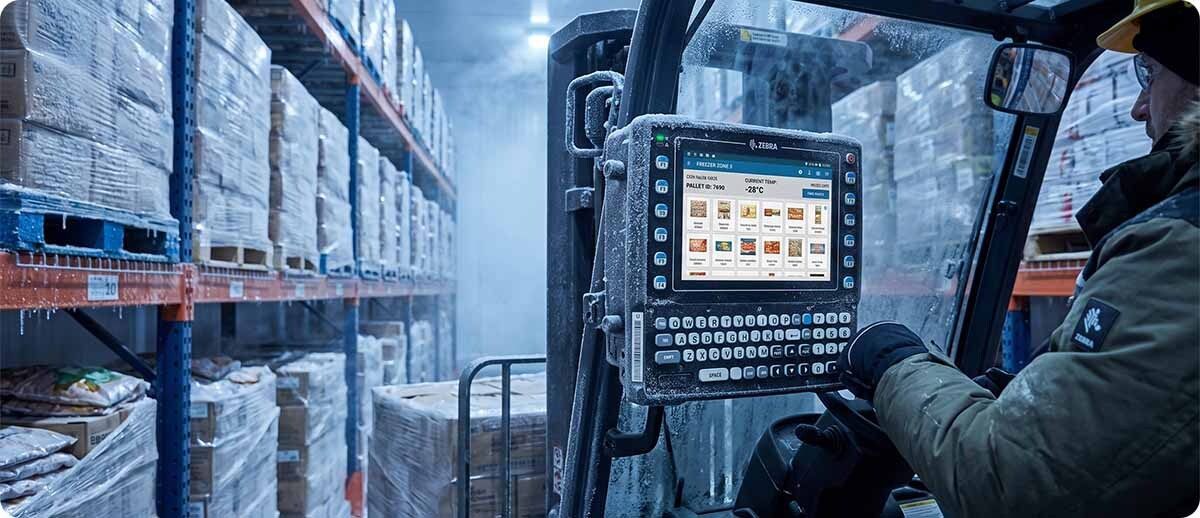
What the VC8300 Does
What makes the VC8300 purpose-built for vehicle use vs a tablet mounted on a forklift?
The VC8300 is designed from the ground up as a vehicle mount computer, not a tablet adapted for vehicle use. Its IP66 sealing with sealed connectors and flat front face resist dust and water ingress in the ways that matter for a device mounted permanently in an industrial vehicle environment. It's tested to the most stringent vehicle shock and vibration standards that govern industrial lift truck operation.
The integrated full alphanumeric keyboard is one of the most operationally significant hardware features. Forklift operators running terminal emulation-based WMS applications have spent years navigating those interfaces with keyboard shortcuts and function keys. The VC8300's keyboard means those operators continue using the same key-based interaction they know, with no workflow change and no retraining required on the input method. The touchscreen is available simultaneously for operations that want to introduce touch-based application features when they're ready, without removing the keyboard for those who aren't.
The software-selectable antenna configuration lets IT optimize radio performance specifically for the vehicle environment rather than accepting a fixed general-purpose antenna configuration. In warehouses where forklifts move through areas with varying Wi-Fi coverage, metal shelving interference, and high-device-density zones, antenna optimization produces meaningfully more stable connectivity than a fixed configuration delivers.
The Windows-to-Android Migration Angle
Who is still running Windows CE or Windows Mobile vehicle mounts and why does the VC8300 matter for them now?
A significant number of operations are still running Windows CE or Windows Mobile-based vehicle mounts that are at or past end-of-life. Microsoft ended support for both platforms years ago. Hardware manufacturers have stopped producing compatible replacements. Operations still running these devices are one hardware failure away from a vehicle mount they cannot replace on the same platform.
The standard migration concern is the green screen application. Most legacy vehicle mounts run terminal emulation interfaces connecting keyboard-driven WMS sessions to a host system. The perceived barrier to moving to Android is that existing green screen applications would need to be rebuilt or replaced.
The VC8300 addresses this directly. Ivanti Velocity terminal emulation software is pre-licensed and pre-installed on every VC8300 unit. Existing green screen applications run through Velocity on Android immediately out of the box without any modification to the host WMS application and without any retraining for operators who see the same interface they've always used. The migration is a hardware swap with no simultaneous software migration required.
Accessory backwards compatibility further reduces migration cost. The VC8300 is backwards compatible with Zebra VC80x accessories. Existing mounts, keyboards, and peripherals compatible with the previous generation may carry forward, reducing the total infrastructure cost of the migration.
VC8300 Configurations at MBS
VC8300 Standard (Indoor Warehouse, Dock, Yard)
Android | IP66 | Keyboard + touchscreen | Ivanti Velocity pre-installed | 8-inch and 10-inch display options
VC83-08SOCQBAABANA: 8-inch outdoor-readable display, QWERTY keyboard, standard temp, North America
VC83-10SSCNBAABANA: 10-inch full display, capacitive touchscreen, standard temp, North America
Shop VC8300 Standard →VC8300 Freezer (Cold Storage and Sub-Zero Environments)
Android | IP66 | Cold storage rated | Ivanti Velocity pre-installed | 8-inch and 10-inch display options
VC83-10FSRNBAABANA: 10-inch full display, resistive touchscreen, freezer temp, North America
Shop VC8300 Freezer →Questions We Get on This
We're running older Windows CE vehicle mounts. How difficult is the migration to VC8300?
Significantly easier than most operations expect, specifically because of Ivanti Velocity. If your operators are running terminal emulation to a host WMS, Velocity replicates that interface on Android so workers see the same green screen they've always used. The host WMS application doesn't change. The operator's workflow doesn't change. What changes is the hardware underneath, which gains Android's security update support, modern wireless radios, and a replacement parts supply chain that still exists. The most important pre-migration step is confirming your host WMS still supports the terminal emulation protocol your current mounts use. If it does, the VC8300 migration is a hardware swap, not a software project.
We're also looking at the Honeywell Thor VM1A and Datalogic Rhino II. How do we choose?
We carry all three and the right answer depends on your existing infrastructure. If your operation already runs Zebra handhelds and manages them through Zebra's Mobility DNA platform, the VC8300 adds to that same management environment without a second toolchain. If your operation already runs Honeywell mobile computers, the Thor VM1A fits naturally into a Honeywell-managed fleet. If neither brand is dominant in your current deployment and you're choosing fresh, the VC8300's Ivanti Velocity pre-installation and VC80x accessory backwards compatibility make the migration from Windows vehicle mounts the smoothest of the three options. We can help you work through the specific comparison for your environment before you commit.
Should we spec the 8-inch or 10-inch display?
For most forklift cab applications, 10-inch is the right default. Vehicle mount computers are viewed from a distance in a moving environment. The 10-inch display makes task data, location information, and WMS confirmation screens easier to read at a glance without the operator leaning toward the screen. The 8-inch is appropriate when the forklift cab has genuine physical space constraints that prevent a 10-inch mount from fitting the preferred operator position. Measure the available cab space before assuming either size fits.
If you're evaluating a vehicle mount computer deployment or a migration from aging Windows vehicle mounts and want help with the right VC8300 configuration or a brand comparison across the options MBS carries, fill out the form below. We can help you scope the right hardware before you commit to a fleet purchase.