
Should Your Shipping Dock Use RFID Labels? What Shippers Need to Know
Posted by Midwest Barcoding Solutions on Nov 18th 2026
RFID · Shipping Dock | By Midwest Barcoding Solutions
Last reviewed November 17, 2026
In This Post
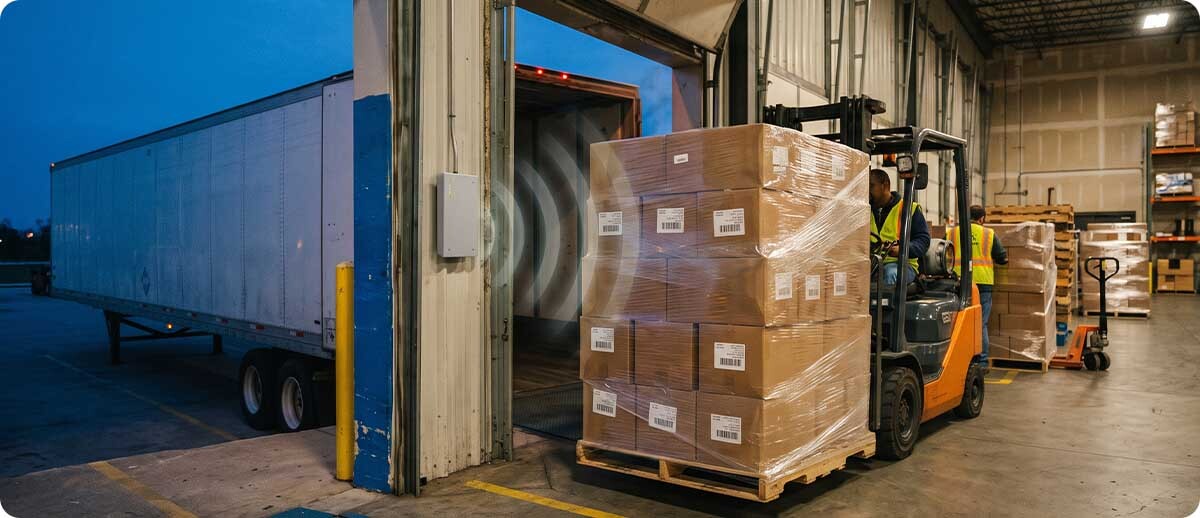
UPS now puts RFID on its packages and is asking more shippers to print RFID labels at their own docks. That has a lot of Midwest distributors and manufacturers wondering whether they should be doing the same. Here's what's actually changing, what a dock needs to print and read RFID labels, where it pays off, and when plain barcodes are still the smarter call.
RFID Shipping Label Key Facts
- UPS is already using RFID: it says every U.S. package now carries an RFID label, read by sensors in its vehicles, stores, and about 1,000 package facilities.
- Shippers can print them too: RFID labels are printed at 315 customer sites, covering about 3 million packages a day, with a goal of 6 million a day in 2027.
- It isn't required: standard shipping labels still work. Joining UPS's customer program runs through your UPS rep.
- What a dock needs: an RFID label printer, RFID labels, and software that sends the tag data. Dock-door readers are optional.
- Watch out for: metal and liquids, which block or reflect the signal and make tags harder to read.
Most mid-size shipping docks run on barcodes and a handheld scanner, and they run fine. So when a carrier starts talking about RFID, the honest first reaction is "what's in it for us?" That's the right question. RFID on the dock can save real time and catch real mistakes, but only when the volume and the problems are big enough to justify it.
What's Changing
RFID Is Moving Onto the Shipping Label
What Is UPS Doing With RFID Labels?
UPS has built RFID into its network so packages are "sensed" instead of scanned by hand. It says every U.S. package now has an RFID label, and that it has RFID sensing in all of its U.S. delivery vehicles, its UPS Store locations, and about 1,000 package facilities. UPS says that has cut misloads by 70% and removed nearly 20 million manual scans a day. Now it's pushing RFID labels upstream to shippers: on October 30, 2026, UPS said RFID labels are printed at 315 customer locations, and its trucks read them automatically at pickup. Supply Chain Dive has the numbers.
Do I Have to Use RFID Labels to Ship With UPS?
No. Standard UPS shipping labels still work. The customer-site RFID program is something UPS sets up with shippers, and UPS hasn't published label or printer requirements for it. If you're interested, start with your UPS account rep. What this post covers is the hardware side, which is the same whether the request comes from a carrier, a big retail customer, or your own operations team.
What Does an RFID Shipping Label Actually Do for the Shipper?
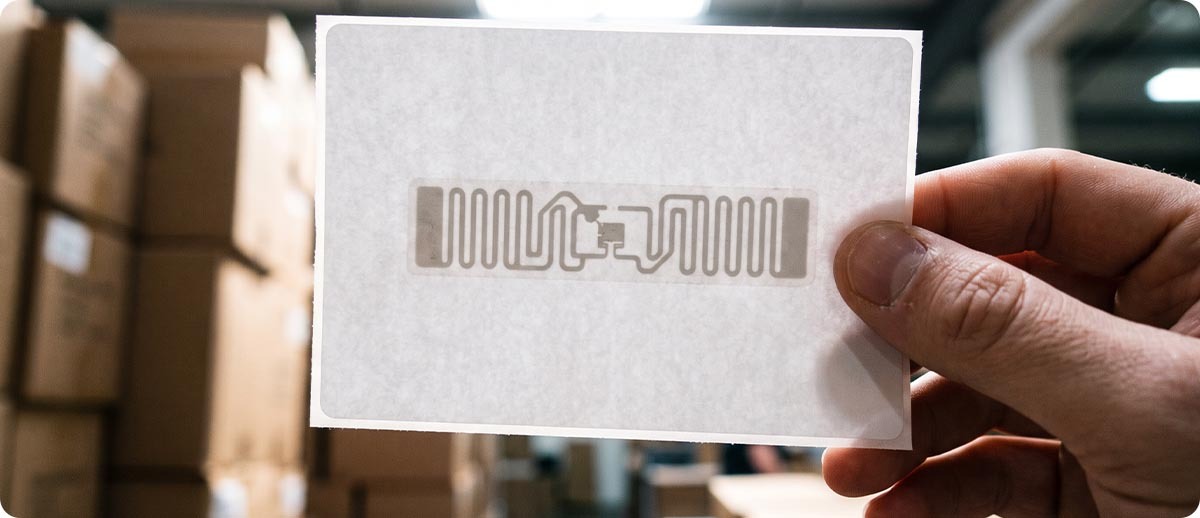
It gets your packages into the carrier's system sooner and with fewer gaps. The RFID label looks like a normal 4x6 shipping label, with a tiny chip and antenna inside. When the truck reads it at pickup, the package shows up as picked up without anyone scanning it, which means earlier tracking for your customers and fewer "we never got that box" disputes. If you also read the tags at your own dock door, you get a record of every carton that left the building.
RFID doesn't replace the barcode on the label. It adds a second way to read it, one that doesn't need a person to aim a scanner.
What It Takes
What a Dock Needs to Print and Read RFID Labels
What Equipment Do You Need for RFID Shipping Labels?
Less than most people expect. To print RFID shipping labels, you need three things. To read them at your own dock, you add a fourth:
RFID Label Printer
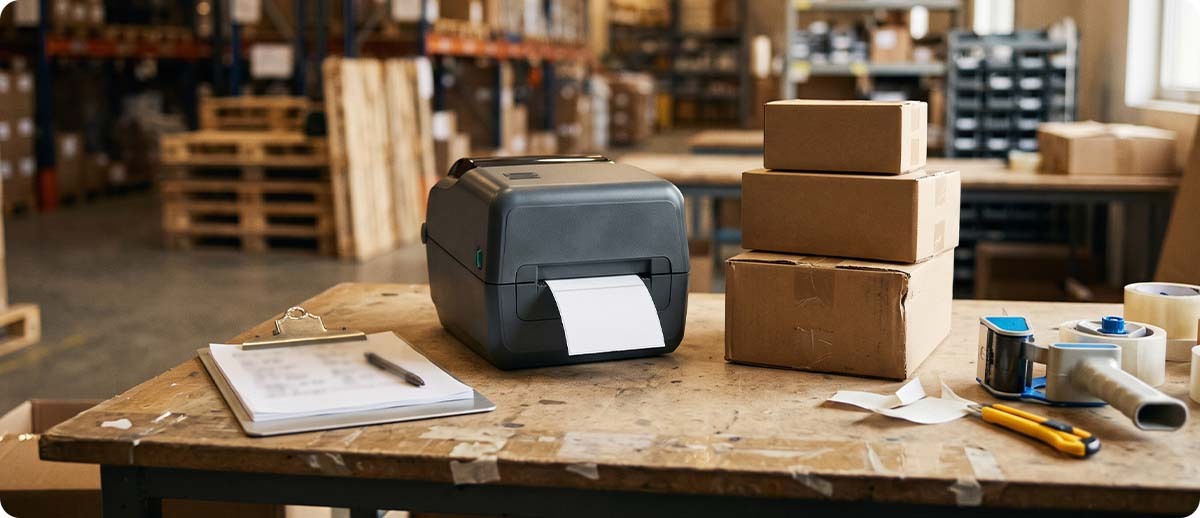
A thermal printer with a built-in RFID encoder. It writes the tag data to the chip and prints the label in one pass, and it flags any tag that won't encode.
Learn more →Label
RFID Labels
Labels with an RFID inlay inside, in the size your shipping software prints. If a carrier or customer gives you a spec, match the inlay they call for.
Learn more →Software
Encoding Data
Your shipping system, WMS, or label software has to send the tag data along with the print job. If it only sends a picture of the label, the chip stays blank.
Learn more →Optional
Dock-Door or Handheld Reader
A fixed reader at the dock door logs every tagged carton that rolls through. A handheld RFID reader checks a pallet or finds a missing box.
Learn more →Our post on UHF RFID readers explains the reader side in more detail, including when a fixed reader makes more sense than a handheld.
Do You Need RFID Readers at the Dock Door?
Not to take part in a carrier program, since the carrier reads the label. Readers at your own doors are what turn RFID into a tool for you: a fixed reader (often called an RFID portal) records every tagged carton as it's loaded and can flag a carton going onto the wrong trailer. One real-world example: in a GS1 US pilot with Walmart and Hanesbrands, about 30,000 RFID-labeled cartons were read at 99.9998% at distribution centers, and the only new hardware was a reader at the 3PL's dock door. Packaging World covered the pilot.
Tough Environments
Where RFID Labels Struggle
Will RFID Labels Read on Metal Parts or Liquids?
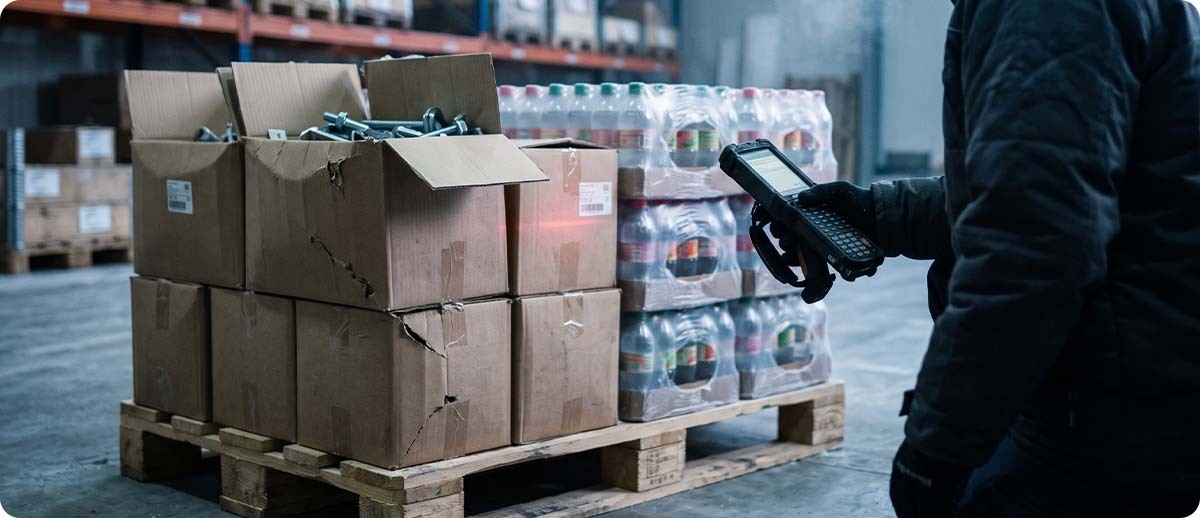
They can, but not with every tag and not in every spot. Metal reflects radio signals and liquids absorb them, so a standard tag on a box of steel fittings or a case of bottled product can read poorly even when it was encoded perfectly. That matters in a lot of Midwest operations: auto and ag equipment parts, metal fabrication, food and beverage. The fixes are to place the label on a side away from the contents, leave an air gap with packaging, or use tags built for metal. Test your hardest products first, before you commit to a rollout.
Do RFID Labels Work in Cold Docks and Freezers?
The chip itself handles cold well. The weak point is usually the label adhesive and the printer. Cartons coming off a cold truck or out of a freezer can be damp or frosty, and a standard adhesive won't grab. Use a cold-rated label, apply it to a dry surface, and keep the printer in a heated area. Our post on barcoding in the freezer covers the same issues for barcode labels.
Compare
Barcode Labels vs. RFID Labels at the Dock
How Do RFID Shipping Labels Compare With Barcode-Only Labels?
| Question | Barcode Only | RFID Label (Barcode + Chip) |
|---|---|---|
| How it's read | A person aims a scanner at each label | Readers pick it up by radio, no aiming, many at once |
| Line of sight needed? | Yes | No |
| Printer | Any thermal label printer | An RFID-capable label printer |
| Label cost | Lowest | Higher per label, because of the inlay |
| Trouble spots | Damaged or wrinkled labels | Metal, liquids, and tags that don't encode |
| What you get | Proven, cheap, works everywhere | Faster loading, automatic records, fewer missed scans |
| Best fit | Most mid-size docks today | High-volume docks, carrier or retailer requests, costly shipping errors |
On a phone, swipe the table sideways to see every column.
Decide
Is RFID Worth It for Your Dock?
Best fit · RFID now
When Do RFID Shipping Labels Make Sense?
RFID is worth a serious look if two or more of these sound like your dock:
- A carrier or a major customer has asked you about RFID labels
- You ship hundreds of cartons or more a day, often in mixed pallet loads
- Mis-ships, short shipments, or "never received" disputes cost you real money
- Workers spend a lot of time scanning cartons one by one at loading
- Your products aren't mostly metal or liquid, or you're willing to test tags that handle them
Best fit · Stay with barcodes
When Are Barcodes Still the Smarter Call?
If no carrier or customer is asking, your volume is modest, and your packages already get scanned reliably, there's no rush. RFID labels cost more per label, and they only pay off when something downstream reads them. Tightening up your barcode process is often the cheaper win, and our post on fixed mount vs. handheld scanners shows how to automate a barcode scan point first.
Worth a second look
Can You Start Small?
Yes, and it's the smart way to do it. Put one RFID label printer at one packing station, run your real cartons through it, and check read rates on your toughest products. If a carrier program is involved, run it with your UPS rep. You'll learn more from two weeks of real labels than from any spec sheet.
FAQ
Quick Questions
How Much Do RFID Shipping Labels Cost?
More than a plain thermal label, because each one carries a chip and antenna. UPS describes the chips themselves as costing a few cents each, but the finished label price depends on the inlay, the label size, and how many you buy. Ask for a quote on your exact size and volume, and remember the voided labels you'll see during setup.
Can We Use Our Current Label Printers for RFID?
Only if they're RFID models. A standard thermal printer can print on an RFID label, but it can't encode the chip, so the tag stays blank. Some industrial printers can take an RFID upgrade in the field; most desktop printers have to be bought as RFID models. Send us your printer models and we'll check.
Does FedEx Use RFID Labels Too?
FedEx has said it is testing RFID sensors on packages, but it hasn't announced a customer label program like UPS's. If you ship with both carriers, plan on barcode labels still doing most of the work for now.
What Is an RFID Portal?
It's a fixed RFID reader, usually mounted around a dock door or a conveyor, that reads every tagged item passing through. It's how a dock logs cartons automatically as they're loaded or received, without anyone scanning them.
RFID shipping labels aren't a must-have for every dock yet, but the carriers are clearly heading that way. The right move is to know where your dock stands: how much you ship, what you ship, and what your carriers and customers are asking for. If you'd like help testing RFID labels on your own cartons, or deciding whether barcodes are still enough, reach out to Midwest Barcoding Solutions. You can also browse our RFID printers.
Keep Reading
Customers Also Checked These Out